It’s 100% loss of UDP packets, that’s why UDP results are empty. Either server does not expose UDP ports for test or are filtered somewhere on route, eg. on ISP side. Not sure that this can be also caused due to MTU issues.
Under the right conditions, yes it will deliver the speed you’re after. Which was the point of my post. But you have to be using it under the right conditions.
In other words, the device is fit for purpose, just not your specific purpose. Personally, I wouldn’t go for a refund, I would go for a credit toward either a Chateau LTE6 or LTE12 or, if you can mount a small antenna outside an SXT/hAP combo. It’s quite possible that either one of these devices will deliver even better results than your current LTE4 router. The Chateau devices are much larger than the hAP due in part to a more complex internal antenna system. They also have external antenna ports fitted, should they be required.
If you are more than a few kilometers out from your nearest tower, my recommendation would be extending yourself to a LHGGLTE18 kit/hAP combo. Pricey, yes, but the CA config and B28 (if thats an option for you) is amazing IMO. I tested one of these where I was 37km away from the tower, over water and I got a surprising 40/2 d/l u/l. Line of sight, but the earth’s curvature at that distance should have prevented it. But I digress.
since you’re in germany, the EU law to return an item within 14 days should be available to you.
that aside - i was on 4G for 2 years while waiting for fiber to arrive and was tired of very slow dsl.
i tried with mikrotik sxt lte kit, and while it worked OKish (50-60mbit), it had frequent connection looses, for a few seconds…
got tired of that sh!t and bought a huawei b818 and external high gain antennas (iskra p56). even without antennas just by default, the huawei was giving me over 200mbit speed, alhough the signal was bad compared to the sxt (sxt was mounted outside, huawei was inside the center of the house). with external antennas conneccted in the attic, the signal got way better although speed remained the same, around 200-200mbit in downlink, but uplink went up to almost 100mbit.
in your specific use case where you have bad signal AND bad device, return that, and get yourself a pair of external antennas that go to the roof and a decent 4g/5g router.
I’m getting posting errors: the forum software here says my IP is blacklisted by Spamhaus… I have to obtain a new IP each time… Hmm…
Btw, the new WebFig software lacks the logout menu item (top right in the old versions).
I have not been able to logout from the WebLogin interface of this development version…
I need to create a wireless cellular (ie. LTE) solution with these requirements:
- Wireless-only solution (ie. 4G/LTE is sufficient for my needs).
- Use of 2 (or even 3) wireless WAN uplinks to the Internet (ie. 2 or 3 SIMs).
- The main traffic is routed depending on time of the day (for example SIM1 for the 1st 8 hours of the day, SIM2 the next 8 hours, and SIM3 the final 8 hours)
- All SIMs always on (for redundancy).
- The wireless components need literally to be mobile (ie. not a fixed antenna above the roof or so).
- Distribution (routing) of the traffic is done locally in LAN via simple “metric” settings for multiple routes
(or by using individual route tables as is possible in advanced routing under Linux)
For this I of course need multiple LTE routers (or a router that can house more than 1 SIM cards).
I recently tried it with LTE USB sticks, but had no luck with the sticks as they did not work (seems they are SIMlocked for Indonesia as “Telkomsel” is written on them).
This is a home/business use-case, and I’m after a budget solution.
So, my wireless adventure continues… 
The SXTLTE6 Kit is the only one that I’m aware of that has dual SIM capability, however it only allows one SIM connectivity at a time. I’m not sure whether any manufacturer would offer an “always on” scenario using 2-3 SIMs at the same time, certainly not for the price of the hAP you bought.
You should be able to script and schedule the SXT to enable one SIM for a defined period and then automatically switch to the second SIM for another period of time though.
To achieve what you’re ultimately looking for, I would think you’re going to need 2-3 LTE devices that connect to a router that can handle 2-3 WAN ports, especially if not all your intended providers come from the same tower.
I know you’ve stated that you don’t want any external antennae on your roof, but the truth is without one (or two), particularly if you’re rural or have multiple towers around you you will be wasting your time. BTW… The SXT is small enough to fit under an eave and still deliver good results, it doesn’t need to be on the roof - sometimes it’s better off under the eaves.
I would highly recommend if you’re going to that extent you do some research first finding out where your local provider’s towers are relevant to your location, the topography between you and those towers, your proximity to those towers and what other towers are there nearby which could give better results (or harm your incoming signal). Included with that, you really need to work out which router would be powerful enough to handle 2-3 consecutive WAN ports. You will also need to know how to configure your new router to accept multiple WAN ports too. Spend a bit of time at the outset for research to avoid disappointment.
Maybe someone else may have better advice?
Top right there are three vertical dots … clicking it opens drop-down with a few options, one of them is log out.
Nope, that’s the menu of the browser itself , not of the MikroTik WebFig GUI…
I’m using the desktop Firefox-Webbrowser under Debian Linux.
Tested now also Google Chrome: but it does not log in, says just “Connecting” and nothing else happens…
I think this is due to http://192.168.88.1 (not https)
Will try also https…
With https it’s not possible to connect, as it says:
This site can’t be reached
The webpage at > https://192.168.88.1/ > might be temporarily down or it may have moved permanently to a new web address.
ERR_TUNNEL_CONNECTION_FAILED
You’re thinking of the wrong button.
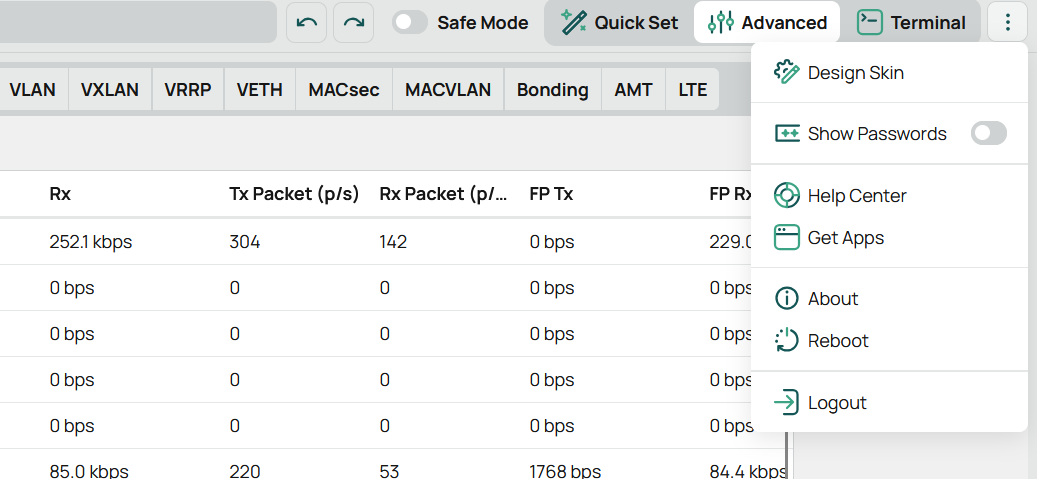
P.s. this is also on firefox 
You don’t see it like this ?
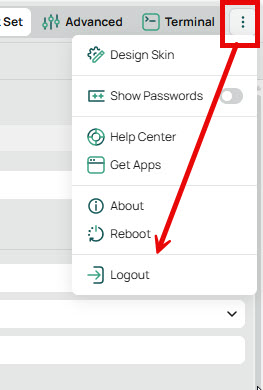
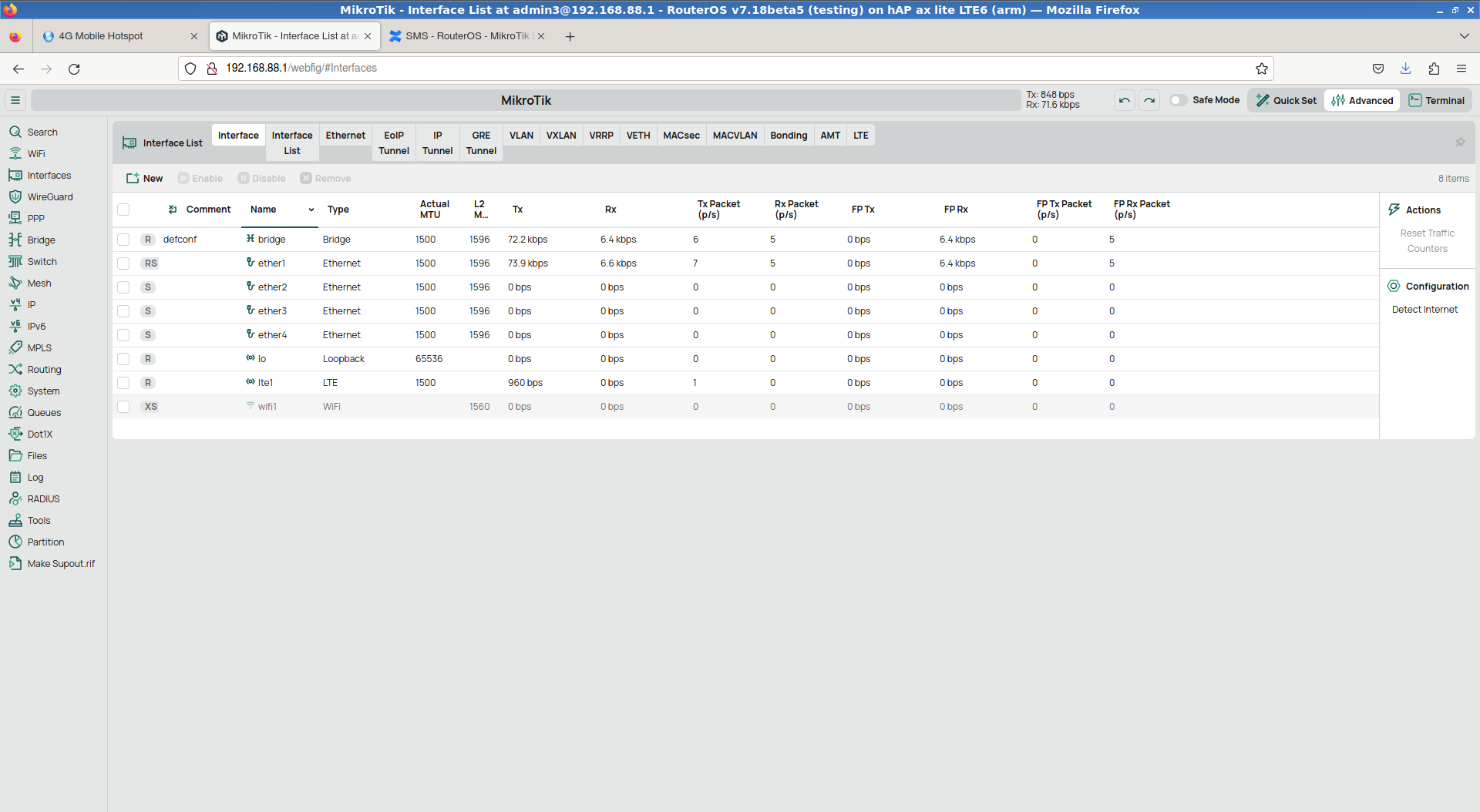
The dotted menu is missing in my FireFox.
But clicking on the Reload button goes back to the login page…
Can you try another browser ? Chrome perhaps ?
My screenshot was made using Edge (Chrome engine) on Win 11.
My screenshot was made on firefox 
But with version 7.18beta5.
Maybe you need to clear your cache?
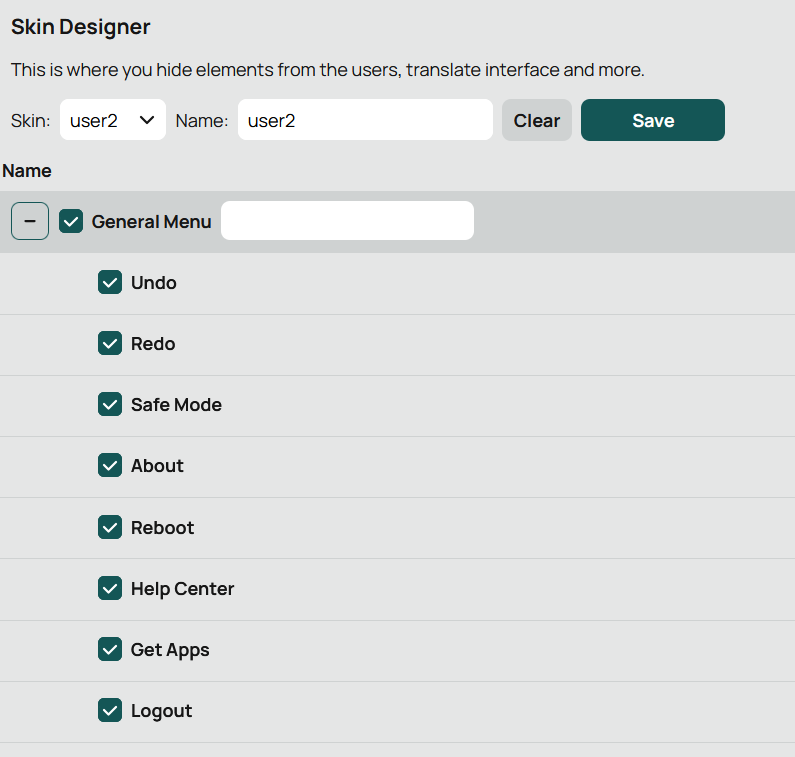
Or your user is missing some permission/has skin applied?
The forums software kicks me out, have to re-login… Not nice, MikroTik!..
@itimo01, @holvoetn, see the text in the caption of my screenshot. I’m using the same beta version of MT RouterOS/WebFig like you.
I’m on Linux, you are on Windows. That’s the difference, it seems.
And: I tried also Google Chrome, but it cannot login, see above posting.
I never used any skin stuff. Ie. everything system default here.
Who’s saying that?
I use Firefox on Windows AND Linux and it’s working flawlessly
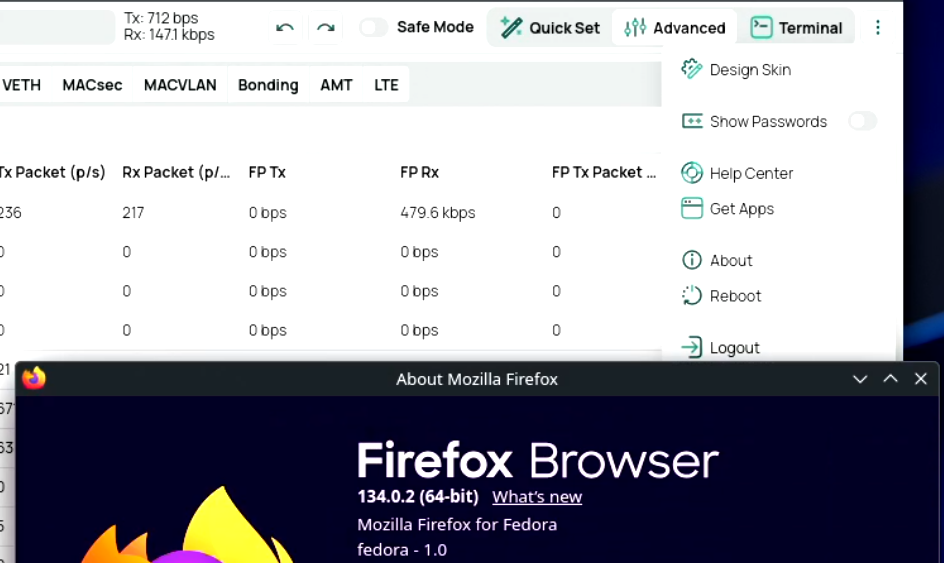
Do you use a vpn or a proxy?
Sorry, I meant @holvoetn; I just fixed the prev posting.
I have no clue why in my FireFox the dotted menu is missing.
The version of my FF is:
$ dpkg -l | grep -i firefox
ii firefox-esr 115.14.0esr-1~deb11u1 amd64 Mozilla Firefox web browser - Extended Support Release (ESR)
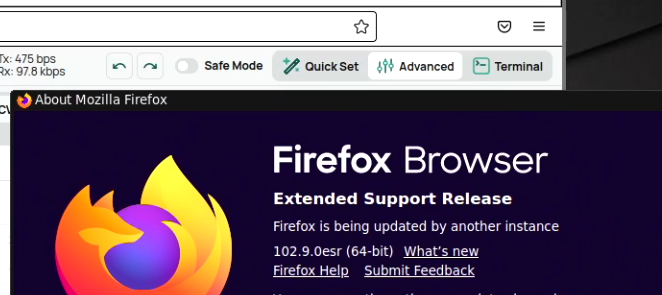
I just tried it on an old(er) ESR Version and yes the menu doesn’t appear.
Not sure if the current ESR (115.20) fixes that. Probably not.
Here Google Chrome uses proxy settings (local in same LAN), and Firefox does not.
But I wonder why this matters for login to the MikroTik Web GUI.