I hope, one day
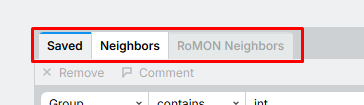
-- select multiples rules and changes one/more same attributes
-- get address lists as object, rename one, change automatically in all used rules
I noticed a lockup / unresponsivenes in WinBox 4.3 (macOS version) when I got back from lunch. I have not seen this behaviour in previous WinBox 4 versions.
Symptoms:
mouse clicks doesn't register, nothing happens when I click on windows or menu
typing doesn't work
CPU and current time on the status line doesn't update
Completely unresponsive? No...
I noticed that if I double-click on the WinBox window header WinBox will process what appears to be queued mouse/keyboard events. For example, to open the Interface window I need to
Click on menu Interfaces (nothing appears to happen)
Double-click on WinBox window header (and the Interface window appears)
or
click on Terminal window (nothing happens, doesn't get focus)
type "/please help" (nothing is shown)
Double-click on WinBox window header (/help me appears and gives "bad command name help" as expected)
To me it looks like the normal event handler for mouse and keyboard is blocked, not processing events properly. How WinBox got into this state is unknown, but perhaps the Mac-Mini going to sleep over lunch might have something to do with it. Restarting WinBox fixes the issue (at least for now)
Hopefully these details can give the devs an idea where the problem might be, and provide a quick fix.
Noticing an issue in the latest WinBox whereby when I'm logged into something like the MikroTik Audience, and the "Check for Updates" under Quick Set is set to the long-term branch, WinBox still keeps a notification in the top-right corner stating "RouterOS 7.23.2 available." So it's almost as if it's pulling the stable channel information and applying it even though it probably shouldn't be.
All those complaints for over 2 years about the "unlogical" multi-column menu; and now the opposite happens: complaints about too long menus. This has to be a troll post. This is how WinBox 3.x also does it - the usual and ultimate reference when something in 4.x is criticized.
I agree with you here. And I also had posts in the past discussing why the multi-column layout is, for my taste, superior. Fewer items to visually scan (n / 3 + 2 at most, on average n / 6 + 1, versus n at worse and n / 2 on average), and most of the time shorter mouse travel distance / mouse travel that doesn't have to be too precise. In the multi-column layout, we have much more tolerance when moving the mouse horizontally. With the long vertical menu, you have to pin-point a much smaller vertical area from dozens of small vertical areas.
There should be an option to enable the multi-column layout.
Careful what you wish for! The way the WinBox conversation has been going since about 4.0rc, if I was Mikrotik, I think I would just release a set of libraries and say that people must write their own GUI's.
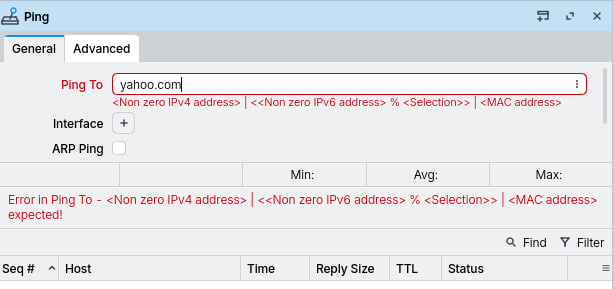
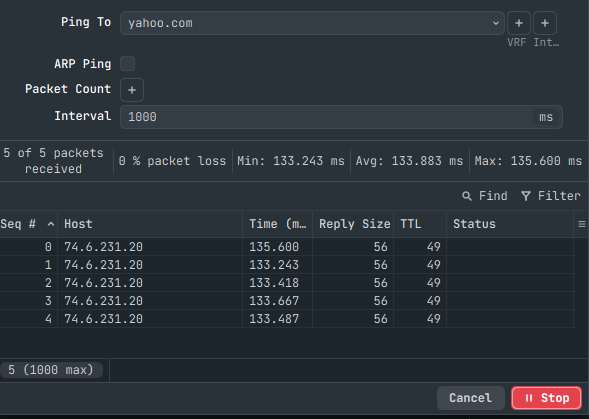
You'll need to upgrade your RouterOS to 7.21+, or use WinBox 3 if you want to stay on RouterOS 7.20.x and earlier. MikroTik probably already moved on and won't adjust the Ping form in WinBox 4 for older RouterOS anymore. Current ROS Long-Term is 7.21.x already.
Nope, I agree . . . the menu change in 4.3 sucks . . . It was far better before they screwed with it. Still alpha, just far quicker to navigate the way it was in <=4.2 . . .
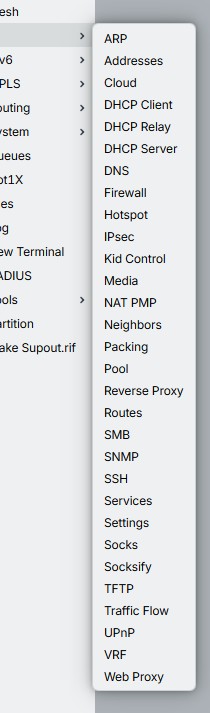
 All those complaints for over 2 years about the "unlogical" multi-column menu; and now the opposite happens: complaints about too long menus. This has to be a troll post. This is how WinBox 3.x also does it - the usual and ultimate reference when something in 4.x is criticized.