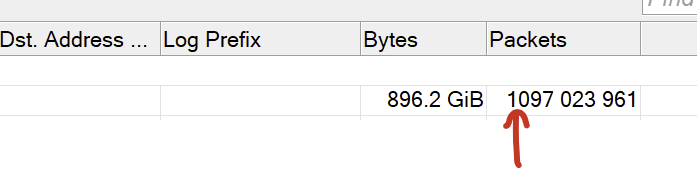
Please fix this issue with digits grouping finally. It persists for years.
I've noticed a problem with reconnection when there are multiple network adapters in Windows.
If you reboot a router, then after booting up WinBox doesn't reconnect to it, it stucks at "Connecting to x.x.x.x...". And for some reason it happens within approx. first 1-2 minutes of reconnection attempts. Clicking 'Cancel' and 'Connect' manually doesn't help.
But after waiting these 2 minutes it connects successfully. During unsuccessful connection attempts I see in the Wireshark, that WinBox tries to use wrong network adapter of my PC to connect - the one with default 0.0.0.0/0 route, instead of the adapter that directly connects to the network, where the router is located and which has a higher priority, because its route (192.168.x.0/24) is more specific than 0.0.0.0/0.
Initial connection to the router doesn't have this issue, it happens only when WinBox is trying to REconnect and only within first ~1-2 minutes of attempts.
I assure you it's a Windows problem.
Completely ignoring the MikroTik world,
if you set, for example, 10.11.12.13/24 to the secondary network adapter and try to ping 10.11.12.12/24,
it will try for a few more minutes to search for 10.11.12.12/24 via the primary network adapter...
Then why there is no such problem with initial connection and it only occurs on reconnects? When you just open WinBox and connect, it doesn't try to connect via primary adapter, it always uses correct adapter. Ping always works correctly either.
Routing table looks like this:
IPv4 Route Table
===========================================================================
Active Routes:
Network Destination        Netmask          Gateway       Interface  Metric
          0.0.0.0          0.0.0.0    192.168.100.1   192.168.100.10     15
     192.168.88.0    255.255.255.0         On-link     192.168.88.10    281
Router lives in 192.168.88.0 network and connected to the adapter via switch, i. e. connection doesn't disappear when the router goes offline.
If you put a flat switch between the devices,
so as not to cause the network card to disconnect upon reboot, it won't happen usually.
Otherwise, it's the same problem as netinstall with more than one network card active.
EDIT: Ah, ok, I was writing before the edit.
However, I see that on several Windows computers,
it often causes problems with other licensed-frequency products (Ceragon, SIAE micr., etc.), similarly.
I don't know when this was fixed and who did it (Wine or Mikrotik), but as of today I can again "Open in new window" without delay.
I didn't try it for a while, but every now and then I test it, and today, to my surprise, it worked as it was working until a few years ago.
My OS is OpenSUSE Tumbleweed, Wine 10.15, Winbox 3.42.
Good Work and Thank You to anyone who fixed this 
WinBox v3.43 is released.
Mikrotik stopped supporting its user and trying to act like UBNT
earlier Mikrotik used to Provide old vertion now iam trying to download Winbox 3.42 and iam not able get it from mikrotik i have to download from sketchy sources
and winbox 4 is useless for me i dont like it a bit ... but mikrotik is helbent on pusinng it to me
https://mikrotik.com/download/tools
It's there, just not in what would be the most obvious place . . . (that is 3.43, though . . . . )
3.42 looks to still be hanging out at https://download.mikrotik.com/routeros/winbox/3.42/winbox.exe and https://download.mikrotik.com/routeros/winbox/3.42/winbox64.exe