Well, I normally do not operate my Linux machine remotely via X11, but I use a headless X11 server with VNC access (Xtightvnc). So I guess it does not matter much when such a thing is available for wayland.
I guess when using X11 the network traffic is even more. At the moment for Winbox4 on Xtightvnc there already is an issue when e.g. the log window is open full screen, it consumes a lot of network traffic! (that is a “recently” introduced problem, it wasn’t happening in early Winbox4 versions)
Generally I agree with you. But: sometimes I simply have to use winbox remotely (over ssh with X11 forwarding) for limited set of tasks where general sloppiness (due to huge delays because of X11 being forwarded over long-delay connections) doesn't matter as much. The solution is still way less complex than running any kind of "screen grabber" (e.g. VNC or X2go or anything else ... which otherwise provides better user experience) specially so as one doesn't have to prepare anything fancy on either side of ssh tunnel (a portable version of mobaXterm is just fine if remote side is Windows).
I can see that there are benefits of using wayland as local graphics platform (instead of outdated X11), but for (limited amount of) remote work, X11 is simply way easiest option.
In my way of thinking, requiring some emulation layer (such as wine) doesn't make app multi-platform. So I'm wondering which platforms (apart from various windows) support WB3 natively?
BTW, I'm also saying that running X11 apps (such as WB4) in wayland is not native ... even though xwayland comes from the same software vendor as wayland itself it still is emulation layer between app and (native) graphics renderer. The same as running X11 server in windows OS (where X11 server is not natively controling graphics hardware, instead it's calling native graphics functions).
This platform discussion is purely academic. In the end what matters is: does it run or not run. And installing xwayland (besides a load of other dynamic library dependencies) is a matter of seconds.
For a while I used X2Go for the purpose I have (a desktop at work where many terminal windows and winboxes are open, and which I can access both from a Windows machine at work and my Linux machine at home).
X2Go sends X11 traffic over the network link, and the big disadvantage of that is when the traffic is more than your network bandwidth, it backs up at the server and is still all sent to the client. So when e.g. a remotely running browser on a “newfangled” website tries to do an animation or movie, the whole session locks up.
With VNC this issue does not occur, it just runs at the maximal frame rate the network allows, and it is still usable. However, winbox still manages to send 4Mbps of traffic for a winbox with some windows open. I think the windows that are auto-refreshing just keep updating the window even when there is no change. Apparently in the past this was optimized and it worked better.
Thanks for mentioning ReactOS, it's new to me. It does seem that ReactOS can natively run windows binaries (it is said to be open source replacement for Windows OS) ... but your use (running ReactOS inside VM) defies the purpose of having native apps for "bare bone" OS.
Not according to my experience. I have X2go server installed on remote host and that component provides X server ... much like VNC server component does. And in this case, X2go transports only rendered graphics and doesn't suffer from long round trip times (like raw X11 does).
But it might be possible to run X2go in different ways and I can imagine that without running server component, X2go might provide fall back mode with transporting X11 commands over TCP ... exactly the same way as if only setting DISPLAY=<remote_host>:0 (or what SSH does when enabling X forwarding) ... and the local X2go part only provides X11 server (not needed if local OS provides X11 server natively, e.g. linux).
I was just mentioned it as alternative platform, running WB3 on ReactOS in VM on iPhone just for POC, I don’t have actual need to use it, there is MT iOS native app for ROS config. ReactOS can be installed as bare bone bootable OS if needed on x86-64 devices.
It is a couple of years ago that I last used it, so it may have changed. Also, the fact that you can have a desktop that you can leave alone and then re-connect from another system sort of suggests the X server is on the remote machine and the rendered images are transferred. Anyway, after using it some months I got annoyed by the frequent hangs when a lot of display updates were occurring, and I switched to Xtightvnc.
Still it would be nice when network traffic was reduced for auto-refreshing windows, I don’t know what is happening there. 4Mbit/s is not that bad these days but still it is a lot when I forget to switch the virtual desktop away from one having Winbox on it.
When will we finally get the feature in Winbox4 that will allow the BGP Sessions window to become auto-refreshing like all other windows?
Back when v7 was first released with this all-overhauled BGP we were told that it would require a Winbox update to make the window refresh like the Peers window did in v6, but now years further down the path it still does not work…
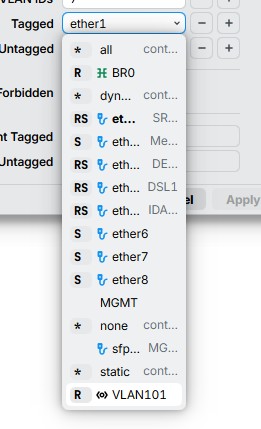
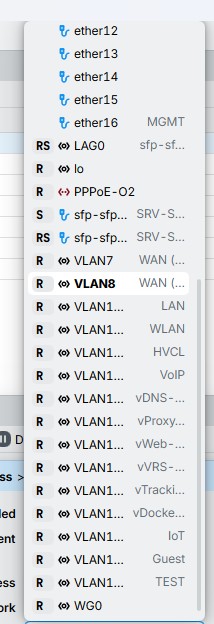
It's one of the often raised complaints since the beta. As workaround you can try making the form wider. That will stretch the controls and as the result, the drop down list too.
Why be rude? What MikroTik should do is completely eliminate Winbox, so everything is done via terminal. That way, so many people will stop criticizing everything.