Idk, I've only checked on Windows.
Would it be possible to update the documentation now that WinBox 4 is the stable version and betas of new versions are being released?
The entry “WinBox” in the manual starts out being exclusively about version 3 and only at the very bottom there is a small section “WinBox v4 Keyboard Shortcuts” which in this case happened to be what I was looking for, but not very apparent that it is there.
Maybe rename the existing document to “WinBox 3”, remove that v4 section there, and then gradually rework the WinBox manual page to be about WinBox 4 as time permits?
(sorry, post was not meant to be a reply, but it seems I cannot edit that)
BUT words that starts with "if" tend to be all related to "iffy" which would be accurate to describe the abbreviation.

I was not sold on my suggestion either. You could use a graphic/icon instead of text, but that not WinBox4 styling. More pointing out it's odd to have controls where resizing cannot resolve the ellipse on label. And with a always-... there should at least be a tooltip that expands the rest of text. Currently, I see "Set" on hover for the two controls.
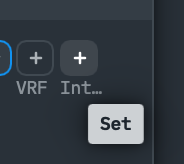
Or just use a full size field. This constant obsession with trying to fit things on a five inch display.
I remember this suggestion being made, as if it were a syntax-respecting string constructor...
And I remember how negatively the idea was criticized.
What happened to sorting multiple columns?
In Winbox3 i was able to sort the routing table on distance and then dst.addr
It has been implemented since some very early WinBox 4 beta (beta26). Just hold Shift while clicking on the column headers. The implementation is even better than WinBox 3, because now you can sort more than two columns at the same time.
In august it will be 2 years since first beta was introduced - and it still looks, feels and functions like made by amateurs.
Why do you keep using stuff made by amateurs? You could sell or throw away all your MikroTik stuff, buy Cisco or Juniper, and enjoy the user interfaces made by professionals!
Right?
Wrong - it is not always up to oneself to make these choices. And current state of this does not benefit anyone.
It has taken 2 years of inability to not make “Hide passwords” toggle to still not work properly after repeating support tickets. I guess it is time to make another one…
You mean using the OS/CPU's keystore schemes, so there is not a "hide password" button, so you're just prompted by OS in editbox with password from Keychain/etc, right? 
i.e. To me, the whole "save passwords to files" scheme is what's "not working properly" — everyone has an opinion... MikroTik is left balancing things.
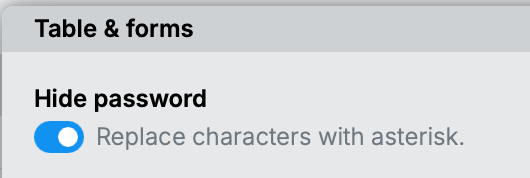
How is it "not working properly"?
Open Wifi → Interfaces. In that table view passphrases are hidden if Hide password option is activated - however if any interface object is opened then in form view it is visible.
At the beginning it was much bigger problem as many more passphrases/secrets were not asterisked i.e. that option did not work. Even that wifi interface table view was failing in asterisking passphrases.
Before that Hide password option was possible to disable (and subsequently de-asterisk all passwords/secrets) by user who did not had “sensitive” permission. Fortunately at least that has been fixed long time ago.
Cannot reproduce that here. Try connecting from a completely new workspace.
What's new in 4.1rc2 (2026-Mar-31 13:13):
- form: fix optional address type field (WireGuard/Peers/Endpoint) (introduced in v4.1rc1);
- ui: increase combobox popup's minimal width;
WinBox files for Windows, Linux and macOS are available here:
https://download.mikrotik.com/routeros/winbox/4.1rc2/WinBox_Windows.zip
https://download.mikrotik.com/routeros/winbox/4.1rc2/WinBox_Linux.zip
https://download.mikrotik.com/routeros/winbox/4.1rc2/WinBox.dmg
No matter what workspace to use. Even when connecting from completely different machine with no previous configuration situation is similar. It is actually acknowledged by support yet nothing is done. Probably need to start reposting the ticket on every new release. I start to understand disgruntled Apple users who refuse to post feedbacks to support even in case of mission-critical bugs because of perceived uselessness and waste of time for doing it…

Good to see that Routing | OSPF | Static Peers now has the option to select the interface. One note, though: at this place it is not optional (what the UI suggests here).
As others have already commented: you really need to work on sizing. I am also not sure whether the interface really needs to have a subtitle. You could simply add an interface icon before the plus instead of the subtitle which would not break all your layouts.
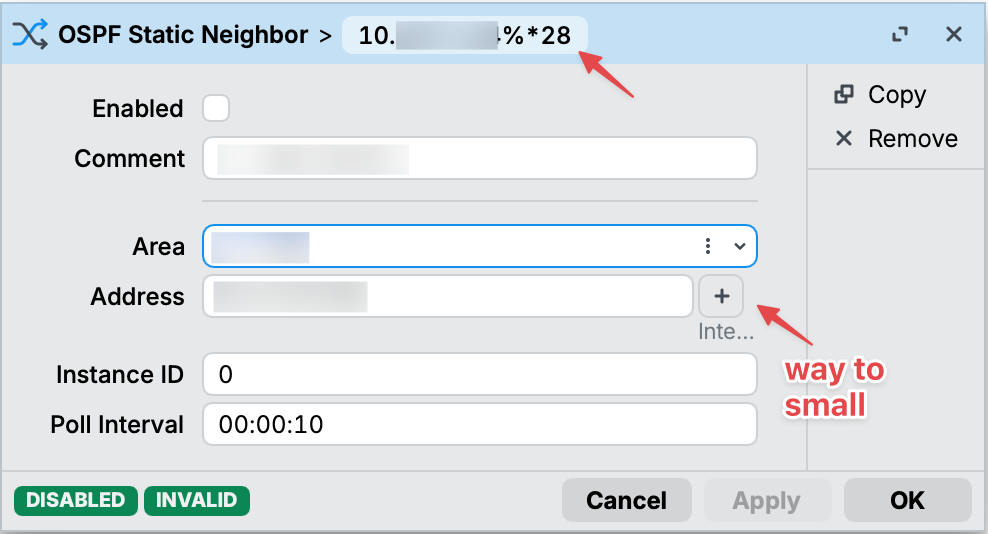
Please ignore the
*28. That was because the interface was deleted some time ago and was invalid.