The provider router from AVM (Fritz!Box 6591 Cable) has a media server built-in. My Mikrotik device (RB750Gr3) acts as exposed host between my clients and the provider router. I have UPnP enabled on the RB750Gr3.
My clients cannot discover the media server, however.
What does UPnP have to do with this?
Isn't the router the AVM?
So what does UPnP have to do with any of this?
You haven't specified ANYTHING about how the devices are configured,
much less provided a correct idea of how they're connected.
much more less what you expect.
No real idea about AVM media servers. But let us start with this: Do your clients successfully discover the media server when directly connected to the AVM unit?
If so, we need to know about how you are connecting across the RB750Gr3. Are the clients and the media server on the same IP subnet? are they on different vLANs? Can you ping between the clients and the media server?
If i was to poke at one thing, I would go to IP -> DNS on the RB750Gr3 and specify the interfaces to the media server and to the clients respectively as mDNS repeaters. But that is for the most part based on a guess as to how your system works.
Knowing nothing about the protocol, I would expect UPnP to deal with this.
The provider router, yes. My internal router, no. It looks as follows:
We have clients, attached to the RB750Gr3 on Ether2-Ether5, which is in turned connected via Ether1 to the provider-supplied router. Actually, there is a CSS326-24G-2S+RM in between and some Access Points to distribute the network to all clients wireless and wired, but I left these details out initially in the hope not to confuse.
Again: Knowing nothing about the protocol, I would expect UPnP to deal with this issue.
When I post in Beginner Basics, I expect some guidance about what to post. I gave some more information above. To supply relevant information, please tell me what information you would need, and how to obtain it via commands, to answer this question.
I actually expected a simple answer along the lines of:
"Do this and that to establish a firewall rule so that the relevant ports are open to the provider router", but that was expecting too much. My apologies.
Please keep in mind that I post in Beginner Basics for a reason. I never had to touch my network after I set all of this up around 10 years ago, and forgot everything since I don't do networking for a living.
Who leaves their system on ROS 6 without updates? The version of ROS is 7.22.2. There's a script running for automatic updates, that's why I never had to touch the system.
Me, for example, because I work there and I need stability.
And where did you write that?
You see, beginner or not, some information you need to provide is obvious,
like contacting the mechanic that you're having problems with a generic car model, without specifying the specific year and model.
And this has always been one of the biggest mistakes: Installing an update as soon as it's released.
Since you're a beginner, learn right away: MikroTik quality control is made up of users who install it immediately, and discover the problems to their own cost...
I guess that what originated the misunderstanding is that the Fritzbox uses something called UPnP AV (Universal Plug and Play Audio/Video, which is NOT "plain" UPnP, but rather an extension of it): https://en.wikipedia.org/wiki/Universal_Plug_and_Play#AV_standards
It seems like some special configuration is needed to allow the packets/discovery/whatever to pass through:
though I couldn't find anything confirmed about this stuff.
There is a (as usual telegraphic) article on Mikrotik help about Ros being able to do the same (DLNA) media server but nothing about the needed settings on other devices on the network:
The thing revolves around SSDP, so maybe, just maybe, there could be something useful here:
Yes. Even a dumb AVR Receiver can connect if directly attached to the AVM unit. This is what irks me -- there shouldn't be something sophisticated involved if a 10+ year old Denon receiver can do this.
My clients are on 192.168.88.0/24, the AVM is on 192.168.178.1. The clients do have a route to the AVM. I can access its web interface, even name resolution works (https://fritz.box accesses the router).
When I open IP -> DNS in the webinterface, nothing is defined as mDNS repeater.
I have the options of bridge, cap1 - cap8, ether1 - ether5, lo and wg1 (a wireguard interface).
ether1 is the connection to the AVM. The bridge bridges ether2 - ether5 and cap1 - cap8.
When I declare bridge and ether1 as mDNS repeater in these settings, the media server on the AVM isn't shown at the client. This wasn't the solution, unfortunately.
The definition of the RB750Gr3 as Exposed Host on the AVM means that the RB750Gr3 can open ports on the AVM.
Is there a risk that I expose my system by using the mDNS repeater function on the RB750Gr3?
Point taken, but for example, I wouldn't have mDNS staying on ROS 6. For my SOHO needs, timely updates (removing vulnerabilities) beats the stability issue. Knock on wood: I never had an issue over all these years...
I admit I was hoping to be given the command to upload the config which than would have revealed the details of my setup. Can't remember it off the top of my head after all the years.
Couldn't agree more. Again, I was hoping to reveal this after getting told how to backup and upload the config for the forum. It's not that I wanted to withhold this.
Where has it ever been different in IT? But I rather take my chances with early updates than risk having a vulnerability and then getting a hijacked system.
But back to the issue at hand. Is there anything which would you need me to post in terms of details?
[Bear in mind that I am only guessing that the media server is advertised by mDNS. You could connect a Linux box to the AVM and run
avahi-browse -a -v -r
to see if the AVM is advertising itself as a media server and on a RB750Gr3 port to see if that advertisement is missing and to see if the mDNS configuration changes have made an advertisement available.]
Assuming that the AVM is on ether1 and your clients are on bridge connected ports, then yes. A further thing to navigate is you may need to open port 5353 on the firewall to permit mDNS [DNS - RouterOS - MikroTik Documentation refers]. This config worked for me:
That was worth a try, but it's not the solution. Tried with the Receiver attached to both routers and also with avahi-browse, but no dice.
I also think @jaclaz is right. This is the setup for a DLNA UPnP bridge, complicated by the issue that DLNA has a TTL=1 and is normally only in the same subnet.
I read his links, except for the one to the bridging of two Mikrotik devices via WireGuard and routing DLNA UPnP, they were known already or couldn't get me further.
But the link to the useful user article by @UpRunTech should be adaptable to my situation. Now I need to see what changes are necessary.
Main issue would be the fact that for the EoIP setup, I would need to configure things on both devices, whereas I only can do so on my own RB750Gr3, not on the provider-supplied AVM router.
If the problem is only increase TTL from 1 to 2... simply set the TTL to 2...
For me, this is the classic problem I usually see: first the user does everything they can do to separate,
then they do everything they can and not, to pretend it's all on the same network...
But leave everything together without bothering you...
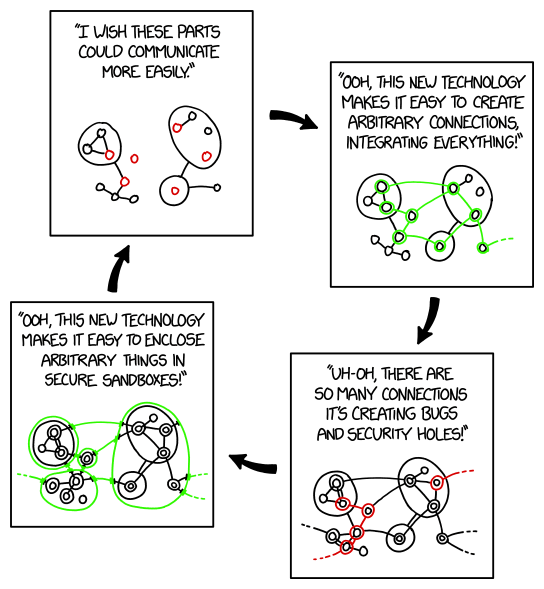
I get your point about poking holes between sandboxes, but I do run mdns across vLANs, because I have services on a vLAN which I want to access from the general LAN, which I want not to see the public internet.
 When I declare bridge and ether1 as mDNS repeater in these settings, the media server on the AVM isn't shown at the client. This wasn't the solution, unfortunately.
 Is there a risk that I expose my system by using the mDNS repeater function on the RB750Gr3?