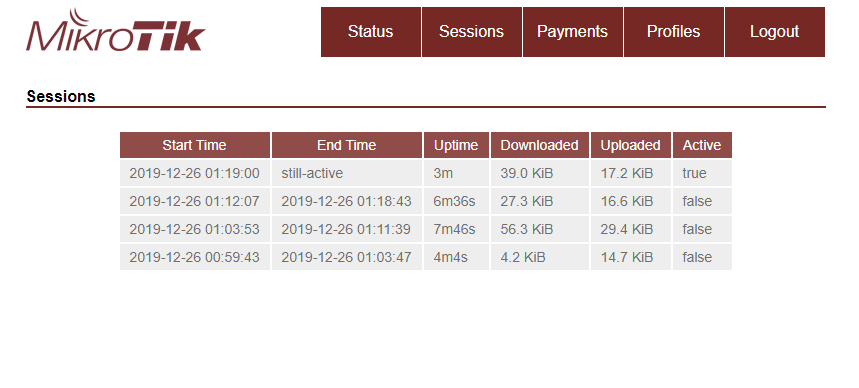
Is there any way to have more logging or debugging? I only have "rejects" out of this user manager setup.
What is wrong in this setup? Is there a possible short exemple for 802.1x to start from?
Is it the limit, the profile, the authentication method? Should be PEAP and MSCHAP2 for 802.1x , no ?
This is a lab setup, no real user environment. hAP ac2 (ROS 7.0beta4) as user manager (192.168.2.23) and wAP ac (ROS 6.46) as wifi AP (192.168.2.25)
user manager configuration
[admin@MikroTik hAPac2] /user-manager> export verbose
dec/13/2019 13:21:29 by RouterOS 7.0beta4
software id = B8YC-C4XL
model = RBD52G-5HacD2HnD
serial number = xxxxxxxxxxxxx
/user-manager limitation
add download-limit=0B name=tst rate-limit-burst-rx=0B rate-limit-burst-threshold-rx=0B rate-limit-burst-threshold-tx=0B rate-limit-burst-time-rx=0s
rate-limit-burst-time-tx=0s rate-limit-burst-tx=0B rate-limit-min-rx=0B rate-limit-min-tx=0B rate-limit-priority=0 rate-limit-rx=0B rate-limit-tx=0B
reset-counters-interval=disabled reset-counters-start-time="jan/01/1970 00:00:00" transfer-limit=0B upload-limit=0B uptime-limit=0s
add download-limit=0B name=test rate-limit-burst-rx=0B rate-limit-burst-threshold-rx=0B rate-limit-burst-threshold-tx=0B rate-limit-burst-time-rx=0s
rate-limit-burst-time-tx=0s rate-limit-burst-tx=0B rate-limit-min-rx=0B rate-limit-min-tx=0B rate-limit-priority=0 rate-limit-rx=0B rate-limit-tx=0B
reset-counters-interval=disabled reset-counters-start-time="jan/01/1970 00:00:00" transfer-limit=0B upload-limit=0B uptime-limit=16m40s
/user-manager profile
add name=userprof name-for-users=userprof override-shared-users=off price=0 starts-when=assigned validity=unlimited
/user-manager user group
set [ find default-name=default ] attributes="" inner-auths=ttls-pap,ttls-chap,ttls-mschap1,ttls-mschap2,peap-mschap2 name=default outer-auths=
pap,chap,mschap1,mschap2,eap-tls,eap-ttls,eap-peap,eap-mschap2
set [ find default-name=default-anonymous ] attributes="" inner-auths="" name=default-anonymous outer-auths=eap-ttls,eap-peap
/user-manager user
add attributes="" disabled=no group=default name=bpwl password=bpwl shared-users=1
/user-manager
set accounting-port=1813 authentication-port=1812 certificate=none enabled=yes
/user-manager advanced
set paypal-allow=no paypal-currency=USD paypal-password="" paypal-signature="" paypal-use-sandbox=no paypal-user="" web-private-password="" web-private-username=""
/user-manager profile-limitation
add from-time=0s limitation=test profile=userprof till-time=23h59m59s weekdays=sunday,monday,tuesday,wednesday,thursday,friday,saturday
/user-manager router
add address=192.168.2.25 coa-port=3799 disabled=no name=wap shared-secret=mikrotik
/user-manager user-profile
add profile=userprof user=bpwl
[admin@MikroTik hAPac2] /user-manager>
The logging shows:manager,debug <<<<tx Access-reject after 2 request/challenge handshakes.
Time Buffer Topics Message
169 Dec/13/2019 00:30:55 memory manager, debug >>> rx Access-Request from [192.168.2.25]:45652, id: 119
170 Dec/13/2019 00:30:55 memory manager, debug <<< tx Access-Challenge to [192.168.2.25]:45652, id: 119
171 Dec/13/2019 00:30:55 memory manager, debug >>> rx Access-Request from [192.168.2.25]:42899, id: 120
172 Dec/13/2019 00:30:55 memory manager, debug <<< tx Access-Challenge to [192.168.2.25]:42899, id: 120
173 Dec/13/2019 00:30:55 memory manager, debug >>> rx Access-Request from [192.168.2.25]:41869, id: 121
174 Dec/13/2019 00:30:55 memory manager, debug <<< tx Access-Reject to [192.168.2.25]:41869, id: 121
175 Dec/13/2019 00:31:44 memory manager, debug >>> rx Access-Request from [192.168.2.25]:35311, id: 122
176 Dec/13/2019 00:31:44 memory manager, debug <<< tx Access-Challenge to [192.168.2.25]:35311, id: 122
177 Dec/13/2019 00:31:44 memory manager, debug >>> rx Access-Request from [192.168.2.25]:57176, id: 123
178 Dec/13/2019 00:31:44 memory manager, debug <<< tx Access-Challenge to [192.168.2.25]:57176, id: 123
179 Dec/13/2019 00:31:44 memory manager, debug >>> rx Access-Request from [192.168.2.25]:60363, id: 124
180 Dec/13/2019 00:31:44 memory manager, debug <<< tx Access-Reject to [192.168.2.25]:60363, id: 124
181 Dec/13/2019 00:32:14 memory manager, debug >>> rx Access-Request from [192.168.2.25]:49734, id: 125
182 Dec/13/2019 00:32:14 memory manager, debug <<< tx Access-Challenge to [192.168.2.25]:49734, id: 125
183 Dec/13/2019 00:32:14 memory manager, debug >>> rx Access-Request from [192.168.2.25]:51911, id: 126
184 Dec/13/2019 00:32:14 memory manager, debug <<< tx Access-Challenge to [192.168.2.25]:51911, id: 126
185 Dec/13/2019 00:32:14 memory manager, debug >>> rx Access-Request from [192.168.2.25]:56187, id: 127
186 Dec/13/2019 00:32:14 memory manager, debug <<< tx Access-Reject to [192.168.2.25]:56187, id: 127
187 Dec/13/2019 00:32:44 memory manager, debug >>> rx Access-Request from [192.168.2.25]:36744, id: 128
188 Dec/13/2019 00:32:44 memory manager, debug <<< tx Access-Challenge to [192.168.2.25]:36744, id: 128
189 Dec/13/2019 00:32:45 memory manager, debug >>> rx Access-Request from [192.168.2.25]:55070, id: 129
190 Dec/13/2019 00:32:45 memory manager, debug <<< tx Access-Challenge to [192.168.2.25]:55070, id: 129
191 Dec/13/2019 00:32:45 memory manager, debug >>> rx Access-Request from [192.168.2.25]:54221, id: 130
192 Dec/13/2019 00:32:45 memory manager, debug <<< tx Access-Reject to [192.168.2.25]:54221, id: 130
The requesting wifi seems normal with RADIUS debug logging.
Quick SetWebFigTerminal RouterOS v6.46 (stable)
Time Buffer Topics Message
506 Dec/13/2019 00:30:55 memory radius, debug, packet debug: NAS-IP-Address = 192.168.2.25
507 Dec/13/2019 00:30:55 memory radius, debug, packet debug: received Access-Reject with id 121 from 192.168.2.23:1812
508 Dec/13/2019 00:30:55 memory radius, debug, packet debug: Signature = 0xc74e9aa1891a0423b0680031b52e63a5
509 Dec/13/2019 00:30:55 memory radius, debug, packet debug: EAP-Message = 0x04020004
510 Dec/13/2019 00:30:55 memory radius, debug, packet debug: Message-Authenticator = 0x406d0b9b63b2573f54e206f1139f1ce5
511 Dec/13/2019 00:30:55 memory radius, debug debug: received reply for 58:c3
512 Dec/13/2019 00:30:55 memory wireless, info 54:A0:50:96:A9:99@wlan5: disconnected, 802.1x authentication failed
513 Dec/13/2019 00:31:44 memory wireless, info 54:A0:50:96:A9:99@wlan5: connected, signal strength -64
514 Dec/13/2019 00:31:44 memory radius, debug debug: new request 58:c4 code=Access-Request service=wireless called-id=test
515 Dec/13/2019 00:31:44 memory radius, debug debug: sending 58:c4 to 192.168.2.23:1812
516 Dec/13/2019 00:31:44 memory radius, debug, packet debug: sending Access-Request with id 122 to 192.168.2.23:1812
517 Dec/13/2019 00:31:44 memory radius, debug, packet debug: Signature = 0x3dd925fc93baf700562a0cf27abc6fd4
518 Dec/13/2019 00:31:44 memory radius, debug, packet debug: Service-Type = 2
519 Dec/13/2019 00:31:44 memory radius, debug, packet debug: Framed-MTU = 1400
520 Dec/13/2019 00:31:44 memory radius, debug, packet debug: User-Name = "bpwl"
521 Dec/13/2019 00:31:44 memory radius, debug, packet debug: NAS-Port-Id = "wlan5"
522 Dec/13/2019 00:31:44 memory radius, debug, packet debug: NAS-Port-Type = 19
523 Dec/13/2019 00:31:44 memory radius, debug, packet debug: Calling-Station-Id = "54-A0-50-96-A9-99"
524 Dec/13/2019 00:31:44 memory radius, debug, packet debug: Called-Station-Id = "test"
525 Dec/13/2019 00:31:44 memory radius, debug, packet debug: EAP-Message = 0x02000009016270776c
526 Dec/13/2019 00:31:44 memory radius, debug, packet debug: Message-Authenticator = 0x7a2e3e7c4a67cf445a4655b18063ad73
527 Dec/13/2019 00:31:44 memory radius, debug, packet debug: NAS-Identifier = "MktwAPac"
528 Dec/13/2019 00:31:44 memory radius, debug, packet debug: NAS-IP-Address = 192.168.2.25
529 Dec/13/2019 00:31:44 memory radius, debug, packet debug: received Access-Challenge with id 122 from 192.168.2.23:1812
530 Dec/13/2019 00:31:44 memory radius, debug, packet debug: Signature = 0xbac9bd4fa4ff68bf517a95ac5ff23afc
531 Dec/13/2019 00:31:44 memory radius, debug, packet debug: EAP-Message = 0x0101001b1a0100001610486eefc353bc
532 Dec/13/2019 00:31:44 memory radius, debug, packet debug: 6b2ecdf458c26fbb026120
533 Dec/13/2019 00:31:44 memory radius, debug, packet debug: State = 0xfd2e0e32cc6a3137c874bf3dd1865924
534 Dec/13/2019 00:31:44 memory radius, debug, packet debug: Message-Authenticator = 0xa49772870be90db17f19d97505f1a863
535 Dec/13/2019 00:31:44 memory radius, debug debug: received reply for 58:c4
536 Dec/13/2019 00:31:44 memory radius, debug debug: new request 58:c5 code=Access-Request service=wireless called-id=test
537 Dec/13/2019 00:31:44 memory radius, debug debug: sending 58:c5 to 192.168.2.23:1812
538 Dec/13/2019 00:31:44 memory radius, debug, packet debug: sending Access-Request with id 123 to 192.168.2.23:1812
539 Dec/13/2019 00:31:44 memory radius, debug, packet debug: Signature = 0x5ff13abc8302675e71b62c41759dc0fe
540 Dec/13/2019 00:31:44 memory radius, debug, packet debug: Service-Type = 2
541 Dec/13/2019 00:31:44 memory radius, debug, packet debug: Framed-MTU = 1400
542 Dec/13/2019 00:31:44 memory radius, debug, packet debug: User-Name = "bpwl"
543 Dec/13/2019 00:31:44 memory radius, debug, packet debug: State = 0xfd2e0e32cc6a3137c874bf3dd1865924
544 Dec/13/2019 00:31:44 memory radius, debug, packet debug: NAS-Port-Id = "wlan5"
545 Dec/13/2019 00:31:44 memory radius, debug, packet debug: NAS-Port-Type = 19
546 Dec/13/2019 00:31:44 memory radius, debug, packet debug: Calling-Station-Id = "54-A0-50-96-A9-99"
547 Dec/13/2019 00:31:44 memory radius, debug, packet debug: Called-Station-Id = "test"
548 Dec/13/2019 00:31:44 memory radius, debug, packet debug: EAP-Message = 0x020100060319
549 Dec/13/2019 00:31:44 memory radius, debug, packet debug: Message-Authenticator = 0x0201fd3d97e48f7cff4bec8a16a18299
550 Dec/13/2019 00:31:44 memory radius, debug, packet debug: NAS-Identifier = "MktwAPac"
551 Dec/13/2019 00:31:44 memory radius, debug, packet debug: NAS-IP-Address = 192.168.2.25
552 Dec/13/2019 00:31:44 memory radius, debug, packet debug: received Access-Challenge with id 123 from 192.168.2.23:1812
553 Dec/13/2019 00:31:44 memory radius, debug, packet debug: Signature = 0x020a7b6a38e9c131011fdadb4d9e49a1
554 Dec/13/2019 00:31:44 memory radius, debug, packet debug: EAP-Message = 0x010200061920
555 Dec/13/2019 00:31:44 memory radius, debug, packet debug: State = 0xfd2e0e32cc6a3137c874bf3dd1865924
556 Dec/13/2019 00:31:44 memory radius, debug, packet debug: Message-Authenticator = 0xb7f791633cf57d3ec49c18fd30624470
557 Dec/13/2019 00:31:44 memory radius, debug debug: received reply for 58:c5
558 Dec/13/2019 00:31:44 memory radius, debug debug: new request 58:c6 code=Access-Request service=wireless called-id=test
559 Dec/13/2019 00:31:44 memory radius, debug debug: sending 58:c6 to 192.168.2.23:1812
560 Dec/13/2019 00:31:44 memory radius, debug, packet debug: sending Access-Request with id 124 to 192.168.2.23:1812
561 Dec/13/2019 00:31:44 memory radius, debug, packet debug: Signature = 0xe3ffe217f2d1fff1d891e45c08228605
562 Dec/13/2019 00:31:44 memory radius, debug, packet debug: Service-Type = 2
563 Dec/13/2019 00:31:44 memory radius, debug, packet debug: Framed-MTU = 1400
564 Dec/13/2019 00:31:44 memory radius, debug, packet debug: User-Name = "bpwl"
565 Dec/13/2019 00:31:44 memory radius, debug, packet debug: State = 0xfd2e0e32cc6a3137c874bf3dd1865924
566 Dec/13/2019 00:31:44 memory radius, debug, packet debug: NAS-Port-Id = "wlan5"
567 Dec/13/2019 00:31:44 memory radius, debug, packet debug: NAS-Port-Type = 19
568 Dec/13/2019 00:31:44 memory radius, debug, packet debug: Calling-Station-Id = "54-A0-50-96-A9-99"
569 Dec/13/2019 00:31:44 memory radius, debug, packet debug: Called-Station-Id = "test"
570 Dec/13/2019 00:31:44 memory radius, debug, packet debug: EAP-Message = 0x020200d01980000000c616030100c101
571 Dec/13/2019 00:31:44 memory radius, debug, packet debug: 0000bd0301b3d0d7ae846d0dbac970c9
572 Dec/13/2019 00:31:44 memory radius, debug, packet debug: 81cba0b50c44a2aa4593d99ee9318b59
573 Dec/13/2019 00:31:44 memory radius, debug, packet debug: 6a5eef810d000054c014c00ac022c021
574 Dec/13/2019 00:31:44 memory radius, debug, packet debug: 00390038c00fc0050035c012c008c01c
575 Dec/13/2019 00:31:44 memory radius, debug, packet debug: c01b00160013c00dc003000ac013c009
576 Dec/13/2019 00:31:44 memory radius, debug, packet debug: c01fc01e00330032c00ec004002fc011
577 Dec/13/2019 00:31:44 memory radius, debug, packet debug: c007c00cc00200050004001500120009
578 Dec/13/2019 00:31:44 memory radius, debug, packet debug: 0014001100080006000300ff01000040
579 Dec/13/2019 00:31:44 memory radius, debug, packet debug: 000b000403000102000a00340032000e
580 Dec/13/2019 00:31:44 memory radius, debug, packet debug: 000d0019000b000c00180009000a0016
581 Dec/13/2019 00:31:44 memory radius, debug, packet debug: 00170008000600070014001500040005
582 Dec/13/2019 00:31:44 memory radius, debug, packet debug: 00120013000100020003000f00100011
583 Dec/13/2019 00:31:44 memory radius, debug, packet debug: Message-Authenticator = 0xb262b821f948349f54d16ca558b4749d
584 Dec/13/2019 00:31:44 memory radius, debug, packet debug: NAS-Identifier = "MktwAPac"
585 Dec/13/2019 00:31:44 memory radius, debug, packet debug: NAS-IP-Address = 192.168.2.25
586 Dec/13/2019 00:31:44 memory radius, debug, packet debug: received Access-Reject with id 124 from 192.168.2.23:1812
587 Dec/13/2019 00:31:44 memory radius, debug, packet debug: Signature = 0x11b7cd725a0d5086a68c659a3a2ed706
588 Dec/13/2019 00:31:44 memory radius, debug, packet debug: EAP-Message = 0x04020004
589 Dec/13/2019 00:31:44 memory radius, debug, packet debug: Message-Authenticator = 0x5345932c7690016ac6bd851a1cc54aea
590 Dec/13/2019 00:31:44 memory radius, debug debug: received reply for 58:c6
591 Dec/13/2019 00:31:44 memory wireless, info 54:A0:50:96:A9:99@wlan5: disconnected, 802.1x authentication failed
592 Dec/13/2019 00:32:14 memory wireless, info 54:A0:50:96:A9:99@wlan5: connected, signal strength -64
Device is an old Android tablet with PEAP and MSChap2 set for wifi network security,. or even my laptop Windows 10. Both cannot connect.
This same AP setup with the wAP works with a Draytek router and Synology-NAS RADIUS server. But there is poor logging in the Draytek never logging the requesting device, and the Synology NAS is overkill.
 . it should be a top priority!!