GRE tunnels don’t seem to work!
Sorry GRE works only the keepalive doesn’t! After upgarding from v6.47 to v7beta 8 the tunnels stopped working. After reset same issue persists. WHen I turned off the keep alive it works fine. However the other end v6.47 works absolutely fine with keepalives on or off.
Keepalives do not work in stock Linux either. Probably they had made a patch for it and it has not (yet) been applied to the kernel used with v7.
However, usually you do not need keepalives. I suggest that by default they are kept OFF and only enabled when the admin explicitly selects it.
Netinstall is broken too.Use PXE to boot from lan.Device did not appear on the window.I got this error message:
Kernel panic - not syncing: VFS:Unable to mount root fs on unkown -block(0,0)
Kernel Offset: disabled
Rebooting in 5 seconds..
Also tried to upgrade from Beta 4 to Beta 8.The log said “Not enough memory”.Same error as upgrade from Beta 4 to Beta 5.But the flash disk is totally empty.
That makes sense, missed that 
Where is CAKE?!?!?!?
Literally everyone expects it, yet there’s nothing about it from mikrotik..
Kind of pathetic on their part tbh.
Simple test on “Omnitik 5 ac”. Setting up WLAN2 failed !!!
- WLAN1 is “station bridge” (the way this Omnitik is part of my test setup)
- added virtual WLAN2 as “Ap bridge” (to test TXpower on “all rates fixed” with regulatory domain (as antenna gain is gone) . To see the power I need to capture it in “Wifi analyzer”.)
… No luck, no signal (even after the longest DFS delay) so I cannot measure and cannot connect - added virtual WLAN3 (just trying to get forward with different settings) as “bridge” . No problem it is immediatly visible. Smartphone connects.
- changed WLAN2 to “bridge” , no success
- changed WLAN3 to “AP bridge” , OK no problem
- removed WLAN2 as it had 02:00:00:AA:00:00 as MAC address !?
- entered new WLAN2 as “bridge” mode, it got a normal MAC address
- normal MAC address, but disconnected one minute later WLAN1 and after reconnection there was again that local MAC address on WLAN2. WLAN2 cannot be used.
Epilog: TX power follows "all rates fixed"settings , but that TX power cannot be seen on the Mikrotik (it always indicates “max power of the region - antenna gain”) in the status/Channel but it transmits differently.
EDIT: tested some more … WLAN2=bad, WLAN3=OK, WLAN4=bad, WLAN5=OK
EDIT2: the disconnects were reboots without proper shutdown, crashes ?
WOW. Thats som heavy features and updates 
Strange screen refresh in WinBOX/terminal.
In 7.0beta8 if you scroll up/down the characters are incomplete. Not so for older ROS version.
Just pressing “shift” in that window already corrects the screen.
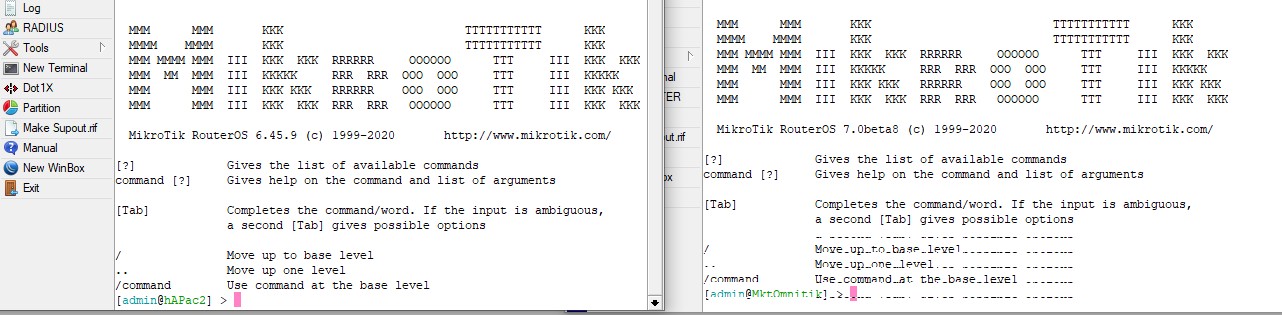
EDIT : only happens when WinBOX is not full screen on the PC.
You can find cakes here:
https://majaskukas.lv/
Even trendy gluten free ones, which probably you like the most.
yepp: buttercream !
… my doc told me !
I upgrade my wAP ac from ROS 6.47 to 7beta 8 by the Netinstall and now couldn’t connect with them by the WinBox or SSH.
When I try ping default IP (192.168.88.1), some ICMP packet was lost.
Best regards,
Sebastian
/ip accouning
is missing in latest beta.
This breaks my Splunk script.
:local AccuntData true
# Get traffic data (accounting data)
# ----------------------------------
if ($AccuntData) do={
# Test if fasttrack is enabled and give warning
	:if ([/ip firewall filter find where (action=fasttrack-connection && !disabled)] != "") do={
		:log info message=("script=traffic,fasttrack=1")
	} else={
		:log info message=("script=traffic,fasttrack=0")
	}
# Test if accounting is enabled and if yes, get data
	if ([/ip accounting get enabled]=yes) do={
		/ip accounting snapshot take
# Get uncounted data
		do {
			/ip accounting uncounted {
				:log info message=("script=uncounted,bytes=".[get bytes].",packets=".[get packets])
			}
		} on-error={}
# Send data to loggin server
		foreach logline in=[/ip accounting snapshot find] do={
			:local output "$[/ip accounting snapshot print as-value from=$logline]"
			:set ( "$output"->"script" ) "traffic"
			:log info message="$output"
		}
	}
}
Even if I try the
do={
:my script
} on-error={}
it fails.
I though that I read some about better logging of script error in v7, but no trace of broken script in the log. And its a pain to see what parts fails. I need to cut an past part by part to the terminal and see what is giving eror.
IP Acccounting is deprecated and removed from ROS v7.
What do I use then to get traffic data from each client that I do use in Splunk for MikroTik?
SNMP is not an option.
Script will then fail 100% if some do an upgrade to 7.x, since on-error seem to not handle this situation.
.
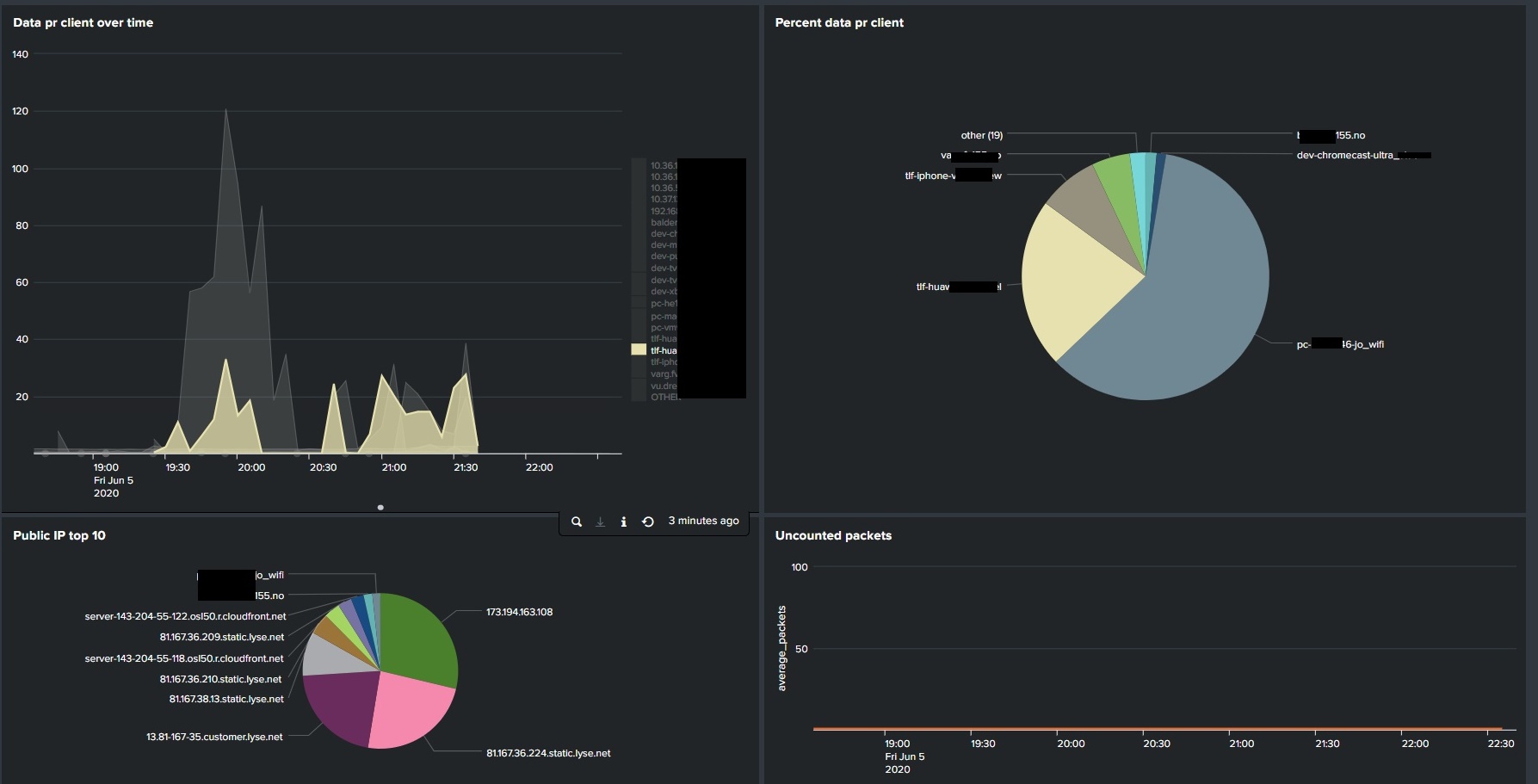
NetFlow is an obvious choice for that kind of data.
Did forget about Netflow. Will have a look at it.
I do see that this needs an extra input to work on my server. Accounting do work with Syslog that I already uses.
sad … evolution … in fact … there’s in all times a child behind
I’m a sad mammal to say so …
.
I’m great splunk fan !! … but I’m doing graylog … until I’m not !
LtAP mini VS v7.0beta 8
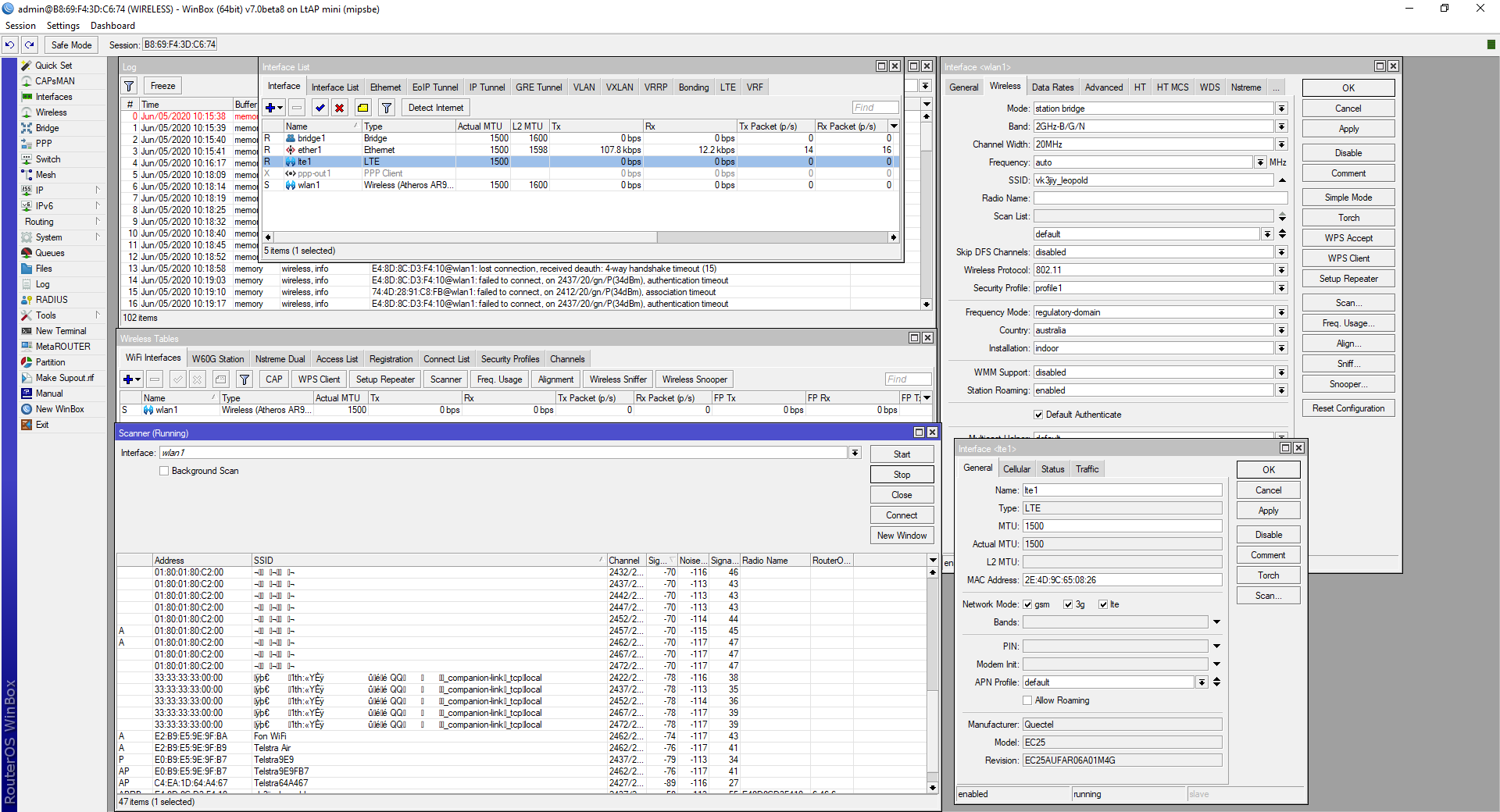
Well the wifi via a station & station bridge mode does not work. It connects briefly(10 seconds), then drops( no its not a signal, issue, 6.47 works a treat on the same unit)).
I have a Quectel EC25 LTE board in it. That works no problem !
Doing a WiFi SCAN produces random MAC & SSID’s as per image below :
We’re talking about this  https://www.bufferbloat.net/projects/codel/wiki/Cake/ right?