How do I get access to rosv7 documentation? Would be using on vultr vps for bgp. ROSv7 beta8 solves a lot of the issues that makes mikrotik usable.
Great work.
It is very nice to see HW acceleration of routes and also surprised to see Flowspec.
Now we need HW Acceleration of “Traffic-Flow” to complement Flowspec.
Under D/DOS, if traffic flow is enabled, halts the router by consuming all the CPUs.
having the same issue, support did not reply
Mikrotik does uses (used to?) its own drivers - one of the reasons for the slow upgrade turnaround - it is truly hell to debug this kind of thing.
What an update!!
There is more than in the release notes and so there is always hope: “*) other minor fixes and improvements;”
Is there anything changed in the New User Manager ? (that allows for WPA2/EAP and WPA/EAP authentication but did not work for Windows 10 client devices. (No problems with other clients))
http://forum.mikrotik.com/t/new-user-manager-in-routeros-v7/135338/1
After a clean ros7b8 netinstall on my hAP lite classic I couldn’t access it via winbox or putty.
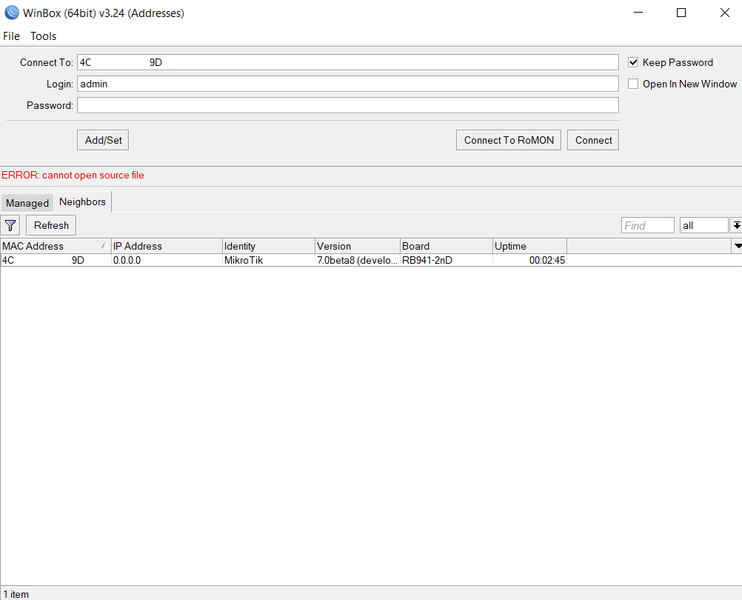
Winbox, after logging in and after “something (forgot what) descriptors” phase says “ERROR: cannot open source file”.
In putty I can login, but after ROS logo there’s nothing I can do, I could write anything and I do not receive any reply.
Reverted to a 6.47 using netinstall.
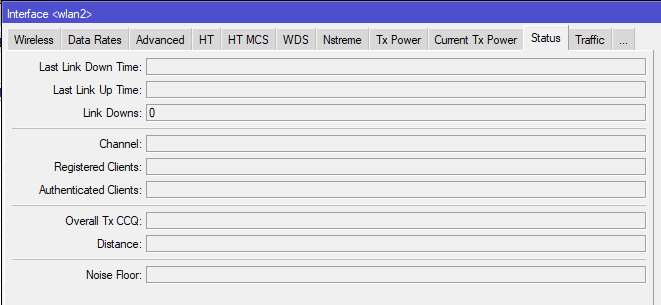
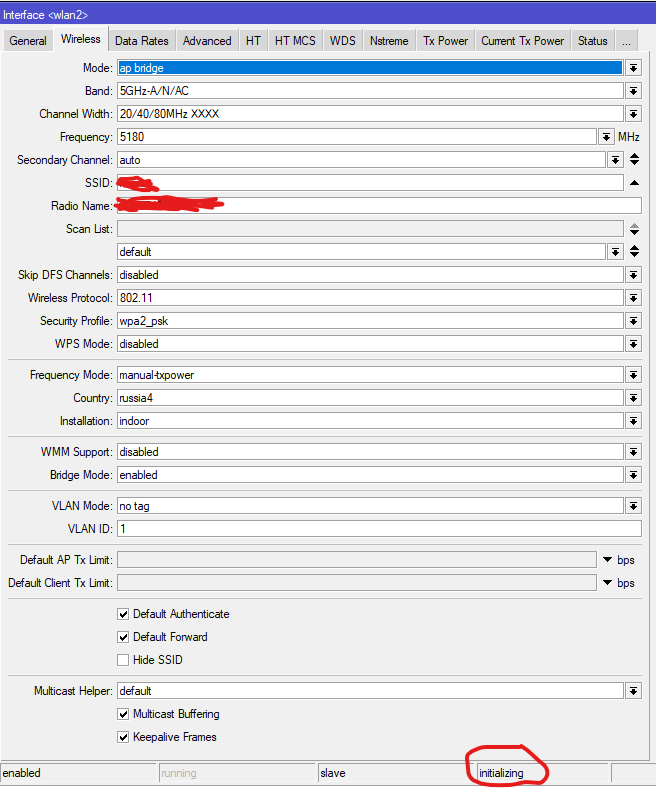
5G WiFi does not work on RB4011iGS+5HacQ2HnD
Did someone already check if enabling igmp-snooping still breaks IPv6 connectivity like in V6?
I upgraded my hAP mini from 7 beta 5 to 7 beta 8 and the same thing happened. I tried a factory reset on it and it did reset (I could see the name went back to MikroTik in the neighbor discovery packets) but no change to the behavior.
.
Winbox 3.24 crashes after setting up VRF and opening ‘/IP/routes’ dialog ( …and crashes immediately after trying to reopen)
.
[admin@chr-7-1] > ip route print
Flags: D - DYNAMIC; A - ACTIVE; C - CONNECT, S - STATIC, m - MODEM
Columns: DST-ADDRESS, GATEWAY, DISTANCE
  #       DST-ADDRESS             GATEWAY                D
  0   AS  0.0.0.0/0               192.168.222.25         1
     DAC  10.1.1.0/24             ether2                 0
     DAC  192.168.222.0/24        bridge1                0
     DAC  172.16.30.0/24@vrf-red  71-e2-vlan100@vrf-red  0
[admin@chr-7-1] >
[admin@chr-7-1] >
[admin@chr-7-1] >
[admin@chr-7-1] > routing/table/print
Flags: D - dynamic; X - disabled, I - invalid; U - used
 0 D   name="main" fib

 1 D   name="vrf-red" fib
[admin@chr-7-1] >
[admin@chr-7-1] >
[admin@chr-7-1] >
[admin@chr-7-1] > ping 172.16.30.2 arp-ping=yes interface=71-e2-vlan100
  SEQ HOST                                     SIZE TTL TIME  STATUS
    0 00:0C:29:CB:EC:F0                                 0ms
    1 00:0C:29:CB:EC:F0                                 0ms
    2 00:0C:29:CB:EC:F0                                 0ms
    3 00:0C:29:CB:EC:F0                                 0ms
    4 00:0C:29:CB:EC:F0                                 0ms
    sent=5 received=5 packet-loss=0% min-rtt=0ms avg-rtt=0ms max-rtt=0ms

[admin@chr-7-1] >

#############################################################################

[admin@chr-7-2] > ip route print
Flags: D - DYNAMIC; A - ACTIVE; C - CONNECT, S - STATIC, m - MODEM
Columns: DST-ADDRESS, GATEWAY, DISTANCE
  #       DST-ADDRESS             GATEWAY                D
  0   AS  0.0.0.0                 192.168.222.254        1
     DAC  192.168.222.0/24        ether1                 0
     DAC  172.16.30.0/24@vrf-red  72-e2-vlan100@vrf-red  0
[admin@chr-7-2] >
[admin@chr-7-2] >
[admin@chr-7-2] >
[admin@chr-7-2] > routing/table/print
Flags: D - dynamic; X - disabled, I - invalid; U - used
 0 D   name="main" fib

 1 D   name="vrf-red" fib
[admin@chr-7-2] >
[admin@chr-7-2] >
[admin@chr-7-2] >
[admin@chr-7-2] > ping 172.16.30.1 arp-ping=yes interface=72-e2-vlan100
  SEQ HOST                                     SIZE TTL TIME  STATUS
    0 00:0C:29:BD:76:B9                                 0ms
    1 00:0C:29:BD:76:B9                                 0ms
    2 00:0C:29:BD:76:B9                                 0ms
    3 00:0C:29:BD:76:B9                                 0ms
[admin@chr-7-2] >
[admin@chr-7-2] >
.
supout_rif.txt (849 KB)
exp_verb_hid.txt (23.4 KB)
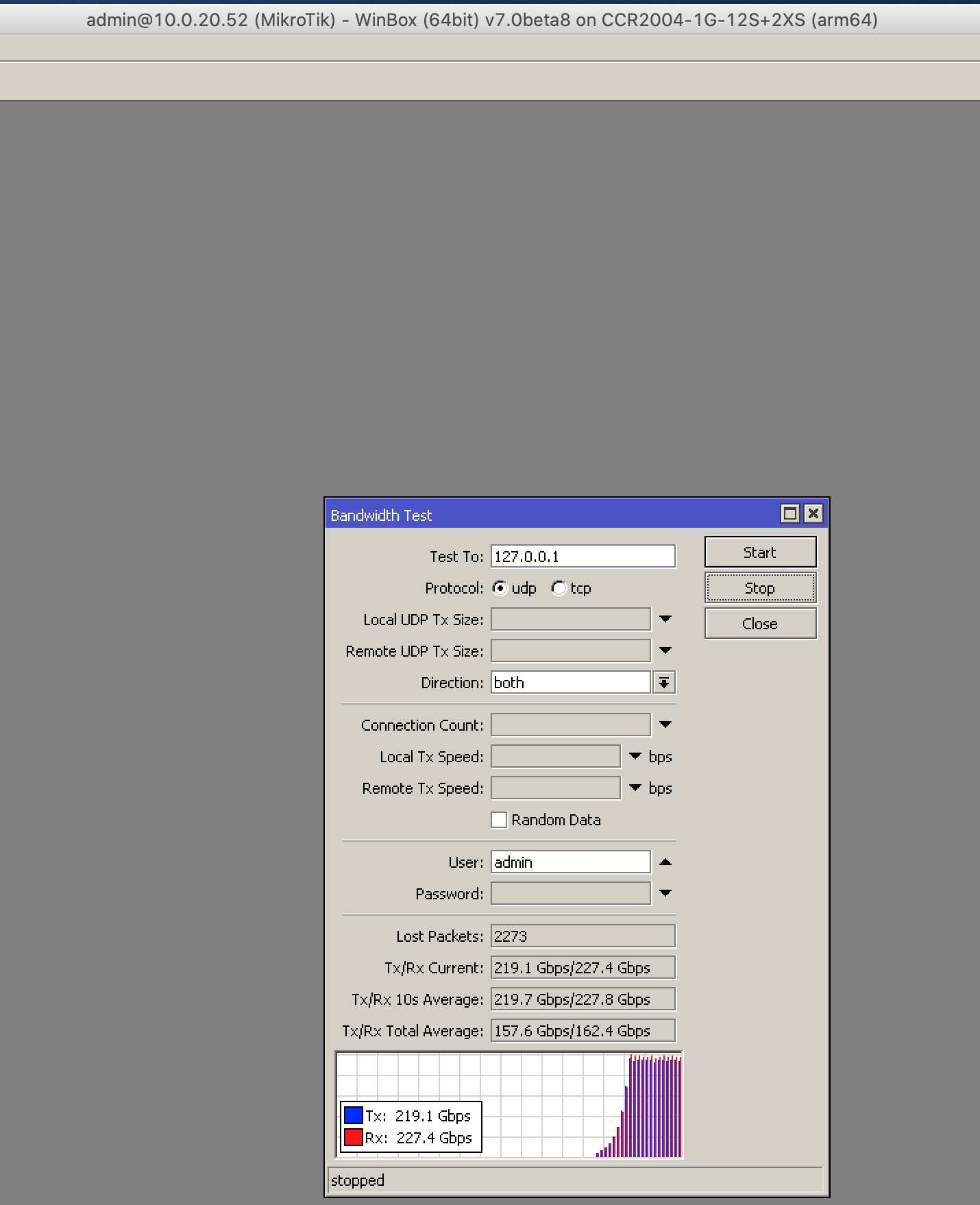
Im not sure what Mikrotik has done, but look at these numbers with latest ROS7 beta8 on the newly released ccr2004
Over 200 gig duplex against localhost ?
Do you know what this was before you upgraded to ROS7b8?
They increased MTU size on the loopback interface in 6.47
*) interface - increased loopback interface MTU to 65536;
I would guess they did the same in v7
Same issue for me
cfcnightmare & D13410N3 - Does the same error pops-up if You try to install v6 x86 package with 7.0beta8 netinstall?
Great to see BGP finally! Is there andy documentation of the new bgp config style yet? Seems the whole CLI logic changed for BGP. I was able to configure a basic setup but am wondering what all those options actually mean.
Those parameters are subject to change, so no manual for now.
The package in download section is not even marked as x86
Do you test it before upload to the downlod section?
Using test version we are beta testers (or alpha) so you need to exclude such primitive things like that
.
user-manager / radiusd:
chap-authentication works
eap works ! ( : )
no logging messages echoed to terminal-session for:
.
[admin@chr-7-1] > /system/logging/print
Flags: X - DISABLED, I - INVALID; * - DEFAULT
Columns: TOPICS, ACTION
   #      TOPICS    ACTION
### snip ###
   4      radius    echo
exp-verb-hid.txt (24.9 KB)