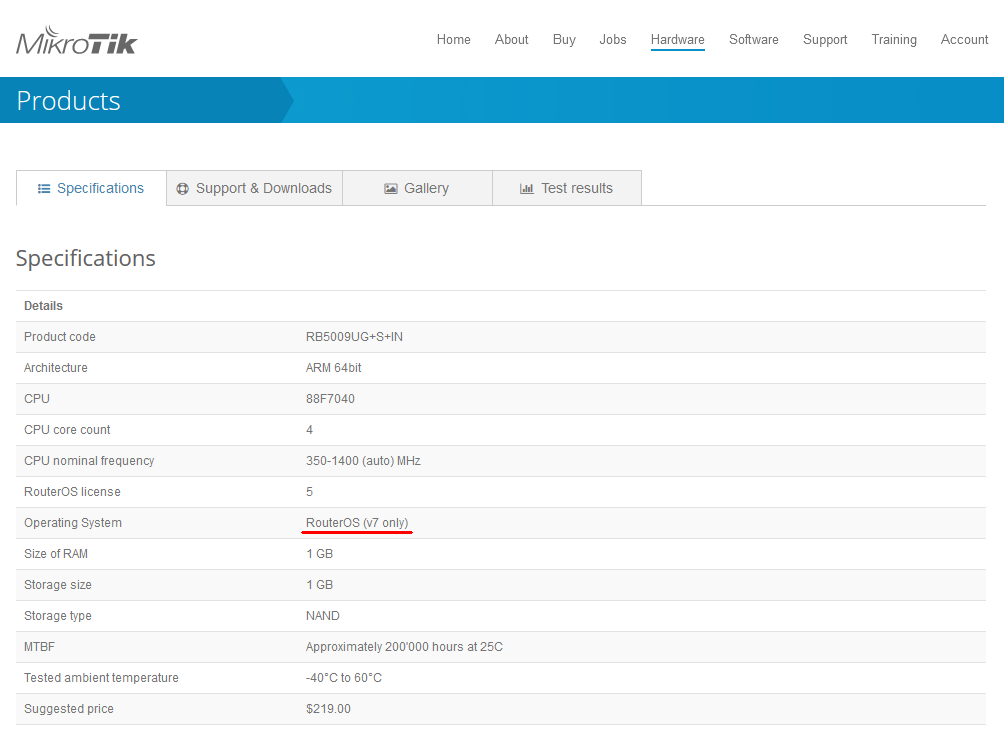
you have a download button for router os on the rb5009 product page. points to 6.49.2 though.
Going back to 6.49.2
- Setting a route on a L2TP connection puts the router into a boot loop
- IPV6 advertisement does not work correctly
- Router tries to get an IP (v4) from it’s own DHCP server regardless it has an IP on that interface and DHCP Client is off.
LTE has been super stable IMO. It’s worth mention that if you’re using a 4G modem with PPP/“ppp-out” under V6, then upgrading to V7 may be worth trying. The PPP mode in V6 is limited to ~25Mb/s, so if your modem supports “MBIM” or “ECM” (most “4G modems” do) and your carrier faster than than 25Mbs, V7 would get you an instant speed boast with LTE.
Since we’ve been, waiting, testing, and using the V7 LTE support for a long while, I wrote up a “cheat sheet” for 3rd party modems under V7. Maybe that helps folks struggling with LTE under V7 – in my experience it has mostly “just worked”:
http://forum.mikrotik.com/t/kb-lte-by-sib/151684/1
That would be great! Maybe it fixes my problem as well! (I would need to find a manageble gbit switch to debug it further - to have a mirror port external to the router)
is ZeroTier going to be available on MMIPS devices such as the heX 750g3r? so far i´ve only seen the ARM devices to be suported
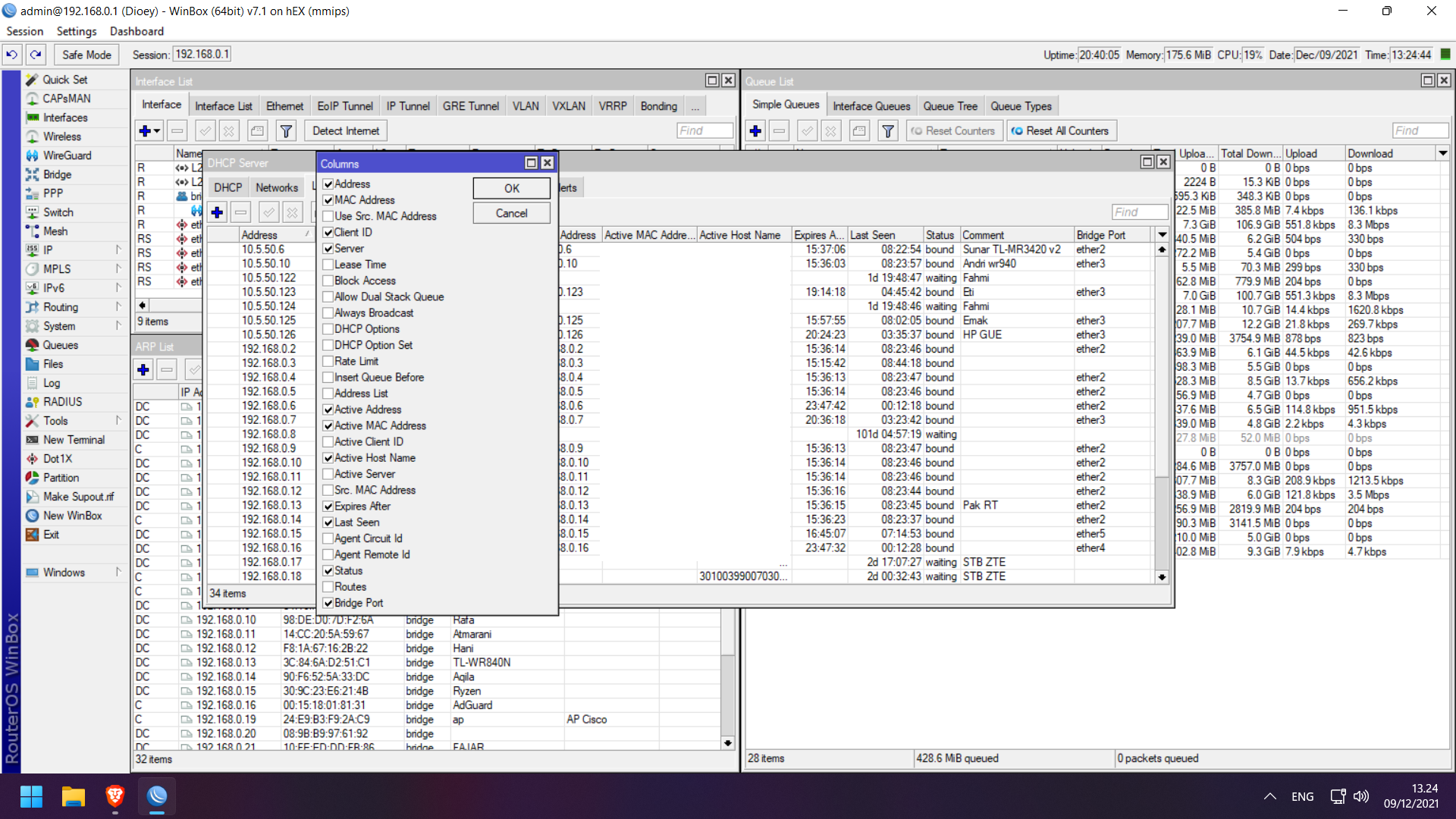
Winbox Crash after remove bridge port columns on DHCP Lease window
I do not recommend using RouterOS7. I tried upgrading different devices 4011, 3011, 1009, 2004 and only the last one was able to work at all with lots of udp problems! And 2004 doesn’t work on RouterOS6 at all. If you want to experiment, be sure to backup and physically access the device, some of them not only worked unstably, but required a complete reset. There is a problem with NTP client, vrrp, UDP working terreble, L2TP client, no documentation at all. Things moving to new places, routing table for examle.
If you go to the device and do not see the configuration - this is usually when you upgrade to 7, sometimes the entire configuration is lost, sometimes a random part.
poirus, what are you talking about? what problems? what does it mean “udp is terrible”? make specific report about each issue, show us the config and the exact results.
there is plenty of documentation http://help.mikrotik.com/docs/
and new features is not a “problem” 
7.1 is newer, it includes everyting that was in rc7
I upgrade my RouterBOARD 750G r3 seams to work everything except captive portal which dosn’t show up on the guest network. Maybe i just reconfigure it.
After upgrading to 7.1 in multiple devices (CRS, Audience, cAP) I can not longer disable some services.
Under System → Packages, I was previously able to disable things like IPv6, MPLS, WireGuard, Routing, PPP, hotspot, wireless etc
In all systems that have been upgraded to 7.1 under System → Packages there is now only the routeros version 7.1 package and no longer I can disable separate packages.
So how do I disable/remove unwanted features in 7.1? The systems in question have less free memory than what they used to with 6.49.2 and I am suspecting that loading all the extra packages has to do with this issue. Any ideas how to fix it please?
If you don’t use a feature, it is not consuming resources. Disabling packages did not help before either.
So, I’ve tried to update my RB4011iGS+5HacQ2HnD-IN yesterday, and this is a summary of me upgrading all day;
- System → Packages → Check For Updates → Channel: Upgrade → results in forever “calculating download size..”
- Downloaded “routeros-7.1-arm.npk” → Uploaded to Files → rebooted
- Reboot (with upgrade) went fast → within 30 seconds the router was online
- Problems I wasn’t able to fix:
- CAP and CAPsMAN was in flapping state, with this in the Log:
- “CAP sent max keepalives without response”
- “CAP disconnected from router01 (::ffff:10.30.0.1:5246)”
- directly followed by “CAP connected to router01 (::ffff:10.30.0.1:5246), CommonName 'CAPsMAN-C4AD34XXYYZZ”
- “removing stale connection [::ffff:10.30.0.1:34689,Run,[C4:AD:34:XX:YY:ZZ]] because of ident conflict with [::ffff:10.30.0.1:34428,Join,[C4:AD:34:XX:YY:ZZ]]”

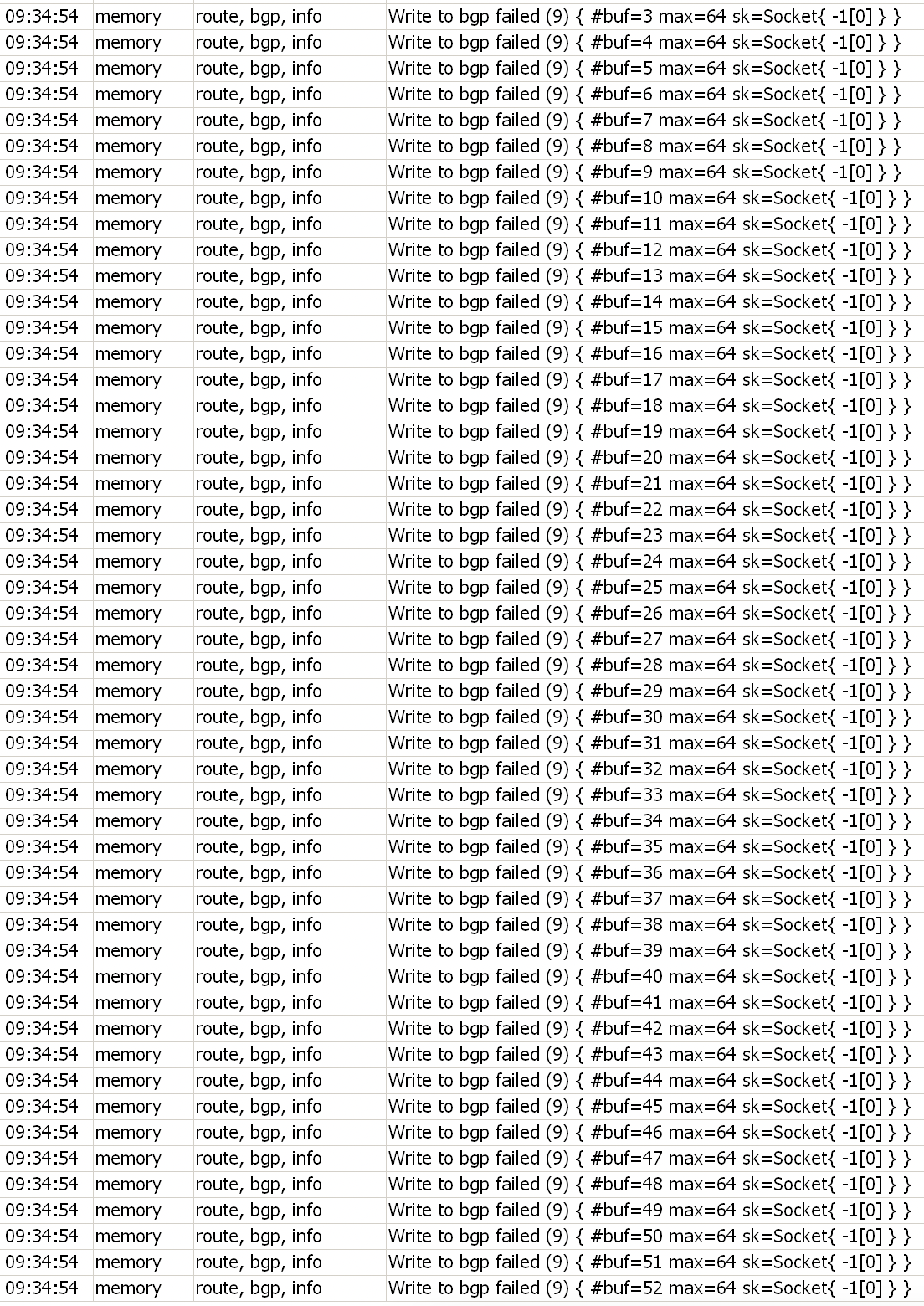
- BGP was broken, with this in the Log “Write to bgp failed (9) { #buf=10 max=64 sk=Socket{ -1[0] } }”
- Routing → BGP → Peer Cache → that overview lacks on useful data (number of prefixes, uptime, state (not only a “E”), holdtime, etc.
- Apparently BFD isn’t implemented/working at all, despite the fact that the option/checkbox is available in the WebFig and CLI → any ideas when this will be ready?
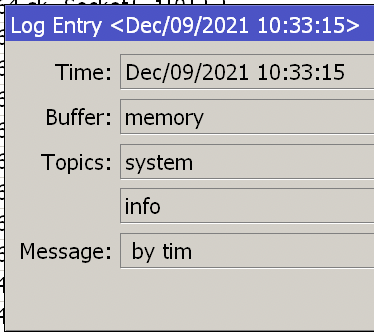
- Incomplete useless log entries, only containing “by ”
- no possibility to change “listening interface” or “listening address”
- CAP and CAPsMAN was in flapping state, with this in the Log:
- Downloaded “routeros-arm-6.49.2.npk” → Uploaded to Files → rebooted
- CAP and CAPsMAN remains in flapping state…
- Decided to perform a factory reset, but this time with v7.1
- Uploaded “routeros-7.1-arm.npk” to Files → rebooted
- System → Reset Configuration → all checkbox off, except “No Default Configuration”
- Created a semi-working router → CAPsMAN was working again, BGP was also working-ish, without BFD but I could live with that (for a while).
- Waking up this morning, no WiFi… According to my NMS; crashed at 6:10 (CEST), with again, ALL the problems described above (BGP, CAPsMAN)
Probably spending the rest of the again on downgrading, factory resetting and building a new configuration.
Somehow I hoped this “public release” (stable, huh?) wasn’t another “test version”. Which is by the way, still showing in the WebFig “RouterOS v7.1 (testing)”

I’m happy to test new beta versions, but I’m heavily in doubt whether or not this should have been released as “stable”
RouterOS v7 born died. Because kernel 5.6 it’s EOL [1]
Mikrotik should change the kernel to a longterm kernel, like 5.10. And as I read it relies on 5.6.3 while the last version it’s 5.6.19.
[1] https://9to5linux.com/linux-kernel-5-6-reached-end-of-life-upgrade-to-linux-kernel-5-7-now
Mikrotik releases to the market a product with an outdated kernel. The RouterOS v7.1 is still in the testing phase. When v7 will be really stable the kernel will be ancient. And the cycle will repeat for RouterOS v8. It will take 10 years to complete it, by the time v8 will be stable the kernel will be ancient.
Mikrotik is forcing us to consider other vendors! 
so is 7.1 stable or not ?
You could change to Checkpoint with their 2.6 or 3.10 kernel…
Really…
You should understand that MikroTik does not use the standard kernel but applies a lot of patches (changes) to it.
That is why it is not so easy for them to “just upgrade to the recent kernel”. They spent a lot of work over the past year(s) to apply the patches to the kernel
they have now, and “please use a newer kernel” will set back the v7 release another year.
(ok maybe not so much, because of course a lot of work done on patching the 5.x kernel can still be used in a higher version because the differences are less than with the previous kernel from RouterOS v6)
It is not the same as in your home PC where you are running a standard distribution kernel and can “just” update it when you like.
Came here to say this. Lot’s of enterprise appliances runs on custom (older) kernels, no problems there. Especially if that kernel is downsized to the bare minimum, which results in a lower attack vector.
What we really want is a stable OS 