Currently, HW offloaded bridge support for the IPQ-PPE switch chip is still a work in progress. We recommend using, the default, non-HW offloaded bridge (enabled RSTP).
@infabo, I know this is well intended.
But as a practical matter, I can’t afford to duplicate my network.
MT is slowly killing themselves by dumping testing on the user base.
This is a treadmill where I can’t risk upgrading until a 7.xx.2+ version.
Over time fewer and fewer small users will ever touch a 7.xx.0 version.
IMO reliable networking is critical substantially over and above features.
Releasing new features while breaking old ones is beyond a cardinal sin.
Every feature should have an automated test in-place to catch regressions.
I respect that you want to be a MikroTik beta tester, but in a network with real network administrators and managers and hundreds of users to explain to if a software update goes wrong, this is something not everyone can afford.
same for me.
running 2 hAP ac2 (one with the 256MB and one with the 128MB flash storage)
both running without any issues what so ever on wifi-qcom-ac for weeks under 7.16
I believe there’s been a misunderstanding. I’m not looking to be a beta tester, as I use RouterOS in a private capacity and don’t have the inclination to take on that additional work.
However, in a professional environment with dedicated network administrators, as you mentioned, it’s standard practice to have a lab setup for testing and evaluating configurations before rolling out updates to a production network with hundreds of users. It’s worth considering.
After upgrading my RB3011UiAS (arm) from v7.16.2 to v7.17, I had problems with CAPsMAN allowing devices to connect. Some devices that were connected before the upgrade were still able to connect. However, others were not able to connect and received the message “mikrotik received deauth: sending station leaving (3)”. I told the smartphone devices to forget the WiFi network and then tried to reconnect, but it wouldn’t work. I also tried connecting new devices to CAPsMAN, but none of them were able to connect, either. After working on it for a day, I downgraded back to v7.16.2 and I was able to connect with new devices and devices that were given the message “mikrotik received deauth: sending station leaving (3)”.
You might want to open a new topic, @BobA. There you can supply your config and get some more feedback. As well, you can request for support. Did you also upgrade firmware besides RouterOS?
If you use Wireguard multipeer, please note changelog:
*) wireguard - do not initiate handshake when peer is configured as responder;
If you do not uncheck “Responder” in Wireguard clients in RouterOS 7.17 you will have a problem.
Wireguard will not work.
The gateway remains inactive and the tunnel with the server will not be established.
for now everything look pretty good, upgrade was smooth and i found issue of my VLAN configuration. With restart routerOS was disabling my bridge port device, I was able to fix it now. Only thing I’m dealing with is the Quick Set option, with old winbox and system update I was closing the tab with OK button, now when i press it and all is running smooth I lose the connection to the device and it disappear, can not see it even with RoMON tool.
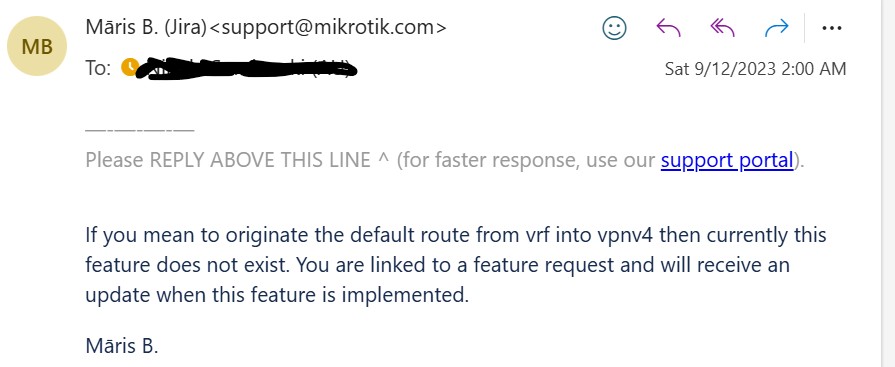
  DIvH 194.4.172.12/32    10.86.33.193                0  main
  DAd  0.0.0.0/0          10.86.33.193@mobile         1  mobile         10.86.33.193%vlan32
The first route is the /32 auto-generated by l2tp-client. The l2tp-client is configured with a VRF (called mobile) in the connect-to= parameter, so should be created in the mobile VRF not main.
@wuspmikrotik
And yet, it seems that MikroTik is expected to know every possible scenario and real-world setup and perform functional tests to ensure that absolutely no one experiences any problems in their specific environment.
I had the same problem on my CCR2004, make sure you don’t have any features in use that will get disabled by the new device-mode settings. In my case, i had the device partitioned. After removing the second partition the update went flawlessly.
A better error message might certainly help here (;
I had the same problem on my CCR2004, make sure you don’t have any features in use that will get disabled by the new device-mode settings. In my case, i had the device partitioned. After removing the second partition the update went flawlessly.
What takes away the possibility to easy switch back to the previous version in case you run into issues with 7.17.
Make sure to take a backup before the update and in case of pole mounted devices have a ladder ready.