You could try to change some memory settings in BIOS regarding mapping memory of PCI peripherial devices …
Another thing to try is to increase memory size on PC, the number says it needs a bit less than 4M of contiguous space (not sure if that’s possible with your hardware).
But the error does seem weird to me, AFAIK 7.16.2 and 7.17rc are running same version of linux kernel and should thus behave very similarly in this aspect.
You may want to contact MT support via official support channels (e.g. e-mail to support@mikrotik.com), this forum is not one of them and there’s no guarantee that some MT support staffer will notice your post.
Please allow me to make 2 troubleshooting suggestions that may help to make clear where the cause of the issue is.
Clarification: I have no idea where the cause of the problem really lies. This is just a suggestion for how to approach the issue.
Try lowering the MTU to a VERY LOW value, such as 1300 bytes.
If this is the type of problem I imagine, this may force the UDP fragment headers to be well-formed. This is just a test/hypothesis.
Try to do the same test using IPv6 for Radius queries.
This changes many variables, from the IPv4-IPv6 protocol stack to the type of off-load hardware, to the MTU issue, which is better resolved in IPv6 than in IPv4.
These tests are not intended to definitively solve the problem, but rather to help build a truth-table of problem conditions and make it easier for the MikroTik team to find the cause of the problem.
*) bridge - fixed bridge packet transmit if dhcp-snooping is enabled (introduced in v7.17beta5);
Hopefully they will be able to fix it before the final version. For the moment I am temporarily disabling DHCP-Snooping on the router running User Manager as work-around.
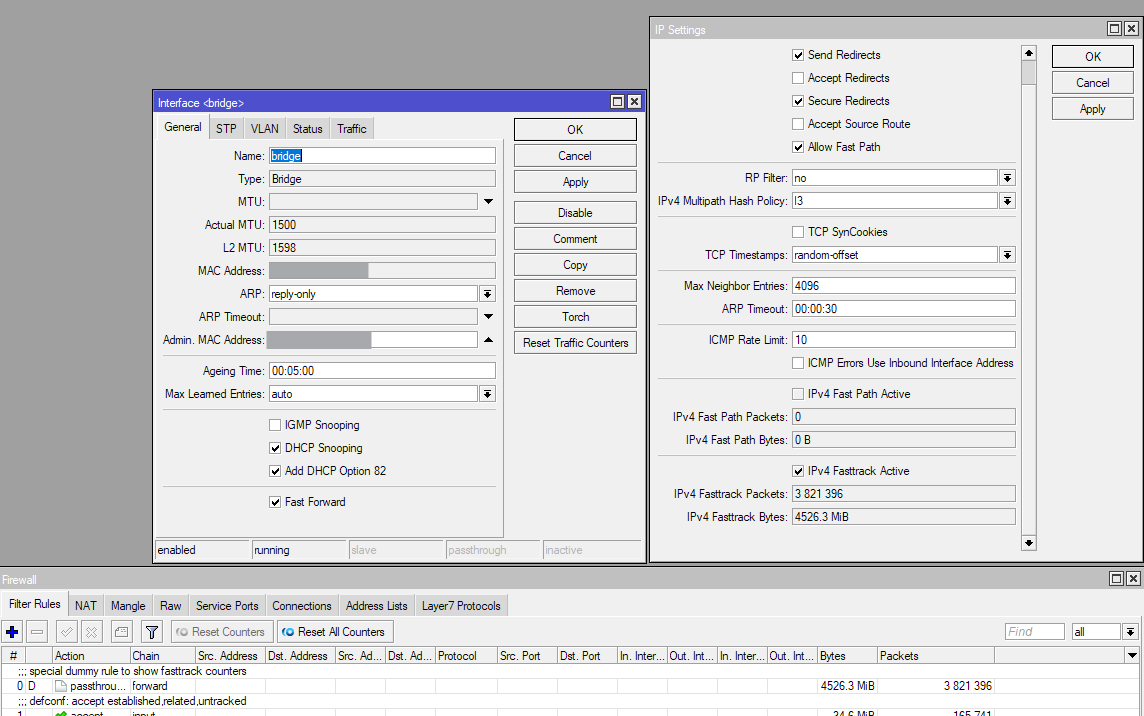
An interesting side effects of disabling DHCP-Snooping is that Fasttrack seems to be working again on my router. Since over 1.5 year my RB5009 has been running in an all-VLAN configuration. All 9 ports are in the main bridge with VLANs used for everything. The WAN port (sfp-sfpplus1) is part of the bridge and is an access port of a dummy VLAN (id 1000), with pppoe-out1 running over that VLAN. All ports have the H flag. @raimondsp from MikroTik wrote about such setups and said that it wastes a few CPU cycles, but not much:
Everything works (except 1 thing) and the router is fast enough (maxed out my GPON line without problem at > 2.3Gbps download) and I like having all the ports connected to the switch chip managed by the bridge that maps directly to the switch chip, so I have been keeping that configuration for the past year and more.
What no longer worked since switching from sfp-sfpplus1-out-of-bridge to sfp-sfpplus1-in-bridge-as-access-port is that all the fasttrack counters no longer increased above 0. The counters in the dummy dynamic rules (with the special dummy rule to show fasttrack counters comment) all stayed at 0. Same for the fasttrack counters at the bottom of the IP → Settings dialog. But the IPv4 Fasttrack Active checkbox on that Dialog is still checked. Also, most of the connections in the IP → Firewall → Connections table have the F-flag, with fasttrack in the status bar when viewing the details. But on the Statistic tabs of those connections, Orig./Repl. Fasttrack Bytes and Orig./Repl. Fasttrack Packets are always 0. So, I assumed that the special configuration caused some requirements for fasttrack to fail and fasttrack has become effectively useless. It didn’t bother me because performance is still above my needs and the majority of my traffics are IPv6 anyway.
But after turning off DCHP-Snooping in the past couple of days, suddenly the fasttrack counters started showing positive numbers, at tens of GBytes now. And the fasttrack counters on the statistics tab of the individual connections now also have positive values. It looks like turning off DHCP-Snooping also triggered something that causes the fasttrack requirement to be fulfilled. I am not reporting this as a bug, only as an interesting anecdote .
Should be clearly mentioned in the dhcp-snooping option description and FastPath requirements:
Now it is not mentioned:
dhcp-snooping (yes | no; Default: no) Enables or disables DHCP Snooping on the bridge.
IPv4 FastTrack is active if the following conditions are met:
no mesh, metarouter interface configuration;
sniffer, torch, and traffic generator are not running;
“/tool mac-scan” is not actively used;
“/tool ip-scan” is not actively used;
FastPath and Route cache are enabled under IP/Settings (route cache condition does not apply to RouterOS v7 or newer);
bridge FastPath is enabled if a connection is going over the bridge interface;
With ROS 7.17rc6 i can’t connect L2TP with PSK to MikroTik router CCR2116-12G-4S+.
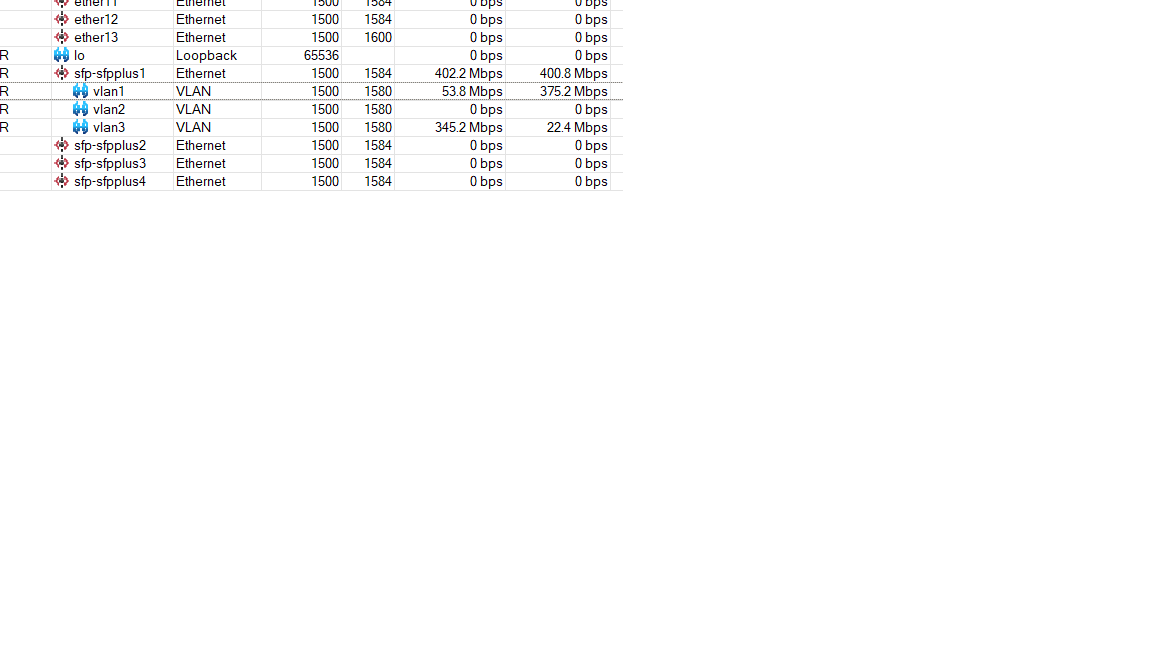
I can connect to other MT routers with that verion, but NOT to CCR2116 with VLAN interfaces(see attached screenschot).
VLAN1- is WAN, VLAN3- LAN. CCR2116 is connected to CRS305 with SFF interfaces.
LOG from CCR2116:
respond new phase 1 (Identity Protection): 83.xxx.xxx.xxx[500]<=>37.47.xxx.xxx[8730]
ISAKMP-SA established 83.xxx.xxx.xxx[4500]-37.xxx.xxx.xxx[16146] spi:cc6366dae0274db6:4ef419c203705487
first L2TP UDP packet received from 37.xxx.xxx.xxx
first L2TP UDP packet received from 37.xxx.xxx.xxx
<37.xxx.xxx.xxx>: authentication failed: peer didn’t respond to CHAP challenge
purging ISAKMP-SA 83.xxx.xxx.xxx[4500]<=>37.xxx.xxx.xxx[16146] spi=cc6366dae0274db6:4ef419c203705487.
ISAKMP-SA deleted 83.xxx.xxx.xxx[4500]-37.xxx.xxx.xxx[16146] spi:cc6366dae0274db6:4ef419c203705487 rekey:1
It could be considered a lesson “do not enable each and every feature just because it looks cool”…
DHCP snooping can be useful in large networks with access for guests and other BYOD equipment, but on a home network it really isn’t worth the (potential) trouble.
I learned the “monkey test lesson” by enabling IGMP-snooping and multicast querier some months ago. It introduced extreme latency on my whole network I could not explain - just to finally determining these 2 bridge settings as the issue.
Thanks. That’s interesting because on the hAP ac² DHCP-Snooping (because it’s supported with hardware offload when VLAN is not in used on that router) has been enabled over the same timespan (since 2023) and fasttrack has always been working on that router. I guess it depends on the switch chip.
Oh, and on the RB5009 it also worked with DHCP-Snooping enabled when sfp-sfpplus1 was outside of the bridge. The counter only stopped increasing after the move to the 9-port-bridge configuration.
I configured IGMP snooping on our work network (switches and a CCR) in an effort to cut the multicast traffic, only to learn that the vast majority of multicast traffic is sent in the IP range that does not use IGMP snooping
After it caused an issue, I removed it all. Probably only useful in networks that e.g. use video distribution using multicast.
For the DHCP issue, I use the RouterOS “dhcp alert” feature to send an alert message when a rogue DHCP server is detected.
I also use “add ARP for leases” and “ARP mode reply-only” to cut down on broadcast traffic and opportunities to spoof.
@CGGXANNX does your hap ac2 LAN/WAN interfaces are on same bridge, is the config same as RB5009? Depending on your setup (where WAN is not configured on bridge) fasttrack could be working in one direction, but not in the other. But it is getting out of scope, let’s keep this discussion related to 7.17, please.
Well, I only enabled the “features” when the hardware says that it supports them, and both switch chips “support” DHCP-Snooping. I’ve never enabled IGMP Snooping on the hAP ac² because it’s not compatible with hardware offload.
But on the RB5009 since the beginning I have been unable to turn on the IGMP Snooping feature, and not only because of the VLANs. Turning it on and IPv6 RA/ND stop working. Although 7.17 is supposed to have a workaround for IPv6 multicast related to RA/ND, and did initially appear to work too. However, after about one week my devices in the LAN stopped getting prefix announcements after resuming from standby (it worked for a week), so IGMP Snooping is now disabled again. And it’s a feature that I actually need (IPTV usage). For now, I have to run the TV streams over UPDXY (running in container).
@CGGXANNX does your hap ac2 LAN/WAN interfaces are on same bridge, is the config same as RB5009? Depending on your setup (where WAN is not configured on bridge) fasttrack could be working in one direction, but not in the other. But it is getting out of scope, let’s keep this discussion related to 7.17, please.
The WAN is on ether1 and outside of the bridge (because I don’t want to setup VLAN the hAP ac², that can’t use Bridge VLAN Filtering with hardware offload). Thank you for the information.
It depends. My ISP offers IPTV over tagged VLAN … so I pass that VLAN only to required ports (connecting TV boxes). Even without IGMP snooping, only those few ports get active streams. Indeed all active streams (e.g. 3 streams in case when there are 3 active TV boxes) instead of only the required one … but I don’t care that much. The point is that in such environment, even without IGMP snooping normal devices don’t get pestered with unneeded multicast streams.
I had such an issue for quite some time on one of my devices, a hAP ac2 used as a second AP in bridge mode, and at some point I discovered by accident that on that device “Use IP firewall” had been (sort of mistakingly) enabled, and the IPv6 firewall did not forward multicast frames.
That setting is quite hidden and it is “global for all bridges” while in most configurations today there is only one bridge.
It would be nice when IP firewalling on bridges was more controllable, i.e. it could be enabled per bridge or even per bridge VLAN, and possibly even custom chains to be used for the firewalling could be specified.
What’s new in 7.17rc7 (2025-Jan-10 10:37):
!) webfig - redesigned HTML, styling and functionality (additional fixes);
*) bridge - fixed fragmented packet transmit when dhcp-snooping is enabled (introduced in v7.17beta6);
*) ptp - fixed packet tx/rx when enabling PTP on 1/2.5/100Gbps links for 98CX8410, 98DX8525, 98DX4310 switches (introduced in v7.16);
*) system - improved system stability for CRS520-4XS-16XQ (introduced in v7.17beta2);
@EdPa is it despite that according to Bridge Hardware Offloading part of the documentation the devices with 88E6393X switch chip (such as the RB5009 models) support hardware offloading while using the “Bridge IGMP Snooping” and “Bridge DHCP Snooping” features of RouterOS?
 .
.