V7.23rc [testing] is released!

Set "/certificate/settings/set crl-use=no".

The device was started to use with ROS v6.46 (or older), where the /certificate settings were modified or "crl-use=yes" was manually enabled.

Currently, the long-term release has reached major version 7.21, and the development version has also reached 7.23.rc and 7.24 alpha. However, some BGP functions are still hidden in Winbox, both Winbox version 3 and 4, namely the EVPN and VPNv6 functions. Could you explain why this is happening and the reasons behind it?

Historically, a lot of RouterOS features get CLI knobs before they get GUI knobs.

I can only guess that this is due to a lack of development or testing resources on MikroTik’s side as a function of available revenue.

Or perhaps they just prefer to handle some features with more time/care for the same reason above.

1 Like

I once made a suggestion that wasn't very well received by some on the forum... Lots of jokes...

My suggestion was about those features and settings that are still CLI-only, and some that will remain CLI-only forever.

P.S.: Before talking about the suggestion itself:

  • It's important to say that, temporarily, it's completely understandable that there's a lag between the release of the feature itself and the release of the GUI interface for that feature.
  • So I don't think the MikroTik team is going down the wrong path regarding this.
  • I just think the delta between one date and the other is getting too large.

The suggestion was:

  • To create a menu for this item in Winbox or the Web Interface, and use that a different color highlight(e.g., a red rectangle) to these menus and attributes.
  • If possible, make at least the configuration fields (applied on CLI) appears as read-only. No Status, no nothing complex to present.
    • If present as read-only is not possible, just make the dummy menu to be there.
  • Present a message like: “This feature or attribute is manageable just via CLI.”.

Examples of topics we can mention about this?

  • BGP-EVPN
  • ISIS
  • Device mode

As I mentioned in the previous message.

I don't think this is unacceptable.

Especially in development methodologies and technologies that completely separate the backend from the front-end. Like several software programs from the early 2000s.

Newer technologies, which use premises like API-First, REST, and REST-Conf, especially for Network Operating System (NOS) scenarios, avoid this "this world and that world" duality.

I have high hopes for the REST API, especially stemming from https://github.com/tikoci/restraml, which I believe is a work created by Amm0. It even has a pretty nice Swagger schema...

One way I found to explain it to friends who are a little less tech-savvy, but not that tech-savvy... was to show the various software programs that integrate documentation within the software development code itself. So when building the release, the documentation is already ready.

It's been a while since rc2. Should we take that as an indication that 7.23 stable is soon?

1 Like

Its spring in Latvia, maybe the Mikrotik staff are just outside enjoying the sunshine !

3 Likes

Hello, can you confirm that this change:

  • system - improved stability for internal RouterOS service communication;

could have solved the race condition where dynamic Simple Queue doesn’t get recreated when DHCP release/renew happens at the same second? We observed that we’ve been slowly losing Simple Queue count on every unclean DHCP renewal (where DHCP lease gets recreated because of CPE flap or any DHCPDISCOVER event on existing leases).

What's new in 7.23rc3 (2026-May-06 19:26):

  • console - fixed unresponsiveness when entering safe-mode through the Windows 11 terminal;
  • discovery - added separate read-only menu "/ip/neighbor/lldp" for neighbors discovered by the LLDP (CLI only) (additional fixes);
  • ethernet - fixed stability issue after switch reset on devices with IPQ-40xx, IPQ-60xx CPUs (introduced in v7.22);
  • ip - added IPv6 and VRF support for reverse-proxy;
  • netwatch - fixed memory leak when using HTTP/HTTPS GET probe with invalid src-address;
  • sniffer - fixed missing VLAN tag in the TZSP packets (additional fixes);
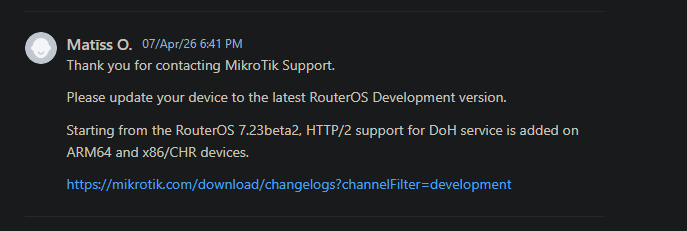
  • system - improved switching to HTTP/1 if HTTP/2 is not supported by remote host;
  • upgrade - added the option to configure HTTP/HTTPS modes when connecting to MikroTik upgrade servers (additional fixes);
  • vrrp - fixed stability issue when using VRRP with a hardware-offloaded bridge for Marvell Prestera switch chip;
  • wifi - improved interface provisioning for WiFi 7 access points;
6 Likes

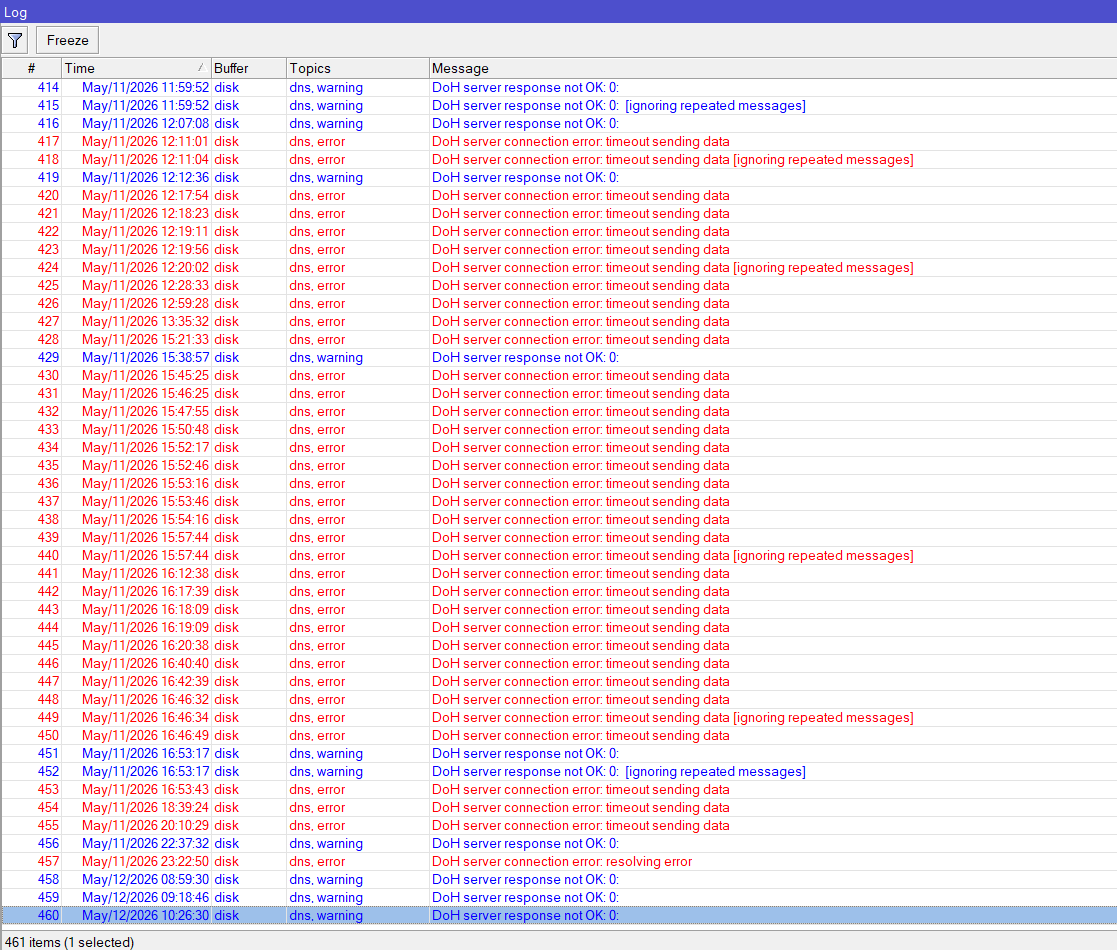
Well it fixes the initial fallback problem, but apparently creates another.
On the first attempt to resolve any DNS record:

DoH server connection error: SSL: ssl: record overflow (6)

The second resolution is fine, and stays ok until the TTL expires.
SUP-215032

1 Like

Hi,

I’m testing RouterOS 7.23rc2 on a hAP ax3 and ran into a couple of issues with a USB Ethernet adapter.

Setup:

  • Device: hAP ax3

  • RouterOS: 7.23rc1

  • USB NIC: D-Link DUB-E250 (USB 3.0)

  • Interface: ether6 (USB)


Issue 1 – Missing link parameters

On the USB interface (ether6):

  • Rate is empty

  • Full Duplex is empty

  • Auto Negotiation shows "incomplete"

The interface does not report link characteristics at all, even when connected.


Issue 2 – Wrong link state behavior

I connected:

  • ether1 (2.5Gbps port) ↔ ether6 (USB adapter)

When I disable ether6, I would expect ether1 to lose link.

However:

  • ether1 still shows "running" with "link ok"

This suggests link state is not properly propagated or detected when using the USB Ethernet driver.


Additional info

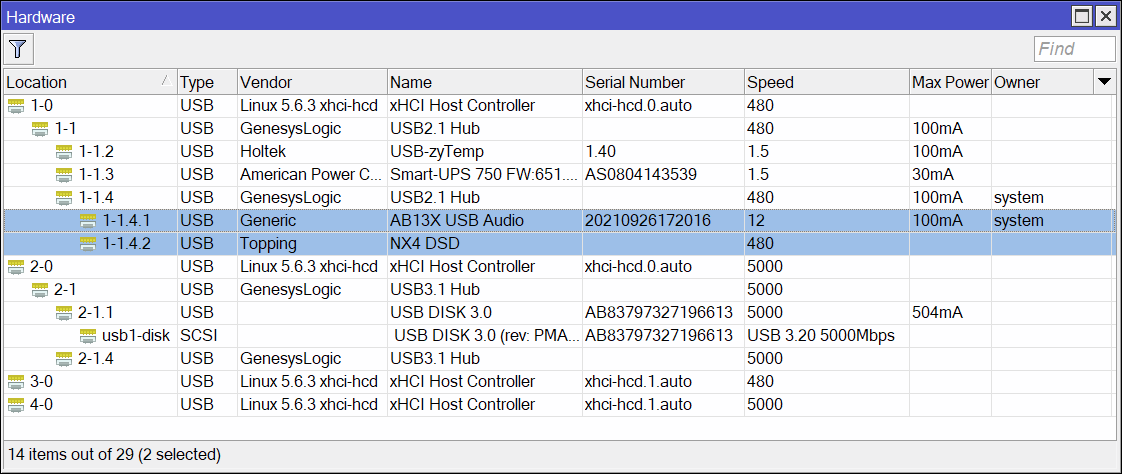
  • USB device is correctly detected under /system resource usb

  • No relevant errors in logs

  • Issue is reproducible


If needed, I can provide supout.rif or run additional tests.

Has anyone else seen similar behavior with USB NICs on RouterOS 7.23rc1?

The description is already incorrect compared to the intro, and 7.23rc3 already exist.

And the screenshot is Apr/19, just some minutes ago... today is May/07...
rc2 is Apr/21... So I can not trust a single word you wrote...

@irghost In which previous version did it work?
In which MikroTik documentation is it clearly stated that the D-Link DUB-E250 is compatible with any MikroTik peripheral?

I already tested this on both RouterOS 7.23rc1 and 7.23rc2 and the behavior is identical.

Support ticket: SUP-214901

It also appears that the D-Link DUB-E250 was not supported by RouterOS before v7.23, so this may be related to the initial driver implementation.

Current issues:

  • No Rate / Full Duplex information shown on the USB Ethernet interface

  • Auto Negotiation always shows "incomplete"

  • Link state is not propagated correctly

  • When ether6 (USB NIC) is disabled, ether1 still remains in "running / link ok" state

The adapter itself is detected correctly under USB resources and traffic works normally otherwise.

Would be useful to know if this is a known limitation of the current USB Ethernet driver or a bug specific to the DUB-E250 chipset.

So,
it was never declared compatible,
it never worked in the past,
so it's a reckless purchase unrelated to the RouterOS version,
and it's just spam here.

RouterOS doesn't include all the drivers for all the possible combinations,
there are already space issues,
imagine if it were to be compatible with everything.

I do not think this is a reckless purchase.

I already use this adapter successfully on other systems and only tested it on RouterOS because support appears to have been added in v7.23.

I am not complaining that an unsupported adapter does not work. I am reporting reproducible behavior issues after testing a newly recognized USB Ethernet device on RouterOS.

The adapter is detected correctly, traffic passes normally, but there are still observable problems:

  • missing Rate / Duplex reporting

  • auto-negotiation shown as "incomplete"

  • incorrect link-state propagation when the interface is disabled

That is exactly the kind of feedback RC testing is supposed to provide.

If MikroTik intentionally considers these limitations normal for the current USB Ethernet implementation, that is completely fine — but reporting the behavior is still useful for development and debugging.

Any evidence for this statement, which, like everyone else, may have escaped me?

I did not say I thought the current cli/gui development situation was unacceptable, I was replying to the post immediately before mine telling them that, historically, a lot of features begin life as “cli only”. Which personally does not bother me much either.

Well, considering it is not detected at all on older RouterOS versions and suddenly starts appearing as a USB Ethernet interface on v7.23, that was a fairly strong hint.

But you are free to buy the same adapter yourself and test it on older versions if you want to verify it experimentally:
D-Link DUB-E250

Also, the 7.23 changelog literally contains:
“usb - fixed crash when using Ethernet adapter”

So yes, USB Ethernet support and fixes are clearly being worked on in this branch.

CCR1009-7G-1C-1S+

RC3 did not solve the issue … still waiting for your feedback on SUP-215307

Why is my resolver staying connected to github, I assume this is related to my adlists.
Aready mentioned above. Please!

/ip dns adlist

add url=https://raw.githubusercontent.com/hagezi/dns-blocklists/main/hosts/pro.txt
add url=https://raw.githubusercontent.com/hagezi/dns-blocklists/refs/heads/main/hosts/tif.txt