This isn't a WinBox 4 limitation. WinBox 4 is simply following RouterOS behavior. When a list contains more than 10,000 entries, RouterOS does not automatically load the entire dataset. This safeguard exists to prevent excessive CPU, memory, and network usage that could negatively impact the router, especially when working with very large tables.
In fact, WinBox 3 should behave the same way. If needed, we can consider increasing the current 10,000-entry threshold on the RouterOS side, but the mechanism itself is intentional and is designed to protect the router from unnecessary load.
I do not believe I have seen same behavior with WinBox 3 before in same situation. This limitation makes these devices unusable in larger environments if even 10 thousand connection entries is impossible to display properly and this is popping up every time I open connection list.
If this limitation is inside RouterOS it should scale according to device capabilities, because current situation does not make Mikrotik look any other than "home user" or "testlab" vendor.
Hello,
What should I do if the WinBox 4.2 window flickers? Periodically, the entire window turns black. In version 4.1, a similar issue occurred only during the login phase, and only the left side turned black. Now, however, the entire window turns black.
Windows 10, Intel Arc A310 (driver version 32.0.101.8861)
This button pauses the updating of the window. There are some windows that show frequently changing data like counters etc, and when you click that "Live" button it changes to "Paused" and the last retrieved values are shown. Click it again and it becomes live again.
It is like running a movie player and click a similar icon, the movie will stop and show a single frame, and when clicking it again it starts running again.
Now if they could only make this working on the BGP Sessions window... it is in a half-Paused state all the time, even when it says Live...
No sarcasm - maybe it is not probable to reach 10 thousand connections in small home network but if there are more than 100 users, it is not improbable at all.
Main problem here is that this interruption occures even when filter is applied to view before it is opened.
10 thousand could be a useful as limit for MIPS device, but even small ARM devices do not have a problem with displaying it all - so for any CCR device it is just an unneeded interruption.
Bigger problem is still WinBox 4 itself as for bigger data amount (like in Connections view) Winbox 4 itself chokes up with bigger views like this (more probably on Windows where performance is worse than on other platforms).
I guess it’s not about watching >10k connections live. But if they are not loaded into winbox because too many, they can not be searched in the UI to for ex get connections for a client IP.
Because winbox/ROS has no server side filtering. The whole table is uploaded to winbox.
I prefer to search large tables in the CLI. It filters on the server and allows for easy copy-pasting results.
But that’s just me.
This is the root cause of many problems. Again it might have been fine at the inception and home/homelab users do not see a problem, but it does not scale and bigger environments make it unusable as this.
As mentioned before, I mostly made peace with WB4 and use it as daily driver.
Debates about UI tastes will never end. Ask 10 people, get 12 opinions. And of course everyone is convinced the own view is objective and not a matter of UI taste.
If things like required mouse travel, default layouts/sizes and similar are streamlined, I‘m fine.
If we like it or not, consistent UIs are gone on all platforms. On Windows, just look at Office vs Teams vs new/old settings vs vscode vs younameit.
It was nice as long it was.
But API allows a filter to limit the downloaded data, and winbox uses a mechanism similar to API, right?
Why can't the filter applied to a connection window (e.g. a subnet, a port number, a protocol) be sent to the router to reduce the amount of data transferred?
Similar for route table and other potentially large tables.
You seem to be aware of how this works and why the limitation is there. A lot of software, e.g. one of the best database admin guis, MSSMS (it's a mouthful: Microsoft SQL Server Management Studio) works like this as well: as long as your table is small, it can be shown in its entirety and filtered client side, but for any larger table, you'll have to write a query.
And yes, standard gui controls do have problems with a larger number of rows. They're meant for at most an address book.
So is your proposal to increase the default limit (perhaps by architecture) or to implement server side filtering maybe?
The same situation exists, btw, for route views when dynamic routing is used with large tables...
My point maybe more correctly put is that when something has a gui for showing small/reasonable amounts of data, but then directs you to the cli for more advanced needs, it doesn't scream "only for home users" to me any more than saying that MSSQL is a toy database.
Anyway, of course I am not against improved tooling wherever possible.
Not that personally I will ever need more than 10,000 entries, but maybe a "supertable" entry that can be activated with password "YESIKNOWITMIGHTAFFECTTHEROUTER" could be an option.
I think that limit (if at all) should be architecture/model specific as ROS is able to set some other limits in its' settings automatically based on available RAM. Why couldn't this be done in similar manner?
It could certainly be arch dependent. However I don't think that a limit can really be set that everyone would be happy with - e.g. I really don't want Winbox to download a whole lot of data just because a tab was selected.
But: does everything work correctly if you press the button? If yes, well then all you're asking for is a checkbox to not have to cluck it repeatedly?
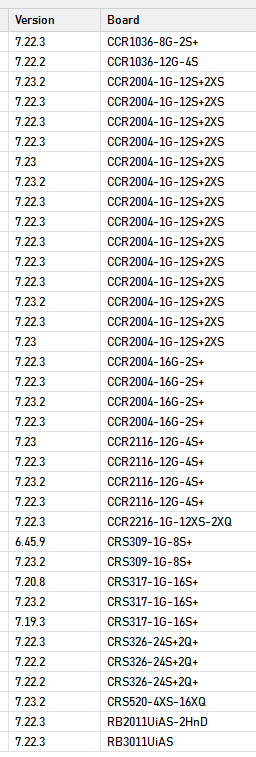
This is the example of on small scenario of one of our customers.
Most of then with pretty recent version of RoutesOS.
Most of then ARM64, a few ARM and other few Tilera.
This mix is very similar of what you will get on several other customers.
And every time, more then 8-10 seconds to connect.
The real hard part is when you are accessing a connections tables, you have already filtered to an specific src ip address (or somethin like that), and time-to-time this damned "Too many entries!" keeps apearing.
Are there alternatives to just stupidly increasing the threshold? Optimized reading, paged reading, ROS-side filtering instead of Winbox-side filtering of whole dataset, etc?
I can understand that for various reasons the result of the command is entirely put in memory before doing the transmission to winbox. That means a large dataset occupies a lot of memory.
However, contrary to Flash space, Memory space is usually not in short supply on MikroTik routers. There are a couple of exceptions but they mainly operate in environments where the dataset would usually not be large anyway.
In any case, the limit of the number of entries could be based on the amount of free RAM at the moment the query is received.
This is akin to those PHP newbies who used to call themselves "web interface innovators" back in the early 2000s—the ones who would run a SELECT * FROM query on the backend, pull everything into PHP, and filter for what they needed only after the database engine and PHP had already burned through CPU and memory processing the full dataset.