That is just a generic problem in Windows and probably every GUI.
Shortcuts are context-sensitive, and that always causes trouble. We have some nearly blind people working in the company, they are trained to use shortcuts instead of the mouse, and countless times I have been called to a computer were something weird has happened due to sending a shortcut to the wrong window…
It's because MikroTik is not consistent with the keyboard shortcut for closing MDI windows. For decades, on Windows, the shortcut to close sub-windows (MDI windows), and with browser tab interfaces, those browser tabs too (you can test with all major web browsers), is Ctrl+F4, not Ctrl+D or Ctrl+W. And it's logically aligned with Alt+F4 for closing whole program.
Using Ctrl+F4 to close sub windows/browser tabs still works on all standard conforming programs under Windows, including WinBox 3. Yes, the Terminal in WinBox 3 can be closed with Ctrl+F4.
MikroTik should stick with that for WinBox 4 running on Windows instead of having Ctrl+W to close other sub windows and Ctrl+D to close the Terminal, so much consistency . Using Ctrl+D to close Terminal is Unix-centric and can't be considered universal, if you also have Windows users.
ctrl+d is terminal context. As terminal is a terminal to router os, based on Linux, it is in my opinion the correct way to capture ctrl+d when terminal focused.
winbox is free to assign ctrl+d to anything else when not in terminal focus.
Firefox closes windows/tabs using Ctrl+W while in a browser-based remote console I want to enter Ctrl-W to “delete word” in bash. It closes the window without warning. Very inconvenient.
I guess in winbox Ctrl+W closes the terminal window as well, but you are confused because Ctrl+D means “end of file”, and when entered in a terminal window showing the prompt that means “logout” and the result is that the window is closed. That is a different thing, some other dialog would be closed by doing CANCEL.
Yes it is in terminal context, bit it is wrong to have same shortcut doing different things in different parts inside of same application (terminal window in WinBox is still inside the WinBox just as everything else in it). In addition disable-action has a destructive potential if wrong window is in focus, while in terminal session it just ends the session. It just should not be this way.
I do agree generally. But Winbox is a special case. It has a terminal emulator inside. There is also ctrl+c that should work in winbox textfields for copy text action. But inside terminal it is and must be different.
Sometimes it happens when I open my Mikrotik on Winbox and the queue list tab is already open. The only time it will happen is if the queue list tab is open.
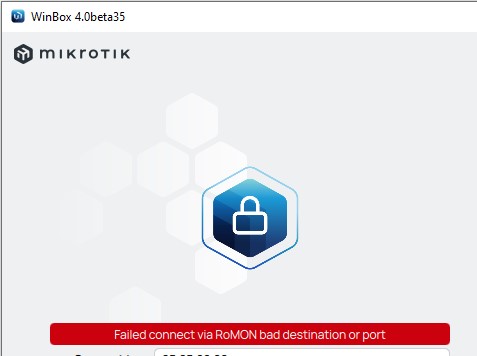
After attempting to connect to the device via ROMON with the checkbox enabled, open in a new window, error messages appear, and after several attempts, 4.0 beta 35 stops connecting to devices via ROMON, while 3.42 continues to connect.
Please let new windows pop up in the center of screen - especially on a large screen, it is really tiring having to drag down every dialog from the top-left corner.
No, it would be feature. My guess: Winbox remembers the position of windows. When there is no last known position it defaults to 0,0. You would need to pre-calculate the window width/height - before showing - to determine the coordinates for top-left window corner so it would open centered. And maybe they do not want to deal with edge cases where centering just doesn't work properly. So the easy way out: position 0,0.
Normal default position is center. If it's somewhere in the top left corner, it's just a bad software implementation.
Yes, it's obviously should be calculated and it's a very easy calculation. I don't know how is it done in qt, but usually, if it's some library, there is just a property that defines default window position, so it's even more easy.
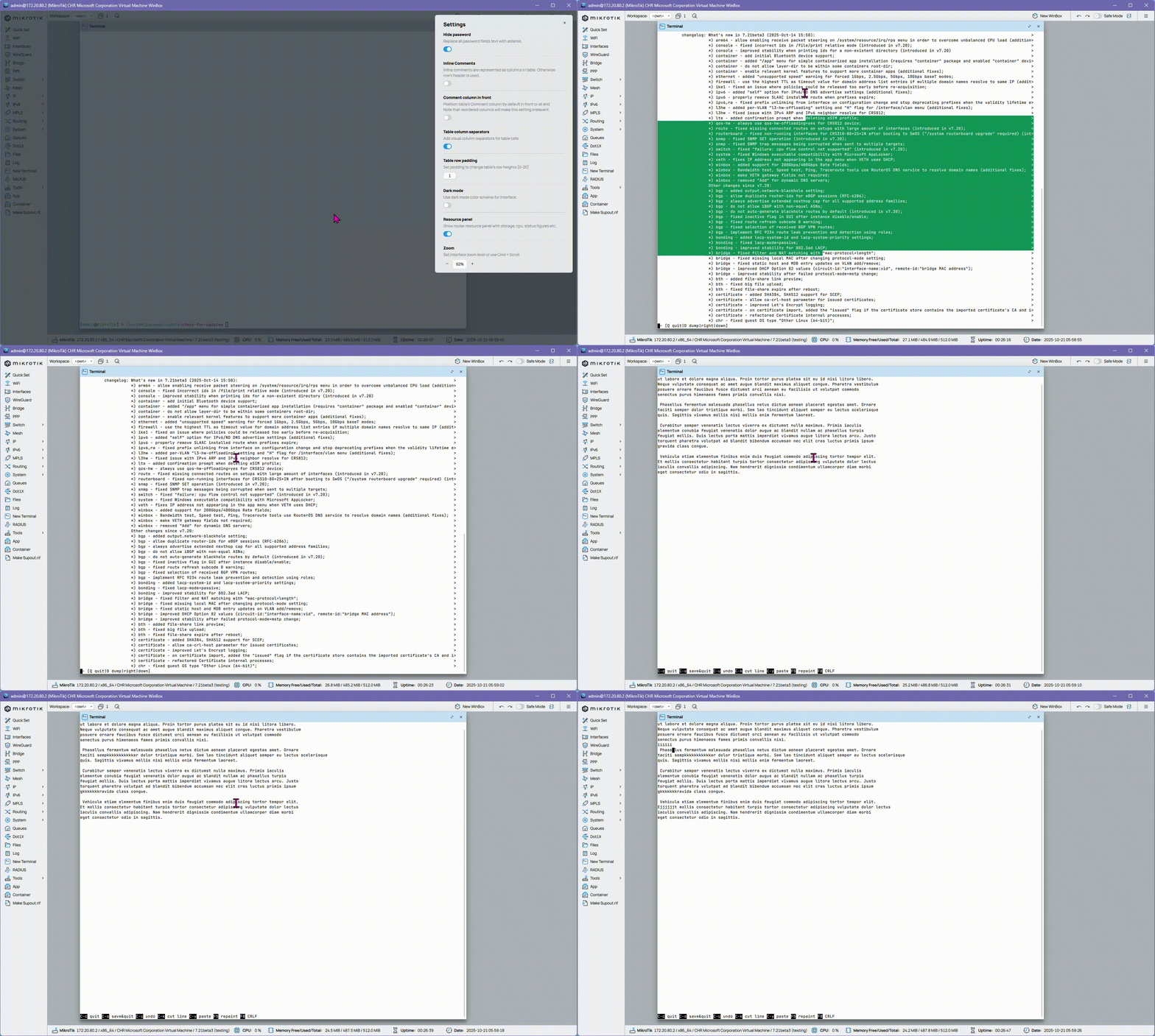
The Terminal in WinBox 4 beta35 does not work correctly when the WinBox Zoom is not at 100%. The position of the rendered text and the position where the cursor / mouse cursor is registered do not match. It's more apparent when there are more texts in the Terminal. Here is an example GIF animation at 92% zoom:
8d9412349d8b5f1aa1126d0e73f1e072cdee8dbf.gif (1666×998)
As you can also see, when editing the text using the built-in editor, the content is cut off (lines at the top rendered outside of the visible area), and the cursor is misplaced.
Winbox 3.43 opening tab with the number above takes 44 seconds (RB1100AHx4).
Is it possible to read the tab ip/firewall/address-list in progress and open the tab ip/firewall faster?
With that kind of list sizes you will have issues, similar for IP routes when you have many routes.
A useful improvement would be when filtering in winbox would send the filter to the router where possible, so it would not have to send that large list. E.g. in address-list it would often be useful to filter on “Dynamic = no” or “List is not ABCDE”.
But now that has only limited benefit because it only saves the rendering, not the retrieval.
Well, I do not play the "xyz can do this since" card. It does not help. Otherwise I would now paste a list what other window managers can do since 1972.
 . Using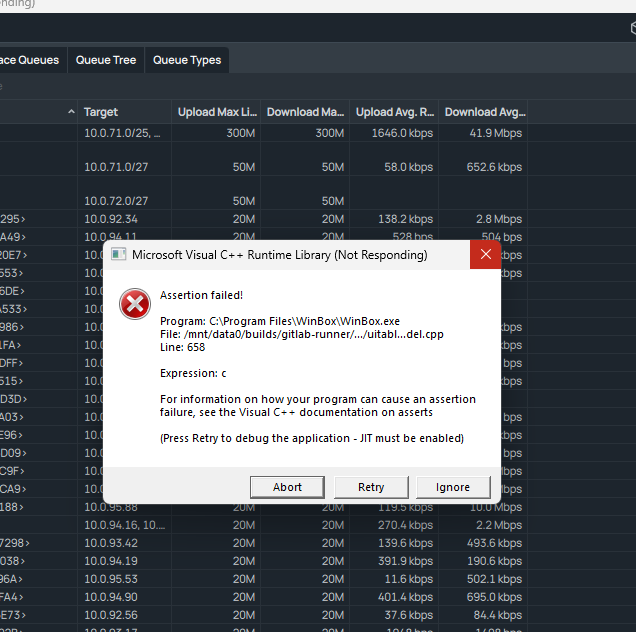

 .
.