Currently the program has the following args: Usage: WinBox [options] connect-to username password workspace
When started as WinBox connect-to it shows the saved devices list, with the connect-to system selected, but waits for the connect button to be pressed.
Please change that so it is possible to immediately connect to a system in the saved devices list, e.g. with a -c option: WinBox -c connect-to
That would use the username, password and workspace as defined in the saved devices list, and immediately opens the window connected to that device.
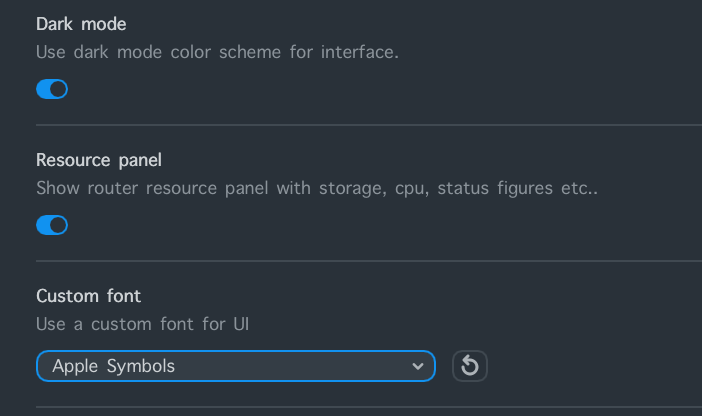
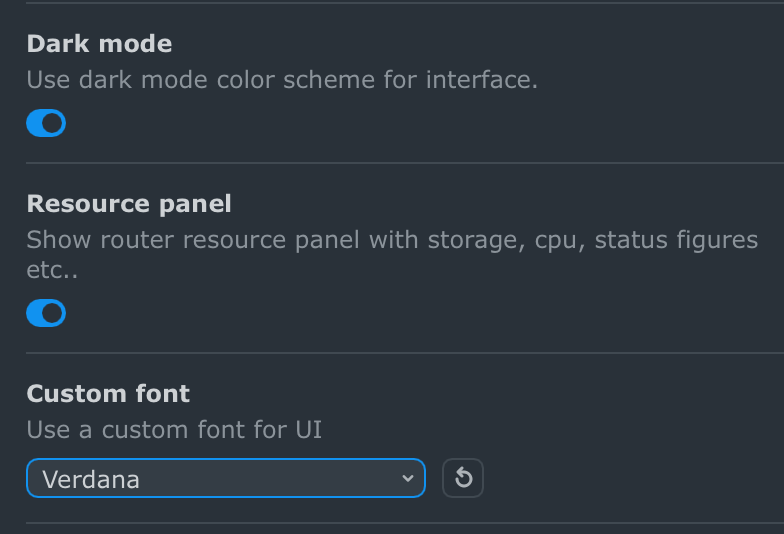
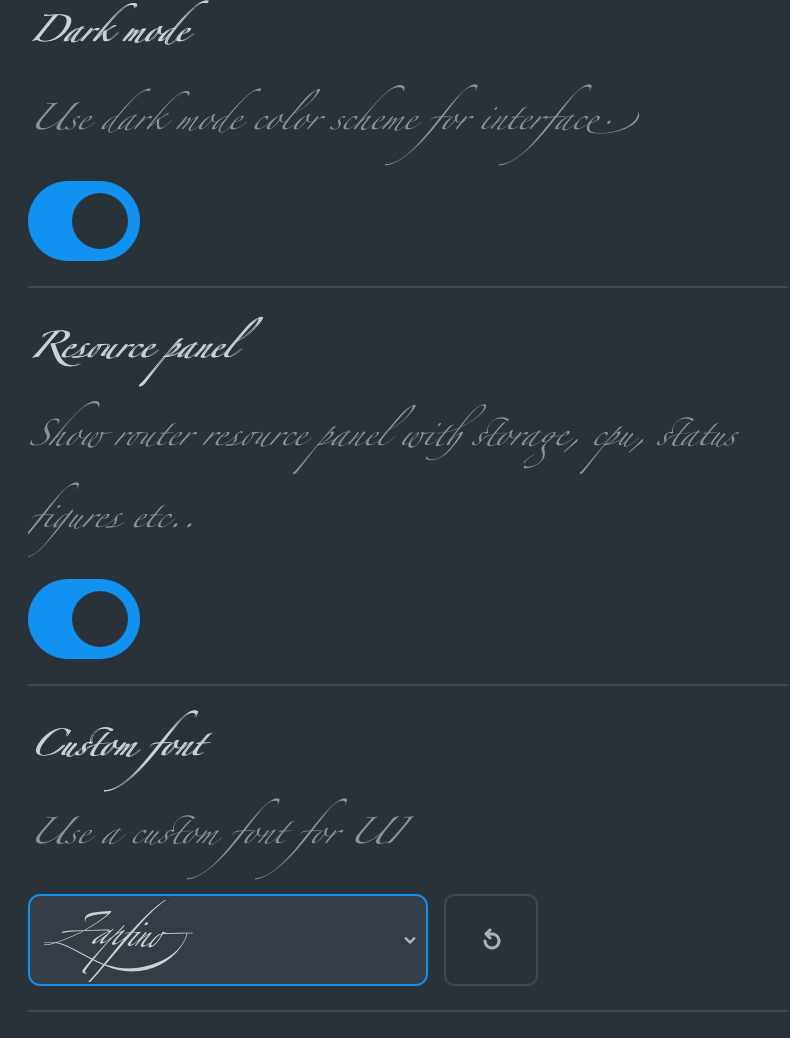
Font selection option has unwanted side-effect - different fonts cause all UI elements to change size even when UI scaling is same (100% in these examples)
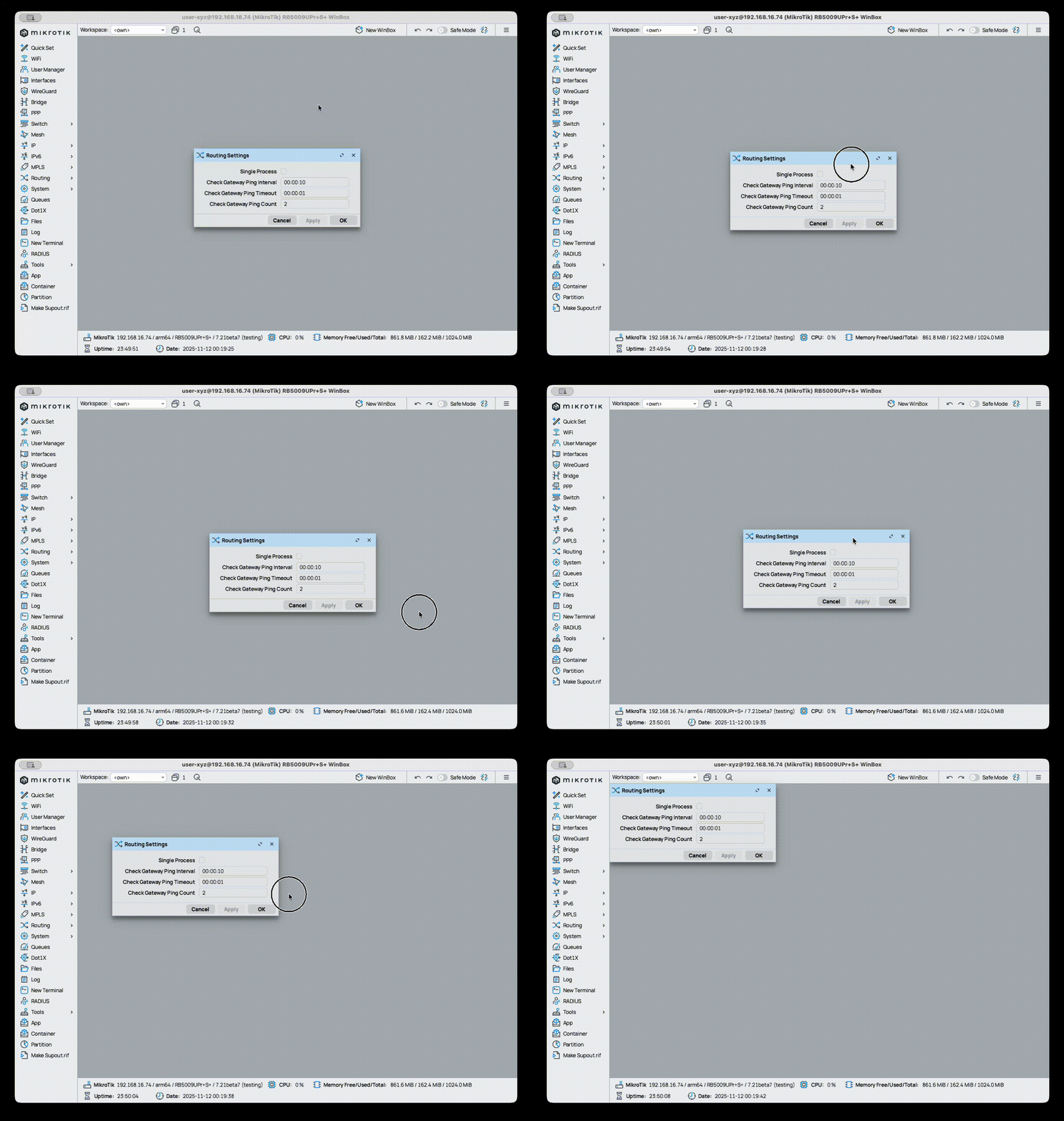
On MacOS, dragging the window is misbehaving – I believe it broke on beta 39. I can't say for sure in which beta exactly it started to behave like that, if the issue was present in past betas it wasn't so noticeable.
When dragging to the bottom and/or to to the right: the window barely moves if the mouse cursor is moved slowly. OTOH dragging to the top and/or to the left: the window moves faster than the cursor when the mouse cursor is moved slowly.
I checked on mine. It seems to me that the pace of window movement and mouse slip is the same in any direction. The mouse gradually drifts south-east in every case. See your own video where it is happening.
The apparent difference based on direction is simply to do with how fast you are moving the window, because the mouse drifts with time rather than with direction. Try each slowly, or fast, and try SW to NE and back. I think it still drifts SE within the window based on time spent dragging.
When is the BGP Sessions window going to be an automatically updated window again, as are most other windows?
When RouterOS v7 was introduced (and the BGP was finished), the Sessions window required an F5 to see the current status. In v6 the corresponding Peers window always showed the current status when left open.
At that time it was commented that “this would require a new winbox version” but several years later it still doesn’t work. Why is this so hard?
The icon currently works in reverse. In most applications (for example, a music player or any interface with an auto-refresh feature), the usual way to indicate "auto-refresh" is to show a icon when auto-refresh is active.
In general, buttons or action icons in user interfaces always represent the available action, not the current state.
Interface last link up/down time seems to fluctuate with a span of a few seconds. Where in version 3, I’m looking at an interface with a link down time of :07, the same interface in version 4 seems to settle on a value of :05 +/- 1, and randomly shift within :04-:07 every few seconds.
I love nearly all of the changes you’ve implemented in WinBox 4, as I use it on a daily basis with a fleets of MT Routers, Switches and APs I deploy and manage - but a small thing started driving me nuts - the new shortcuts:
In Poland, we use s with accent - ś/Ś - and for this letter, we use AltGr(Right Alt)+S - but on Mac both Alt keys are used for diacritics. So when I’m labeling configuration for a customer that is not fluent in English, Alt+S switching windows instead of accenting the character, it becomes very annoying.
Also, Alt+F - as far as I remember, F was always for finding stuff, like in a text document - and for command palettes, the keys that were used were either K or P. Using Alt+F instead of Cmd+K is a regression for me.
Could you fix at least Alt+S - for example by switching to Alt+Tab for Macs while keeping LeftAlt+S on Windows since only RightAlt (AltGr) triggers diacritics in Windows - and on Mac both Alts turn on diacritics.
Now that we have the shortcut to open the Terminal, one useful feature that can be added would be the ability to invoke the GUI from the Terminal command line. For that a shortcut like Alt+G (G for GUI) may be added to the Terminal.
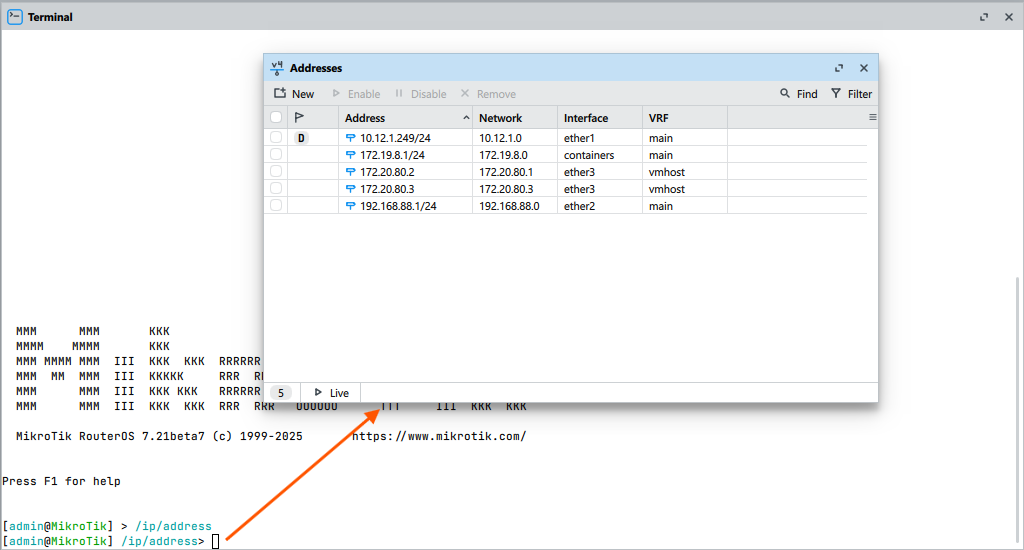
The idea is that when you are currently in the /ip/address menu in the Terminal, pressing the shortcut Alt+G (or any other that MikroTik chooses), would bring up the IP -> Address window:
Similarly, when the current menu in Terminal is /ip/firewall/nat, pressing the shortcut will bring up the IP -> Firewall window with the NAT tab being focused. You get the idea.
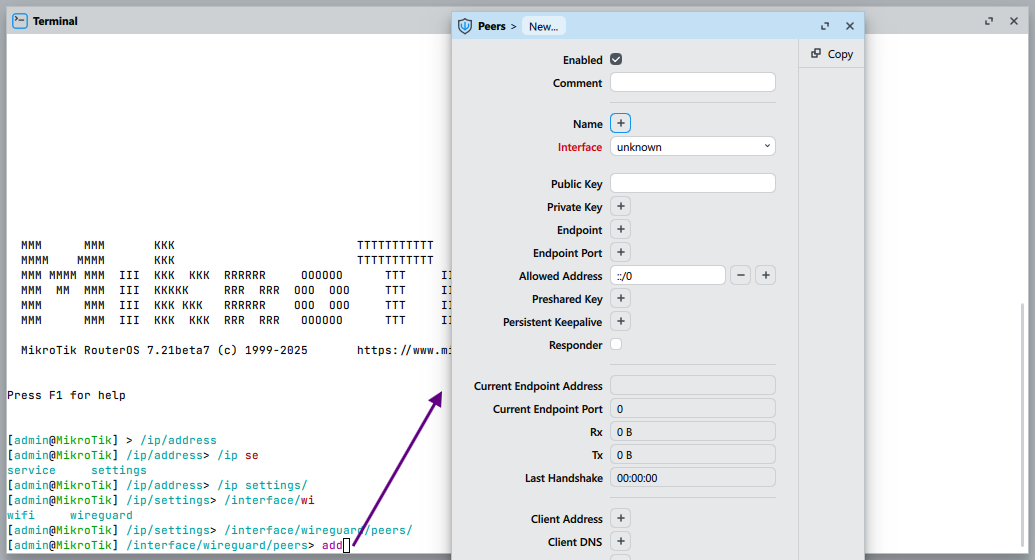
It might even be extended further, like when the current menu in the Terminal is /interface/wireguard/peers, the user can start typing add and press Alt+G and the form for adding a new WG peer pops up:
If that's not possible, then maybe something like PowerToys Run under Windows or the Spotlight input in MacOS can be implemented to quickly go to the window and form. from the main window the user presses Alt+L (similar to how web browsers use Ctrl+L to focus the address bar), the WinBox window dims out (same effects like with Alt+A/Alt+S) and displays an input bar at the middle of the screen, where the user can type, with TAB completion, for example:
ip -> TAB -> add -> TAB
and the input creates the breadcrumb[1] "IP > Address", now the user only has to press Enter to have the IP -> Address window popping up. Or if the breadcrumb is too difficult to implement then the input box can simply show the same syntax for menu and completion in the terminal with /ip/address/ as content.
(the breadcrumb control similar to what you see in the address bar of Windows Explorer) ↩︎
 icon when auto-refresh is active.
 .
.