form: improve "address" field by allowing to select Interface and VRF fields (where supported);
form: allow opening linked object or its parent table for certain fields (e.g., when adding an IP address and selecting an interface from the dropdown, it is possible to open either the interface table or the selected interface);
form: add support for input field postfix;
form: add support for min/max row count limit for multi fields;
form: add support for monospace font in scripts;
form: add support for new "note" attribute which shows documenation or hints on label hover;
form: change style of multi field plus/minus buttons;
form: fix "hyperlink" field type (IP/Routes Immediate Gateway);
form: fix sorting for some fields;
form: increase minimal width for combobox and multi-selection fields;
mdi: fix resizing when window was moved to top or left side and then resized;
mdi: move window resize mouse area 1px deeper within content;
mdi: try to move whole window into workspace when (re)opening;
table: change disabled row icon color;
table: fix warnings printed in app output;
table: make New button with dropdown expand full available height;
table: send only disable/enable attribute when disabling/enabling row;
table: try to fix Windows on ARM rendering issues;
table: update some firewall table icons to stand out more;
ui: fix Cancel button focus in file transfer progress dialog;
ui: increase combobox popup's minimal width;
ui: make checkbox/radio/tooltip background color darker in light mode;
ui: make search result rows a little taller;
ui: simplify error message with MAC connection when device is not responding;
add new field type support used by future RouterOS version;
change intermediary certificate for Windows executable signing;
WinBox files for Windows, Linux and macOS are available here:
put "heartbeat" like in od WB3, in right upper corner? or call it as you wish ... but, problem is that in WB4 i have no visual indicator that device is disconnected. So, you make a mistake, missconfigure something and you have no visual indicator, except interface list where numbers are changing rapidly. But, hey ? should i keep open interface list only to see if device is alive ?
give back CTRL+M (comment) or make COMMENT as first selected field.
Yes, there is a rare chance that first highlighed field is what you need, so pressing TAB is almost mandatory. From this point of view, why forcing users to SHIFT+TAB (one field UP) to fill comment? It is akward that first selected field is 2nd field
If the connection to the device is lost, the time / uptime on the status bar will stop ticking. If you look at the status bar and the clock & uptime is still running. then you still have a working connection.
When connected to a CHR with 7.23beta5 it keeps printing this on stdout/stderr:
WinBoxImpl,INFO: tx keepalive msg
Lets see if the other messages are gone now.
Remember that when people start WinBox using a shortcut on their desktop, messages printed on stdout/stderr are sent to the syslog or journal. That sometimes amounts to >1 gigabyte of output here. Not good.
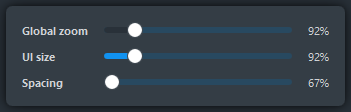
The "Settings" itself its a "flyout" GUI element and those by convention are dismissed by focusing (clicking) anywhere outside of the flyout, on any other part of the window.
Those flyouts appears in more parts of Windows itself now, like the one that appears when you click the area on the taskbar that have the volume and network icons. We can argue that the popup volume slider in older Windows is also a flyout.
As more parts of the UI (not only Windows, but other apps too) allow you to have immediate commit / feedback of the action taken (change / toggle a setting) without a cancel / apply button, the flyouts replace what previously used modal dialogs. The way the are shown and dismissed is like with context menus, but they can contain more kind of UI controls than just menu items, with more complex layout too.
Yes it is the same with the “workspace” dropdown. When you click on that you can select another workspace, but there is also a “save” button. When you click that the workspace is saved (without any indication…), but the dropdown does not disappear and you have to click somewhere is to make that happen.