Thanks for analysis. The suggested fix won't help.
Overall, your approach seems developer-oriented, i.e. you're trying to explain why it doesn't/shouldn't work. While I understand your point, as a WinBox user, I do want it to render its UI correctly on any platform, i.e. whether I take my mac, windows device or whatever I have, WinBox should look/work fine everywhere.
If that worked for you, that something easier for MikroTik to fix that waiting for ARM64/aarch64 — which is the "real" fix. But MikroTik already sets some these Qt options internally to handle cross-platform differences, so perhaps one more is needed. It's feedback like QSG_RHI_BACKEND works (or does not work) is how stuff get fixed.
Otherwise, Windows ARM64 is perhaps still a bit niche, so can see MikroTik not committing resources/testing/infra be the highest priority. But some flag/options to Qt to make it work better via emulation... that is something more achievable. I do suspect some Qt flag likely help your problem, which IDK. But if MikroTik had good test bed for ARM64 Windows already, they'd have likely release a build of it already....
Yes, I did, and it wouldn't help. The UI issues persisted.
For information, I also tried set QSG_RHI_BACKEND=vulkan and set QSG_RHI_BACKEND=d3d12, and WinBox couldn't even draw it's login screen, while set QSG_RHI_BACKEND=opengl simply made no change at all compared to the standard run without any options.
Last possibility for a workaround would be trying QSG_RHI_PREFER_SOFTWARE_RENDERER=1
which can help if the rendering issue is caused by a broken graphics driver.
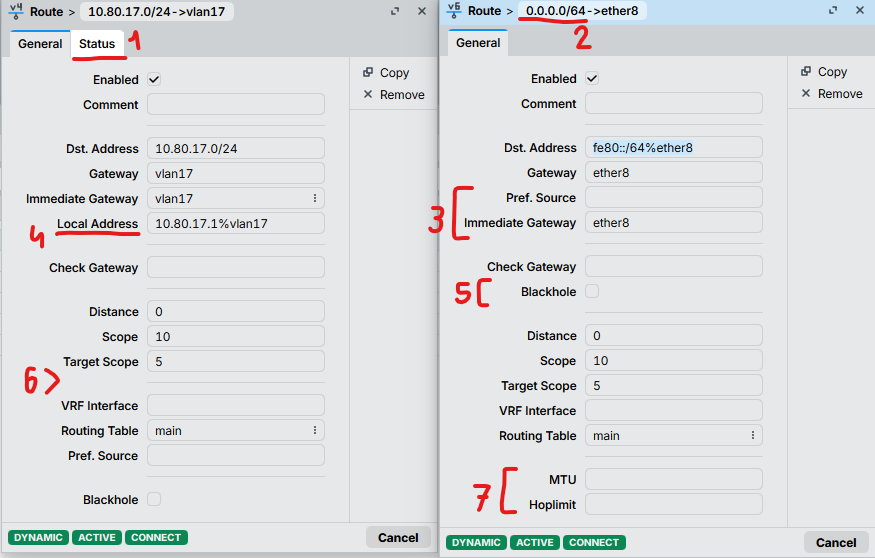
Another issue I would like to draw attention to is the inconsistent UI in the subwindows showing details of IPv4 and IPv6 routes. A few years ago I even submitted a ticket asking to make changes to WinBox 3, but it was ignored. Sadly, the issue still exists in WinBox 4.
Have a look at two active dynamic connected routes I opened in 4.1rc3 and let's play "spot the difference" together:
1a. IPv4 has a Status tab, while IPv6 doesn't.
1b. If imported from BGP, there is a BGP tab for IPv4 only.
2. 0.0.0.0/64 looks weird since (a) IPv4 is limited to 32, (b) 0.0.0.0 is inapplicable to IPv6.
3a. Immediate Gateway is the 3rd row in IPv4 and the 4th row in IPv6 (in the 2nd visual block).
3b. Pref. Source is the 3rd row of the 2nd block in IPv6 and the 3rd row of the 5th block in IPv4.
4. Local Address is missing for IPv6.
5. Blackhole is in the 3rd block in IPv6 and the 6th block in IPv4.
6. The block separator after Target Scope is present in IPv4 and absent in IPv6.
7a. MTU is missing for IPv4.
7b. Hoplimit/TTL is missing for IPv4.
Except maybe for point 2., all the other listed issues are not the responsibility of "the UI team" but of "the RouterOS team". The layout information as well as what properties / tabs are available come from the index file sent by the router. If you open WinBox 3, you'll see the exact same issues (even issue 2.)
This is the kind of thing that you can never get 100% alright in a system that has been developed and added to for 30 years…
Even when someone would completely overhaul the UI (labels, grouping, sizing) and make it all consistent, there would be people complaining just because it has changed (and they cannot find their way anymore, documentation screenshots are outdated, etc).
Warning: qrc:/qt/qml/WinBoxQml/qml/WTable.qml:2127:21: Unable to assign [undefined] to QString (qrc:/qt/qml/WinBoxQml/qml/WTable.qml:2127, ) Warning: qrc:/qt/qml/WinBoxQml/qml/WTable.qml:2101:21: Unable to assign [undefined] to bool (qrc:/qt/qml/WinBoxQml/qml/WTable.qml:2101, ) Warning: qrc:/qt/qml/WinBoxQml/qml/WTable.qml:2104:21: Unable to assign [undefined] to QString (qrc:/qt/qml/WinBoxQml/qml/WTable.qml:2104, ) Warning: qrc:/qt/qml/WinBoxQml/qml/WTable.qml:1843:25: Unable to assign [undefined] to QString (qrc:/qt/qml/WinBoxQml/qml/WTable.qml:1843, ) Warning: qrc:/qt/qml/WinBoxQml/qml/WTable.qml:1844:25: Unable to assign [undefined] to QString (qrc:/qt/qml/WinBoxQml/qml/WTable.qml:1844, )
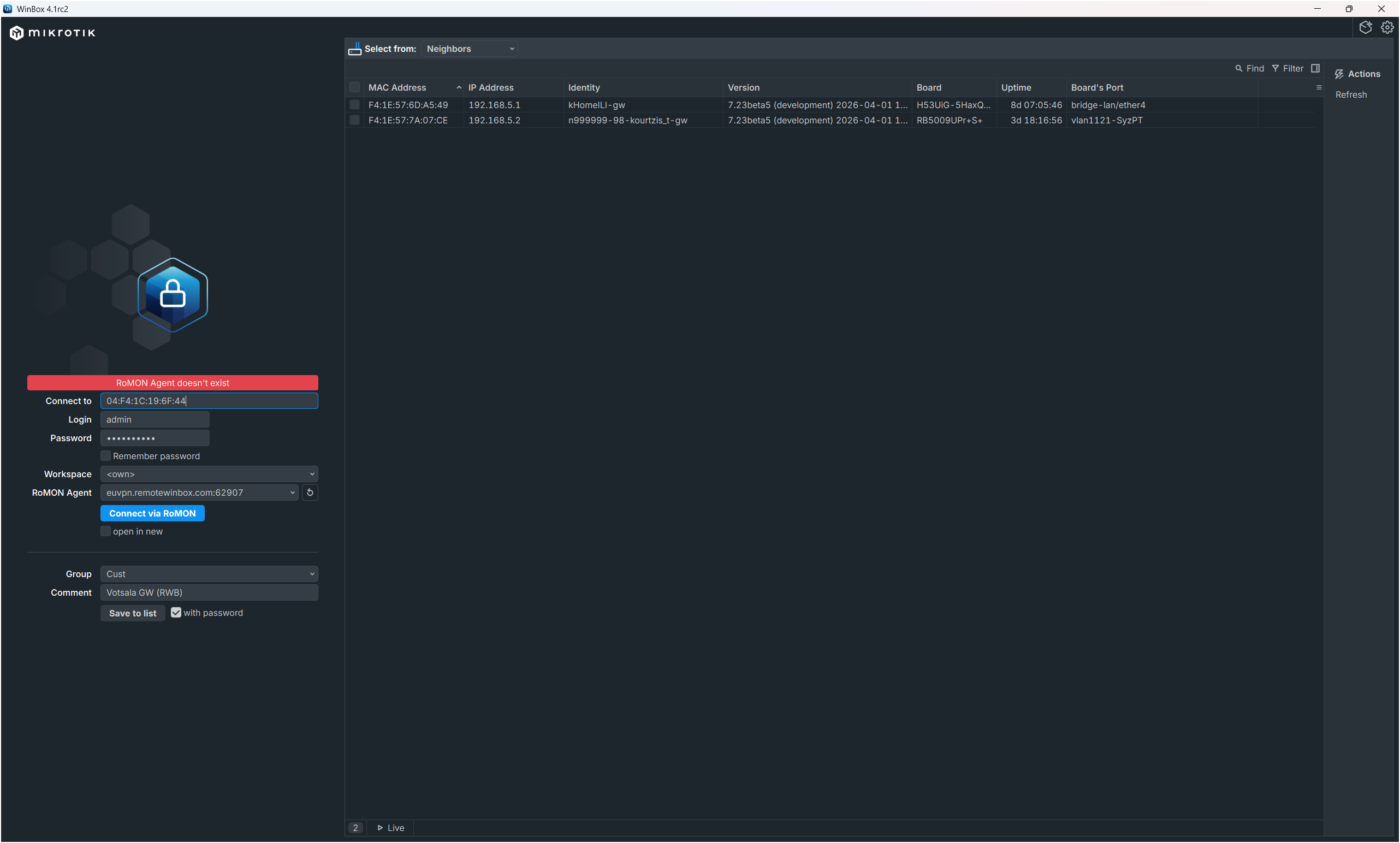
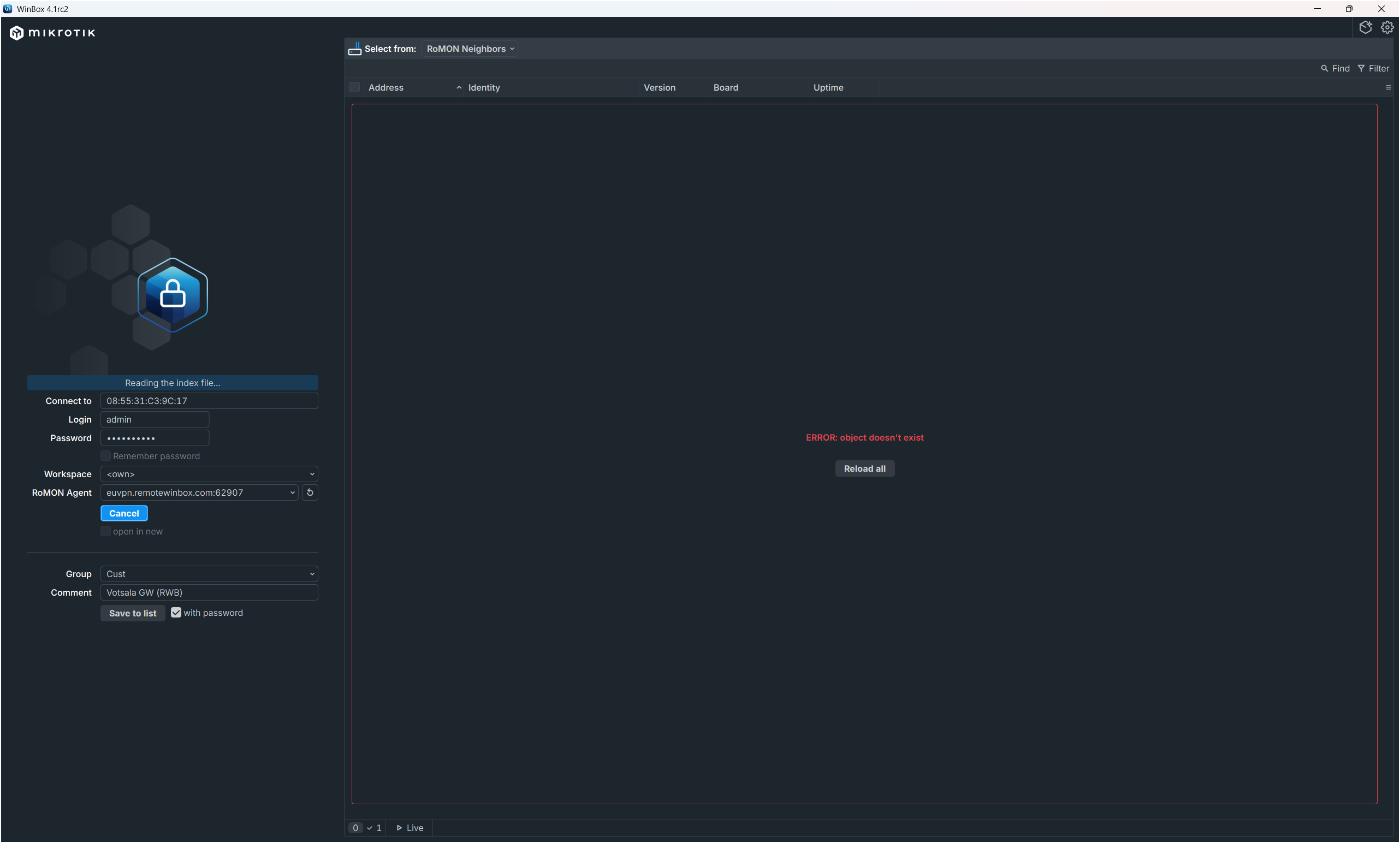
There is a long-standing problem with RoMON in Winbox 4. Very often, when I am trying to connect VIA RoMON to a device (that is, AFTER I have connected to the “RoMON Gateway” on the remote network), I either get a “RoMON Agent doesn’t exist” error (if the “open in new window” is selected) or an “ERROR: object doesn’t exist” (of opening in the same winbox window). In the first case (new window) the connection is not established. In the second case, the connection is established.