I actually (for a change) agree with your and @Josephny's observation in that more and importantly, much higher quality information is needed, because misunderstandings and misapplications are widespread - one only has to look at posts on this forum.
I maintain, however, that much of the confusion on the topic is due to some sort of misplaced fear or apprehension. I did not make this observation lightly. And as you put it well, much of this is due to a false "perceived understanding", that is, simply incorrect beliefs that are strongly maintained as certainties.
I would like to take the chance to give a bit of perspective around this. Make of it what you will; this is explicitly not intended as some sort of tutorial, but what I in turn strongly believe is that there are certain insights that have to be accepted (assimilated) in order to be able to gain a solid understanding.
The Mikrotik way. Every week there are posts that say that Mikrotik does vlans in some strange and incomprehensible way. This is true to the extent that Mikrotik does it differently than other major vendors. This is because they expose the way it is implemented and exposed by the Linux kernel. This is not at all surprising: they do the same with how addresses are assigned, routing is performed, firewalling is done - so basically with everything else. Sure there were (and will be) certain bugs in the implementation, but these are readily fixed. Also, there were a huge number of little attempts to make things easier to configure, such as automatic membership assignments or error messages given for common misconfigurations. The basic concept however is not broken, and from its first appearance works well. And so we come to...
The Linux way. Linux abstracts the internally implemented switch concept as bridges. For me this abstraction makes very much sense. It was, however, conceived of before managed switches (or in fact switched at all) were a common feature or networks everywhere. (Yes, I'm referring to the time when things like "thinnet" were in use.) The bridge concept dating back to this era basically denoted the software version of what we today call "dumb switches."
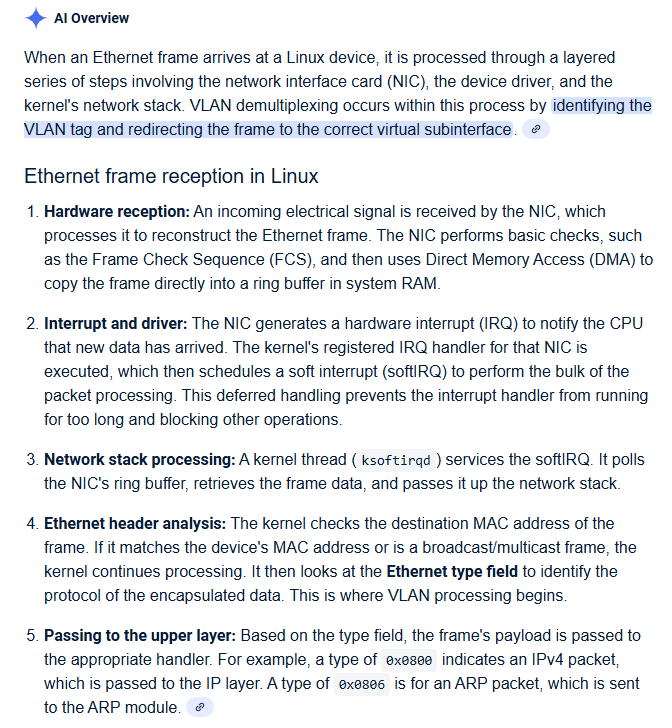
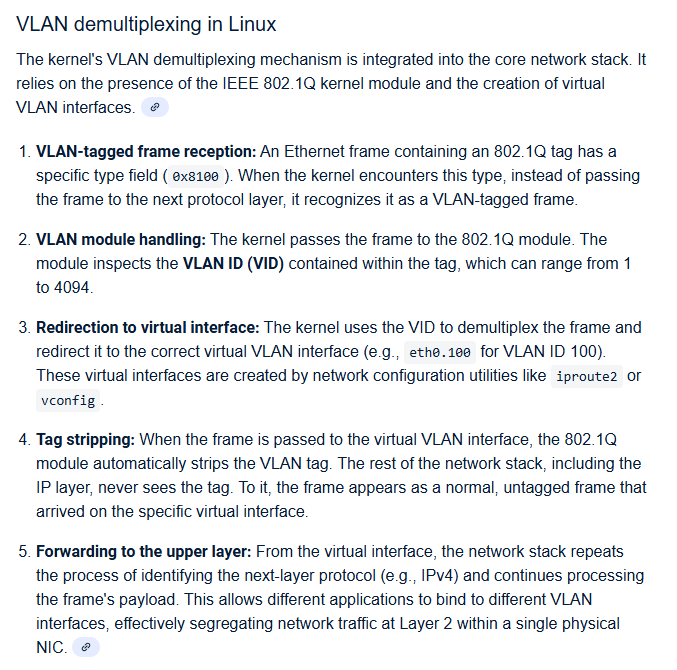
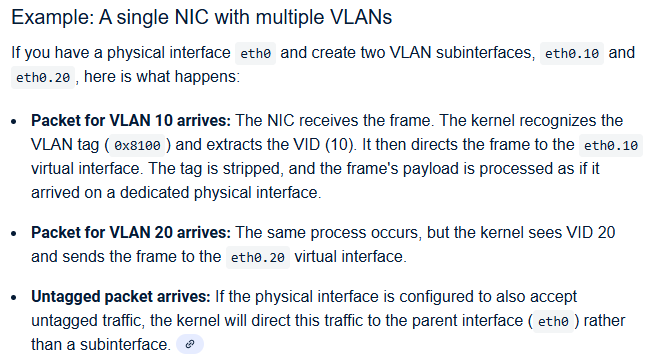
Next in line of the concepts is the vlan interface. These simply allow us to separate vlan tagged (with the specific tag) traffic from untagged (which appears directly on the interface) on ethernet type interfaces; also they take care of injecting them. Again, a fairly simple concept.
And now we arrive at the complication of...
VLAN-filtering. Through many years of development, industry decided on the concept of "managed switches" and formed a more-or-less universally accepted concept of what these devices so. The problem was that the Linux bridge concept didn't fit in very well with this. There were workarounds, such as attaching vlan interfaces to the ethernet ports and then bridging these. (This enabled a few features appropriately, such as independent vlan learning, but some issues were particularly nasty, such as the fact that if stp was then enabled on these bridges, stp frames actually went out tagged and per-vlan, which is not what "normal" managed switches did.) A need for a networking concept that would represent a virtual managed switch came was clear and several attempts were made to address this, such as OpenVSwitch, and many others.
The one that way the most Linuxy was the vlan-filtered bridge. Remember that Linux attempts to "never break userspace," that is: whatever came to be relied on by users (and software) should be backwards compatible. This was again kept in mind when introducing vlan filtering.
But it is very important to realize that vlan-filtered bridges bare little resemblance to the older (non-vlan-filtered) bridge concept. In fact, when it was originally introduced, almost no code was actually shared between the implementations. This makes "vlan filtering," in my eyes, one of the most misnamed features in software development, because it makes it seem like some additional feature is enabled by this setting; this is not the case, in fact an entirely different thing is brought into existence.
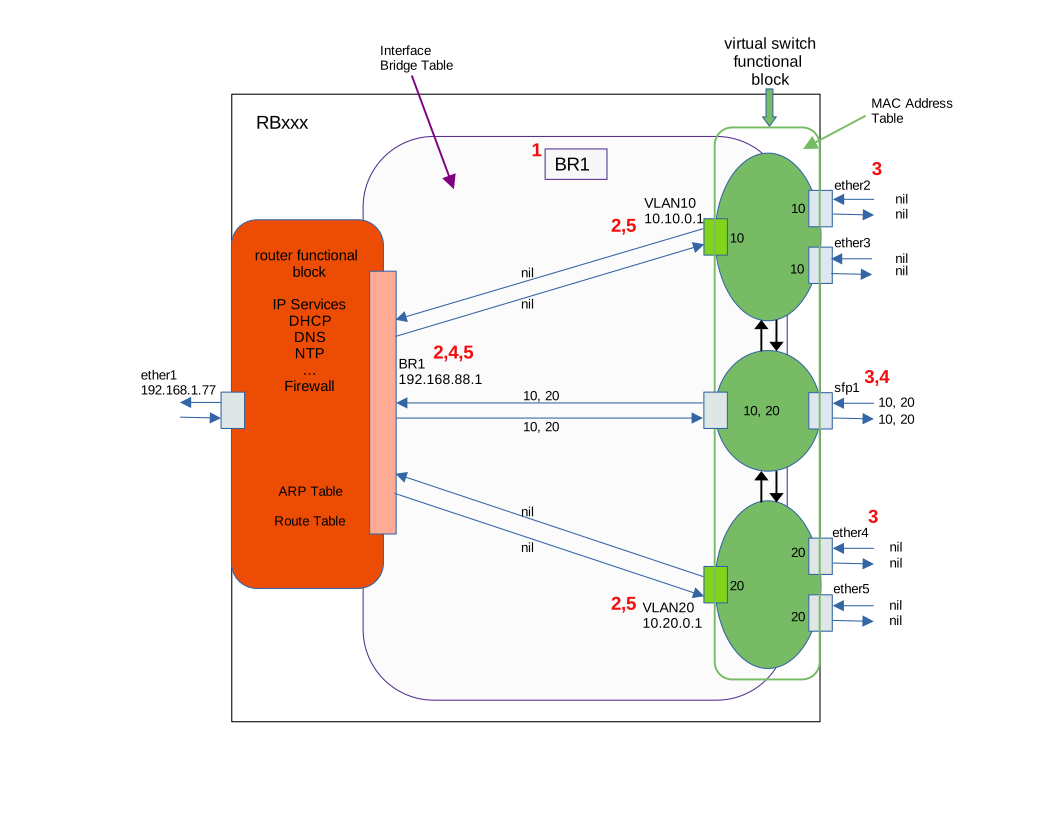
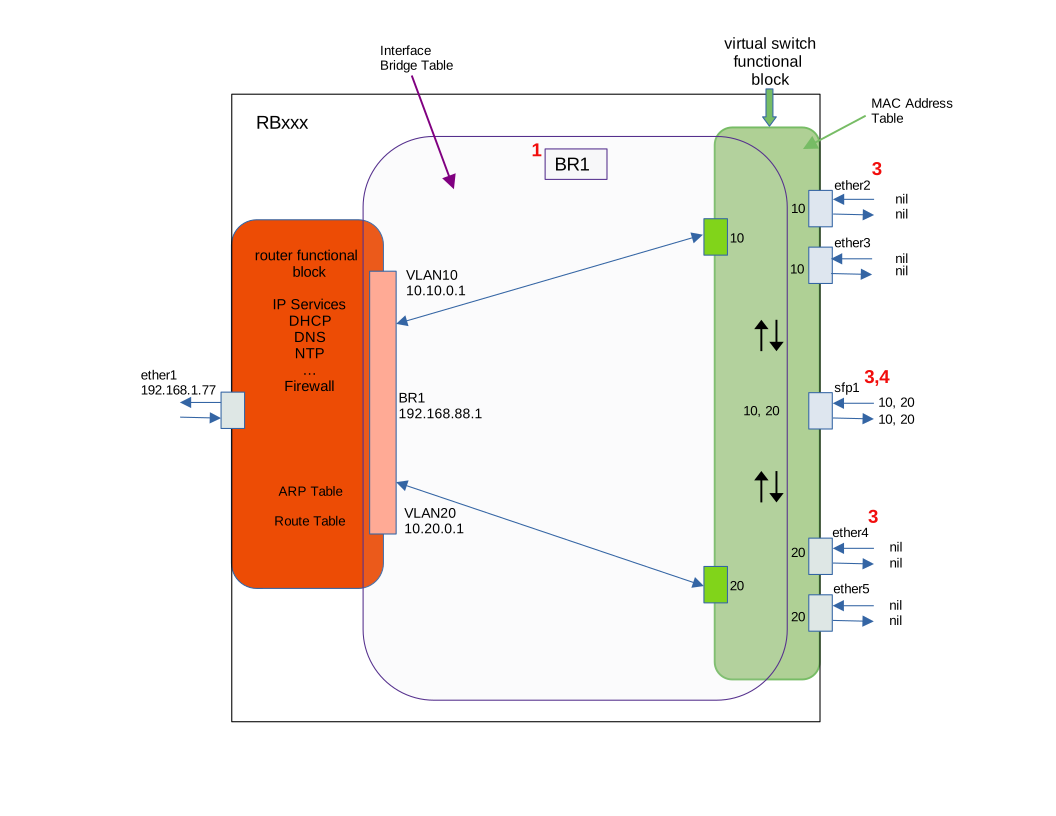
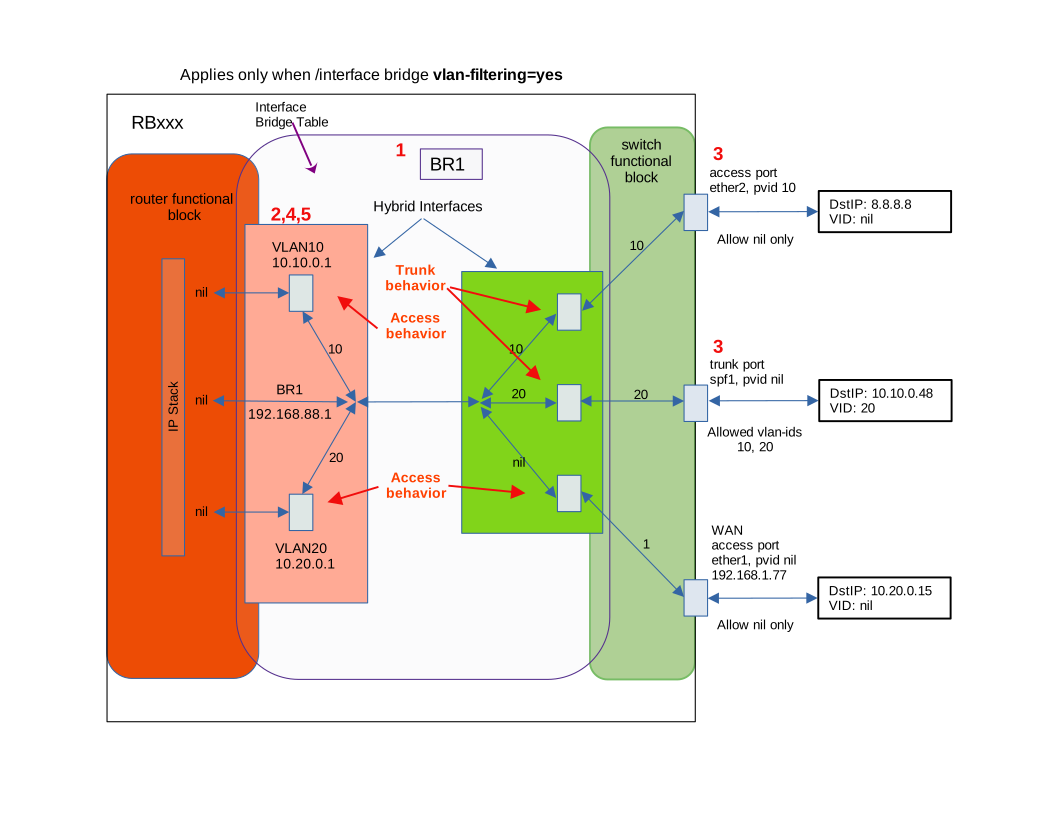
The concept of switch in a router. This is how it comes about that we must recognize something that we could somewhat ignore with the previous bridge concept: that there is actually a virtual switch living inside out router. There is not much to configure about a non-vlan-filtered bridge other than what ports we attach to it, but a managed switch has many more settings. In fact it is widely established that a managed switch not only can be configured, but in fact to do anything useful it must be configured.
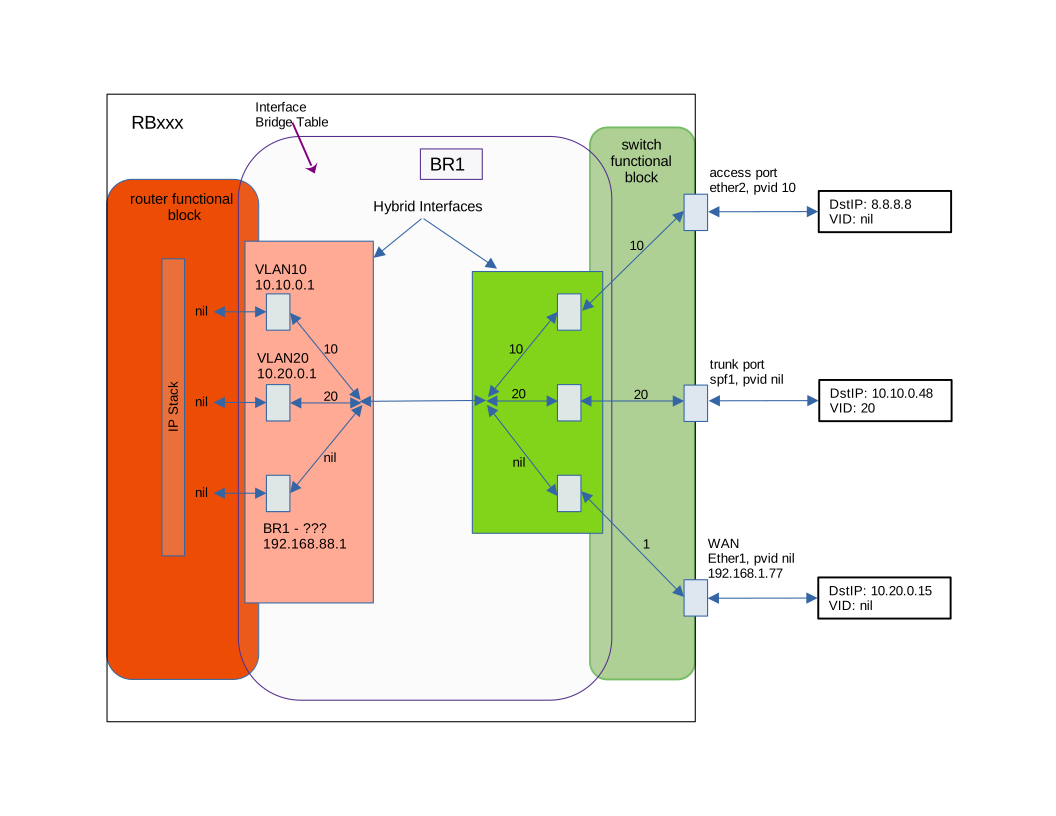
This must lead to the recognition that in fact we have a different entity living inside the router that is separately configured and is only attached to the router proper by one of its ports (convenient called by the same name) that presents the traffic which is intended for the router itself on an interface, again conveniently called by the same name. (Together with the fact that the bridge entity is also referred to by the same name is what leads to what is commonly referred to on this forum as the "trinity of personality.")
This is what most of the colorful diagrams floating around try to capture. Usually in a slightly wrong way. This is why I think @jaclaz's reference of "perceived understanding" is spot on.
I actually plan on creating my own explanation and diagram. As usual, when I get around to it.
Hopefully this rant helps someone, even if only a bit. Sorry for the long rant.