In Windows, when you click with a middle mouse button on any app in taskbar, it opens another instance. With WinBox 4 it’s impossible to open it this way.
why not save/show Identity at saved window?
Same!
After months of forcing myself getting accustomed with v4, I still feel very “lost” in v4 and “at home” in v3.
Would you consider adding “themes”, so that people could customize the look and feel. Someone could recreate the v3 theme, for example. That would be very appreciated!
Yes, skins are absolutely needed with this stupid design. Btw, this feature was in the MikroTik’s own list of issues. Is there any progress on implementing them?
Is it still being worked on? I haven’t seen any updates for months.
Facts and figures please.
Last update was from June 17th.
That’s not even ONE month …
I refered to this.
normally, you find the latest update on the top
They are lazy to update their posts 
Mine is more relevant
As a mac user I am looking forward to a stable version! Not sure where to post issues like this, I can’t see this on the issues list:
Winbox4 terminal command outright refuse to work. Attached is a daily occurrence with Winbox4. This is just me trying to ping. See how it eventually worked.
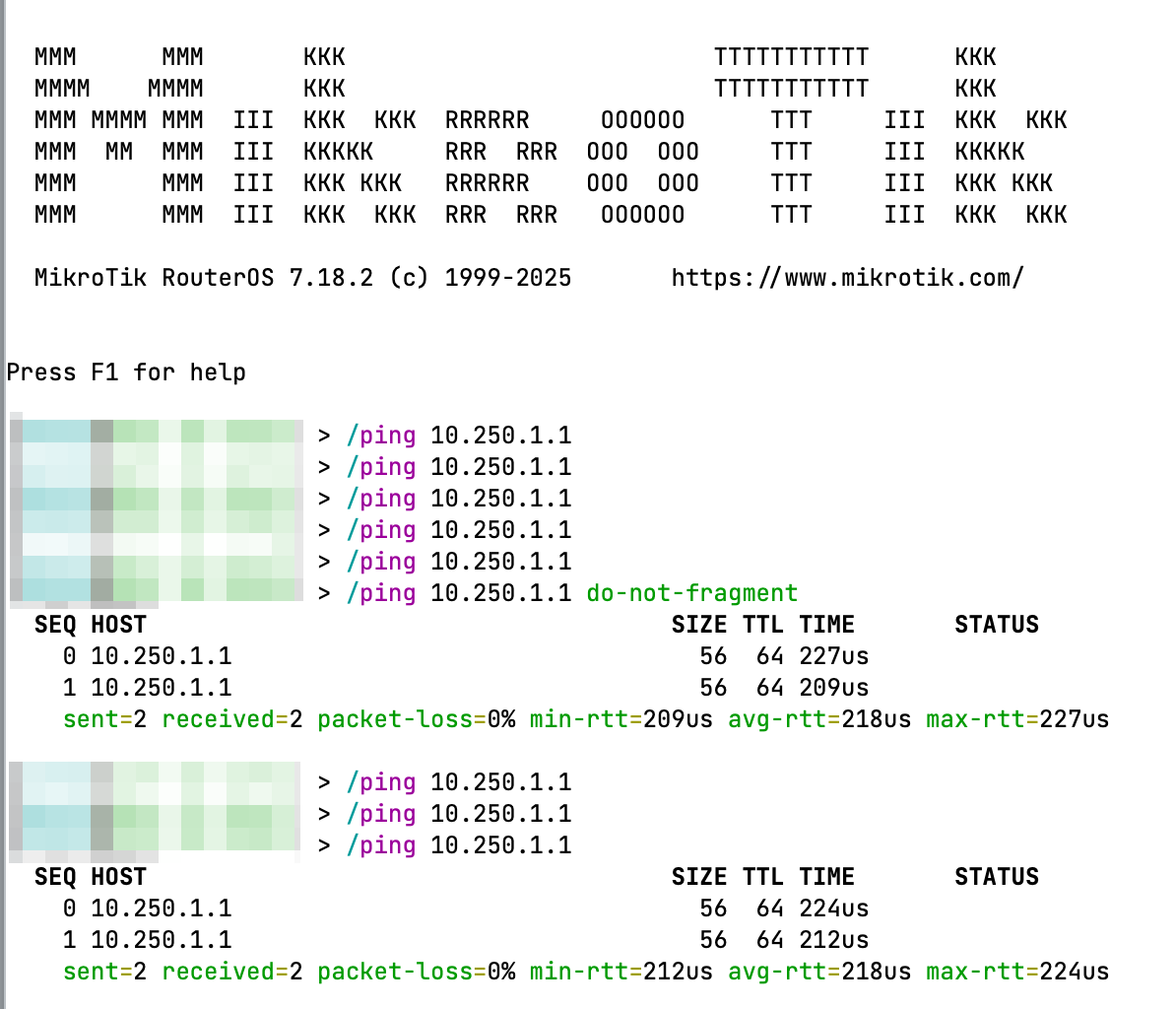
Today I copy and pasted a routing filter and it didn’t accept the last line, although no errors. I also changed an IP address, no errors, just didn’t work. When this happens the command doesn’t appear in the history.
This is a mac-telnet session, happens on every router I use, not version specific.
Unable to repeat issue on any macOS device. Has anyone ever seen the above?

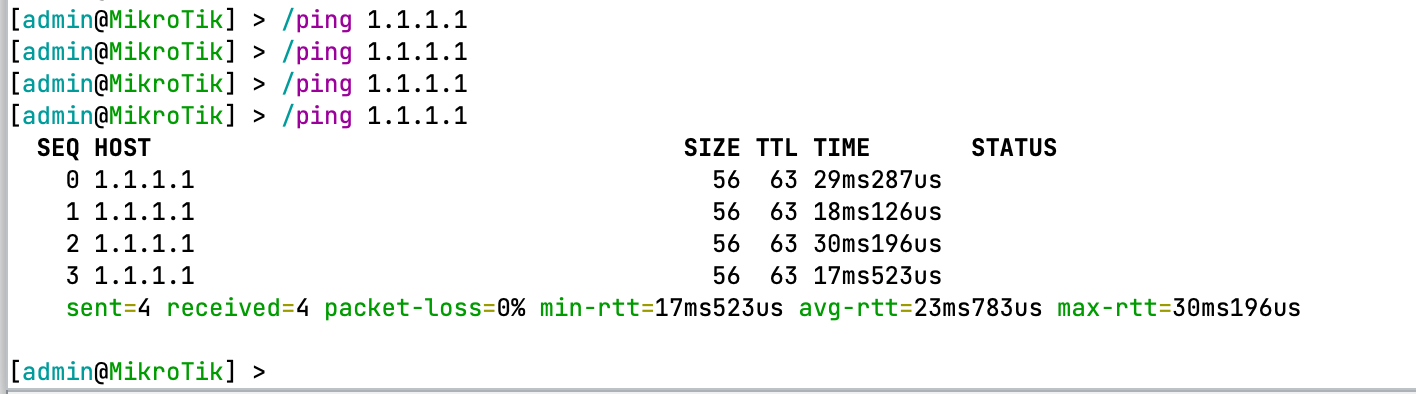
does it work properly on winbox3 or via ssh? Maybe it is not related to Winbox4.
I noticed there are “tool tips”. While knowing the allowed values is useful (which seems shown if known). It be more useful to know what the default value. For example, in /tool/netwatch the defaults are critical important. But how the WinBox UI works generally is it does not show the default values when field settable.
Given how it works, one solution to the “seeing defaults problem” be for the WinBox4 “tool tips” to show the default value along with the field label’s allowed value. (Or, I guess, on an unopenned + next to a field work too).
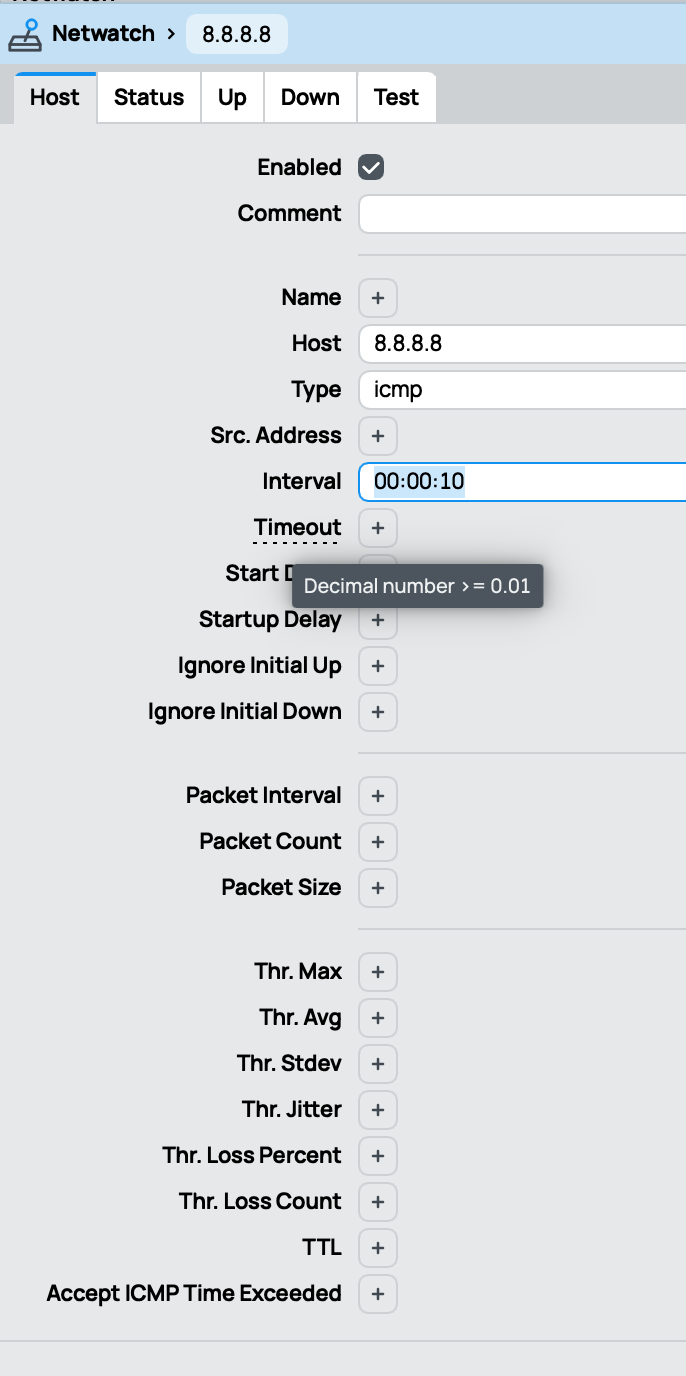
I expanded “Interval” using + to see the default value of 10s – so WinBox4 knows it. But if you notice “Timeout”, the default value is not show. I’d have to open edit box to see it, like Interval.
Worse, if you do an open one of the fields to see the default, but then close it. The field is marked as “dirty” (Blue). But it’s not really dirty since it actually the same as when dialog was opened and no changes on router to it. For example, if you want to “peek” at the default by “temporarily” editing one of the field… you get the blue fields:
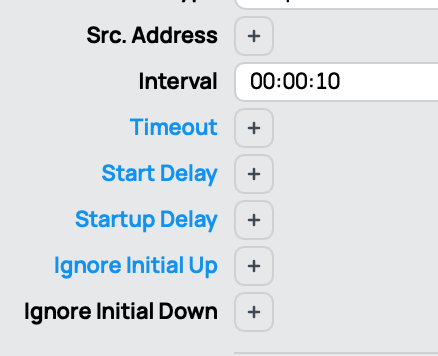
I get that the dialog was dirtied, so understand, in part, why they’re blue. But point being this condition be avoided if the “tool tip” just showed the defaults.
Their are other case where knowing the “default” or “inherited” values be useful I’m sure. I just know this has been a long standing problem in Netwatch’s UI since I use it. But if the tooltips just always showed any default value (if one) that solve it.
Unfortunately it is not true- If I open unset fields here
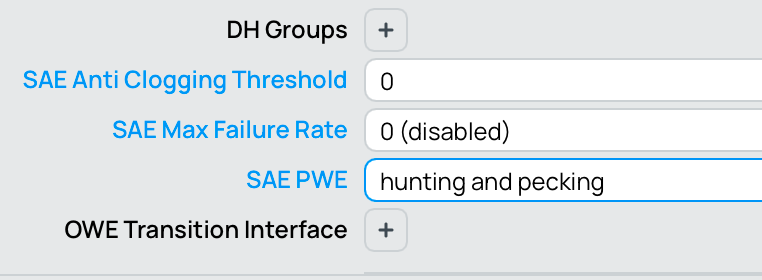
then these values do not correspond to defaults per documentation
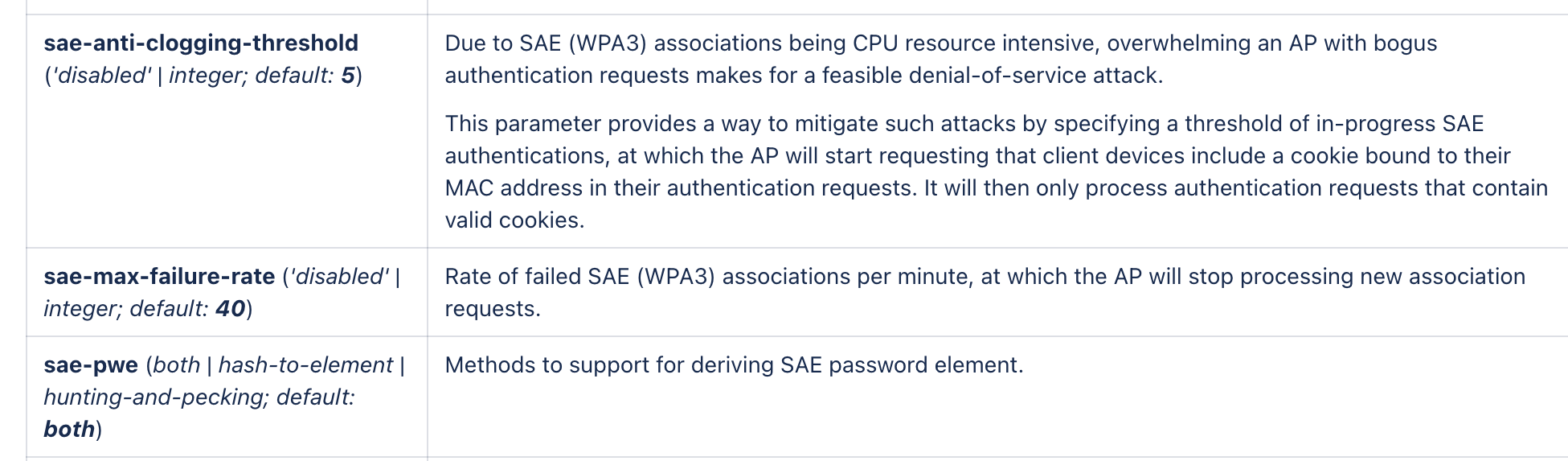
It is quite possible that same applies to other settings as well. This makes hard to trust values stated in documentation and/or what Winbox actually does.
P. S. This specific case is similar in Winbox 4 and Winbox 3
winbox 3 and ssh are fine, just winbox4 and the terminal.
Once it starts working, it keeps working. If i spawn another session, then it will fail. If I put ‘do-not-frag’ after the ping command it works every single time. If no one else has this issue then I will look at what is different on mine.
Just now I wanted one config window open, but out of the way (a filter rule). My first impulse was to drag it outside of Winbox, and let it on my second monitor.
Of course, we can’t do it. But wouldn’t be neat if we could? GIMP does this (at least did, last time I used), and it allows for some interesting setups.
@normis I found the issue and it’s the different enter keys on my keyboard. This is good news it’s been driving me insane!
When I use the number pad for pinging an IP I use the enter key next to it.
When I add ‘do-not-fragment’ I use the main enter key 
So the terminal behaves differently for each enter key. Different ascii codes I guess.
It would be nice if there was a way to make some icons slightly bolder with more vibrant colors (but not grouped together into a single “high contrast” setting with other things like text, the text is OK as is for me).
For example, in Winbox 4 it’s not as easy to immediately tell apart the accept, drop etc. firewall rules as it is in 3:
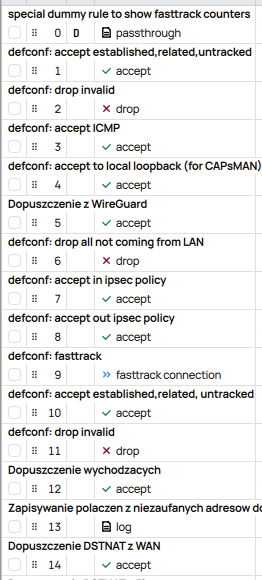
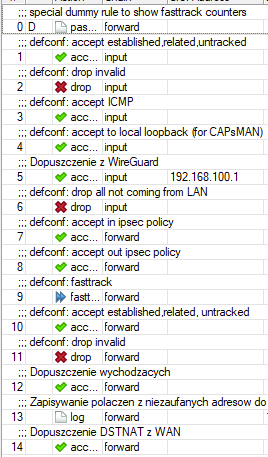
Seems like one person has mentioned something like that before, couldn’t find any more but maybe I was using wrong search terms.
The lack of colors in modern UIs is a plague that has ruined decades of UI/UX innovation and usability.
Imagine traffic lights changing Red/Orange/Green to ambiguous icons with the same monochrome colors on all three lights. This is the insanity we currently live in with modern UIs…
Coincidentally that description perfectly fits the traffic lights for bus drivers in my country.