Also,
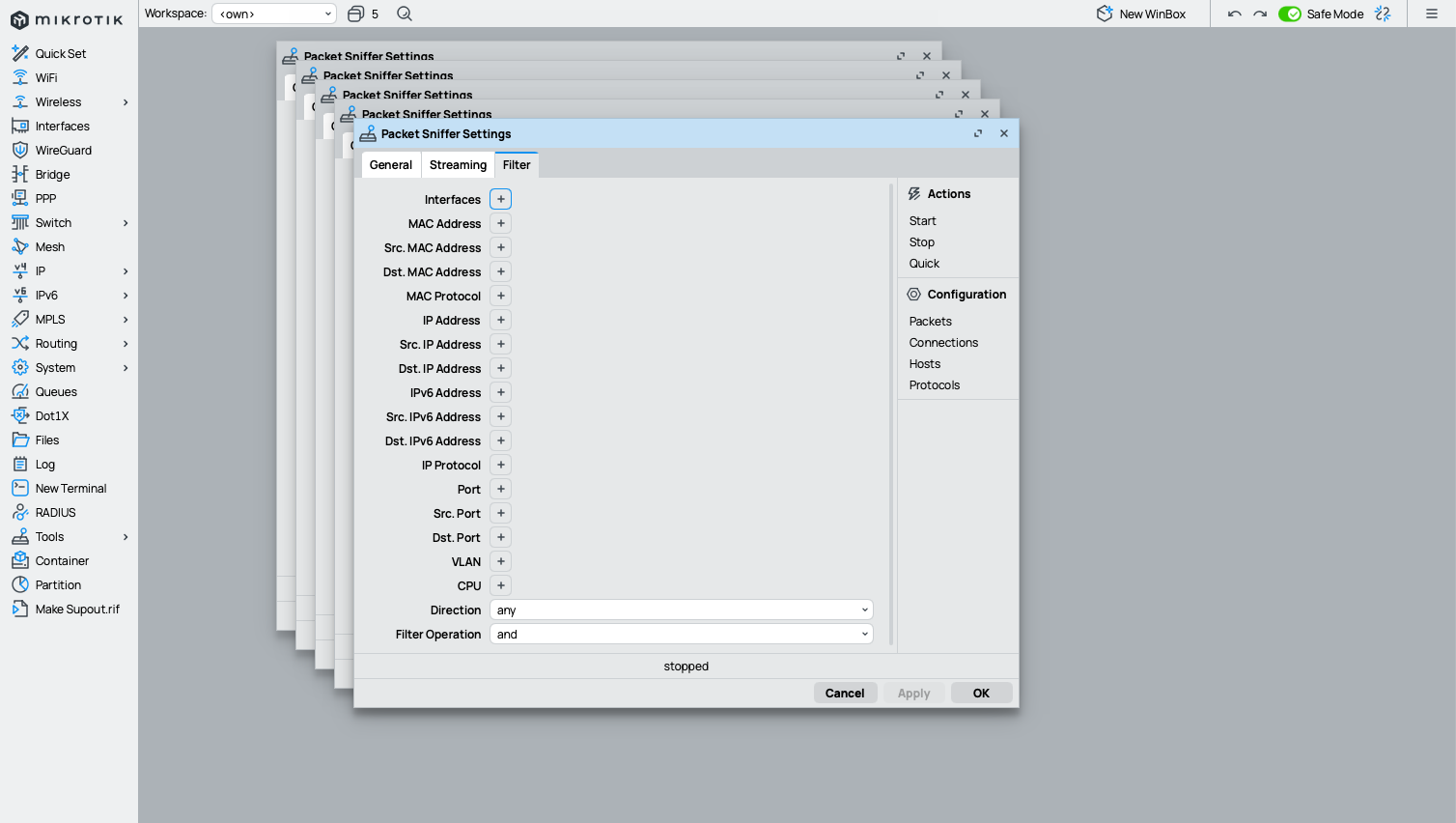
There are no new tabs in WinBox, so this could be "new terminal" and make perfect sense.
Also,
There are no new tabs in WinBox, so this could be "new terminal" and make perfect sense.
I don’t know how others feel about it, but for me F6 is much easier to press (single finger) than Alt+S.
Alt+S is even worse than for example Alt+L because they are both left-hand keys.
Another problem with the current Alt+S is that it presents a selection screen where F6 already switched to the next window so I could quickly press it a couple of times to make my hidden windows visible again.
Apparently in MacOS everything is different from Windows and Linux…
Actually, since vast majority will be right-handed, ALT-S will be easier for most since they already hold their mouse with right hand. No need to release mouse then.
That's why I so much prefer ctrl-x/c/v in Windows, those are left-handed speed keys.
Even Alt-F4 to close application/window, can be done easily with left hand.
But that's all Windows-based, ofcourse ...
Let's also remember that Windows and non-MacOS (Linux & Co.) account for about 85% of the market...
And that in terms of shortcuts, Linux is almost all identical to Windows...
And even if, hypothetically, 100% of the computers used by MikroTik staff are MacOS (which would explain a lot...),
that doesn't mean MikroTik staff should force everyone who uses Windows to lower the quality of the program...
Please consider some automatic column width settings. E.g. when a window is first opened and it already contains data (i.e. connection to an existing router), set the column widths like with double-click on the border (for all columns at the same time).
Otherwise, set columns where only small items are displayed to the width dictated by the header, and columns where the data type is known and larger than the header (e.g. IP address or subnet) to a width reasonable for the data type.
Of course do not change anymore after the user has tweaked the widths.
As it is now, columns with only yes/no or similar small values are usually much too wide, and colums with wider data (like IP address) are a fraction too narrow, causing … display.
What about the error message “RoMON agent does not exist” AFTER I have connected to a RoMON agent and while trying to connect to a RoMON node? This did not occur with old winbox. Is there a fix/workaround?
had that issue on windows and linux
That would be a good feature - auto column width. One possible way of implementation could be adding a small icon to the window which will set auto width for columns in active window.
I think it makes sense for the keyboard shortcut (⌥S) as you can continue to cycle through the windows (and preview them) using the keyboard.
But I'm not sure the dropdown with open windows on toolbar needed to go to the full-screen picker. IMO the full-screen window picker should only be from the ⌥S keyboard shortcut, and toolbar icon for open windows should have remained as-is.
And I'm still not sure why ⌥S couldn't be the more obvious ⌥<tab>
Exactly.
need a real right click !!!
The "Close All" button at the very bottom left 
I wouldn't even have noticed it on my 27" screen if I hadn't read about it here.
cant type any too
im on beta 41 and latest OS 7.20.4
works with beta 39 broken in beta 41
German Keyboard Layout
What an absolute hot mess this version is….
CMD+W to close internal windows has been removed to make way for CMD+F4 - excellent for MacBook users who would need a triple key press for that combo. Genius.
If you have been using Winbox on an external monitor and open a window and then close Inbox and go to a smaller screen like the MacBook it presents the window at the size it was on the external monitor.
Double clicking the title bar opens it full screen inside Winbox. If I then press ESC to close the window and re-open it opens full screen again, double click and it goes back to the external monitor size.
The only way to *fix the window is to double click the top bar, drag the whole window sideways so you can get a resize handle and drag from top left down to bottom right to resize the window and then drag it back up into view. Sometimes I have to do this twice when re-opening Winbox after disconnecting from my external monitor.
No other macOS software has the *feature when switching monitors.
Infuriating for admins who go between an external monitor and laptop. Genius.
I would consider it as a bug. Even without external monitor it behaves incorrectly.
The main window has some width and height. You can maximize/restore it many times and it will go to original size after each restore. But if you close the window in maximized state, original width and height are lost, and if you restore the window after reopening the app, its width/height will be equal to screen size.
The app should save original width/height on close, not the ones that the window has in maximized state!
This causes problems in scenarios, when you drag files between WinBox and PC and need to temporarily restore the window to have free space around for dragging. (btw, why dragging from WB to PC still not fixed? ...)
Added this to the list of issues (#35): 📣 WinBox 4 is here 📣 - #2428 by teslasystems
Is opening multiple times a window a feature or a bug? 
Reproducible on Winbox4beta41 (didn't test this in previous releases – unsure if this is new or always have been like that).
Some examples of windows that presents this behavior:
Most of windows close with Esc key. Terminal closes with Ctrl+D. Cmd+W is removed probably because it is a global shortcut (outside WinBox) on Mac.
P. S. First row of keys on Mac keyboard can be set to function as standard function keys by default.
CMD+W is motor memory for a macos user. Why would i want to remap function keys and lose all media / brightness functions. Just leave CMD+W alone. It worked perfectly.
This depends on workflow of the user. Some want to access media etc keys more often, others do use actual function keys more often and set them to default.
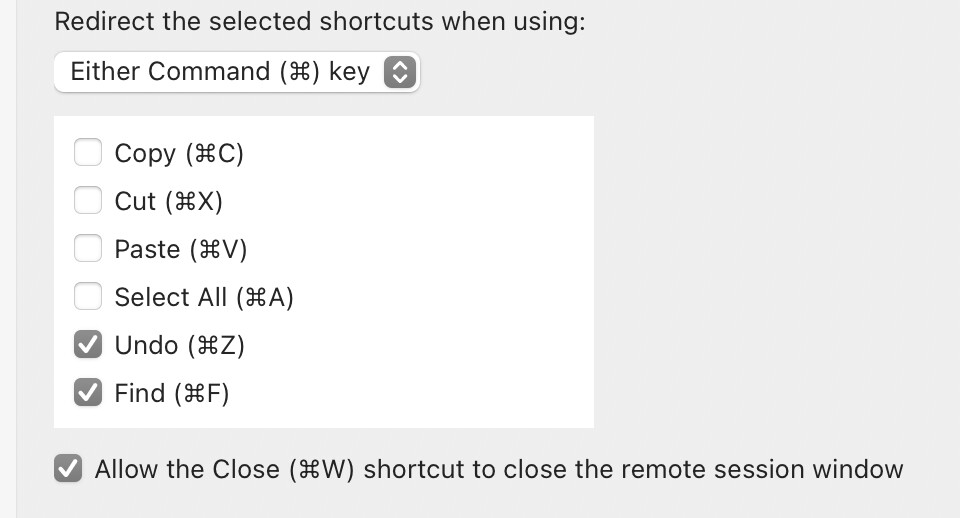
Cmd+W is system-level shortcut to close application window. For it to work inside WinBox it should be able to be “intercepted” when WinBox window is active. Windows App (formerly known as Microsoft Remote Desktop) can actually map some other Cmd-shortcuts into RDP session, but still not Cmd+W
…and yes I agree that Cmd+W and Cmd+Q are in muscle memory of Mac user - and they are ergonomically much better to use than equivalent Ctrl+F4 and Alt+F4 on Windows.
Unfortunately Ctrl-W is in my muscle memory for “delete word” and not “close window”.
I say unfortunately because it has happened many times that I press Ctrl-W when in a text window in a browser and it closes the window, losing all my text input.