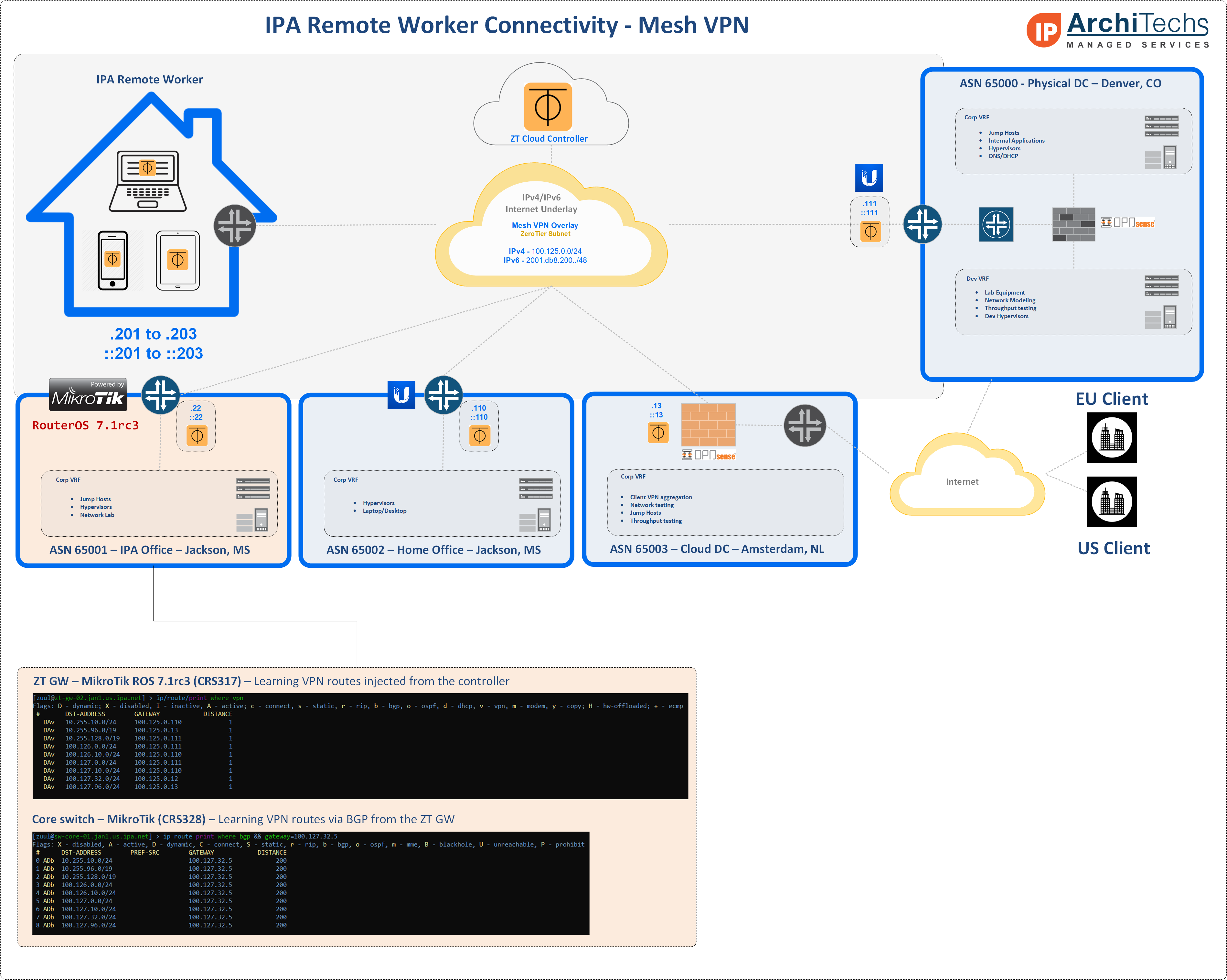
Home network with Mikrotik ethernet router rb450gx4:
tried to access the webfig URL using the zerotier IP from a windows box(zerotier enabled/connected) with not much success.(zerotier is running and connected to the network on mikrotik RB450GX4)
Question:1. are there additional settings /firewall rules etc needed?
2. any details on how to make home LAN devices accessible with just rb450gx4 router zerotier configuration.
Teleport, start with Zerotier tutorial on their webpage. Did you get a connection to their network, and then went and approved this Windows PC in the zerotier portal? You have to approve every device there.
I am wanting to join a zt network that has IPv6 only. Is that an issue? I have set allowed global= true yet I cannot ping other clients on the ZT network. Already approved on the control panel.
to ping other clients, you must allow access in the firewall, and you might need to set up routing. these things are outlined in the zerotier manual too.
That’s all done. The Zerotier network I’m connecting to has been in use for about 3 years. It’s just bizarre that the Chateau over LTE can connect and ping the Zerotier Network and the RB3011 with a PPPoE VDSL connection can’t.
I just disabled Zerotier on the RB3011 and change the Chateau’s default route through the RB3011 and that was fine. I also tested once more by changing the default route through an RB750Gr3 connected to Starlink and no issue.
Firewall rules on the RB3011 are fairly standard. No connection marking or the like.
After installing the zerotier npk on my HAP AC2, my Firewall Filter Rules are all mixed up, and wireless caps settings are gone. I also lost my Loopback Bridge, it’s address was still present in /ip/address.
One unplanned reboot since I installed the package, nothing in the log, but an autosupout was generated.
Not sure if this is because of the zerotier npk or a bug in ROS 7.1rc2.
In fairness, @normis didn’t say the hAP ac^2 is supported for ZeroTier… That being said, it worked on the couple hAPac2 I’ve been using to test v7, but there may be a reason this platform isn’t listed as supported (even though it is ARM, and does load the package) .
I’ve been using ZeroTier on hAPac2 for a few days now, but network is simple: I have single external LTE USB modem for internet - no cap2man – firewall/config are based on QuickSet “Home AP” defaults with minor tweaks.
One note, I read somewhere one bug in v7.1 is “lost configuration”, so probably may want to report this to Mikrotik support@mikrotik.com.


 .
.